How To Perform Sensor Calibration/MFC Setup Cha
ter Seven: O
eration in Setu
Mode
194
Pirani and Convection Gauges
CENTER DISPLAY
RIGHT DISPLAY
LEFT DISPLAY
CLOSE
SETUP
SENSOR CAL
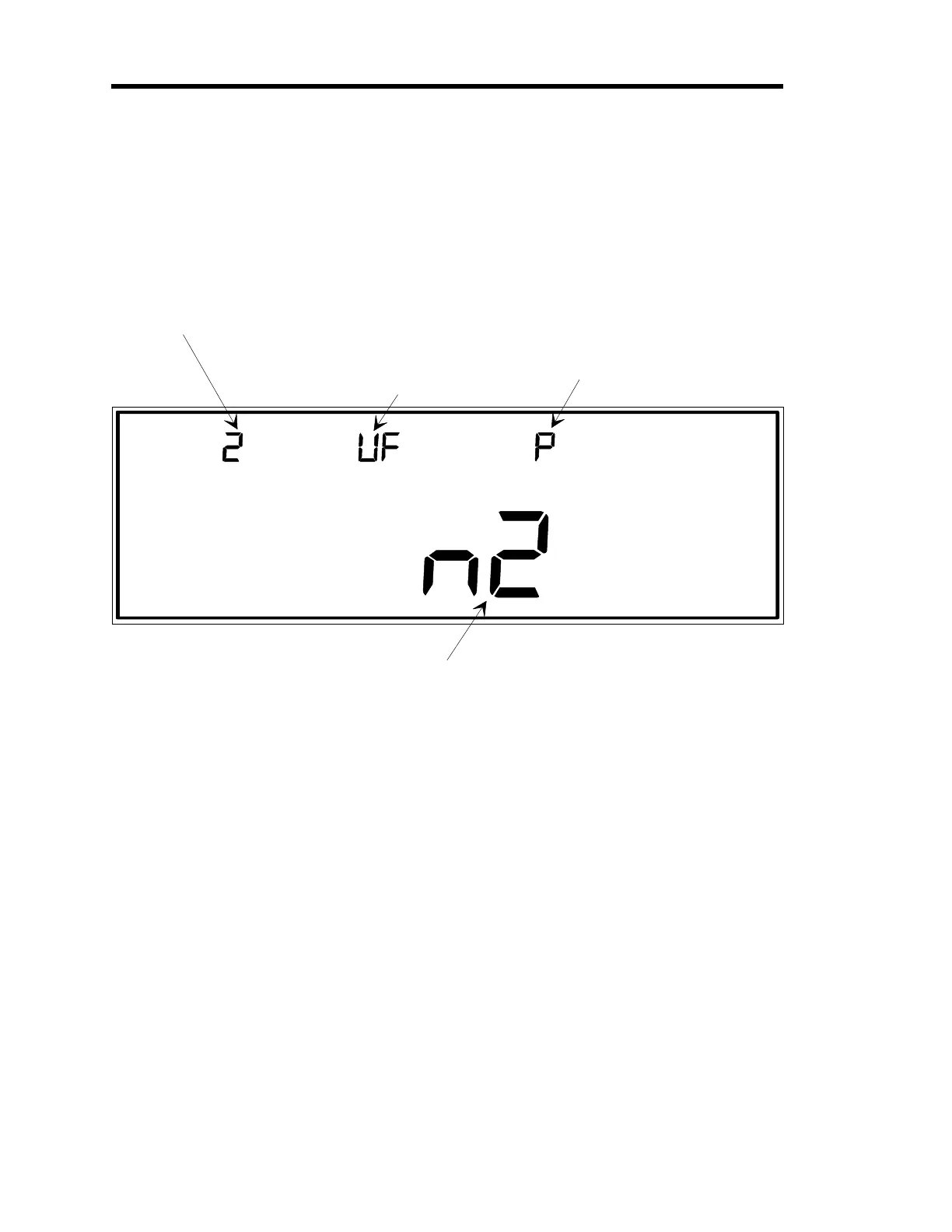
The number for the input
channel is entered here.
In this example, channel 2
is selected as the input
channel.
This indicates the type of
au
e associated with the
selected input channel.
The codes are P for
Pirani (shown in this
example) Cn for Convectron,
and CP for HPS CEP.
This indicates either a
Factory (F), or User (U)
defined ZERO (left
character) and SPAN
(ri
ht character).
In this case, the ZERO
is User-defined, and the
SPAN is Factory-defined.
There are three
as types which may be selected:
n2 (nitro
en, as in this case), HE (helium), and Ar (ar
on).
MAIN DISPLAY
Figure 57: Calibration for Pirani and Convection Gauges
The sensor type codes are
P
for Pirani,
Cn
for Convectron, and
CP
for HPS CEP (Convection
Enhanced Pirani). Sensor type, whether Pirani or convection, is automatically determined when
a channel is initialized. However, the 146 unit cannot distinguish between the two convection
gauges: Convectron and CEP. The default convection gauge selection is the Convectron gauge.
If you are using a CEP gauge, you must change the convection gauge type to CEP. No
additional commands are required if you are using either a Convectron gauge or a standard Pirani
gauge.
The display also lists the type of gas selected, either
n2
(nitrogen),
HE
(helium), or
Ar
(argon).
Artisan Technology Group - Quality Instrumentation ... Guaranteed | (888) 88-SOURCE | www.artisantg.com











 To Next Page