How To Adjust Lead Cha
ter Six: O
eration in Tunin
Mode
176
How To Adjust Lead
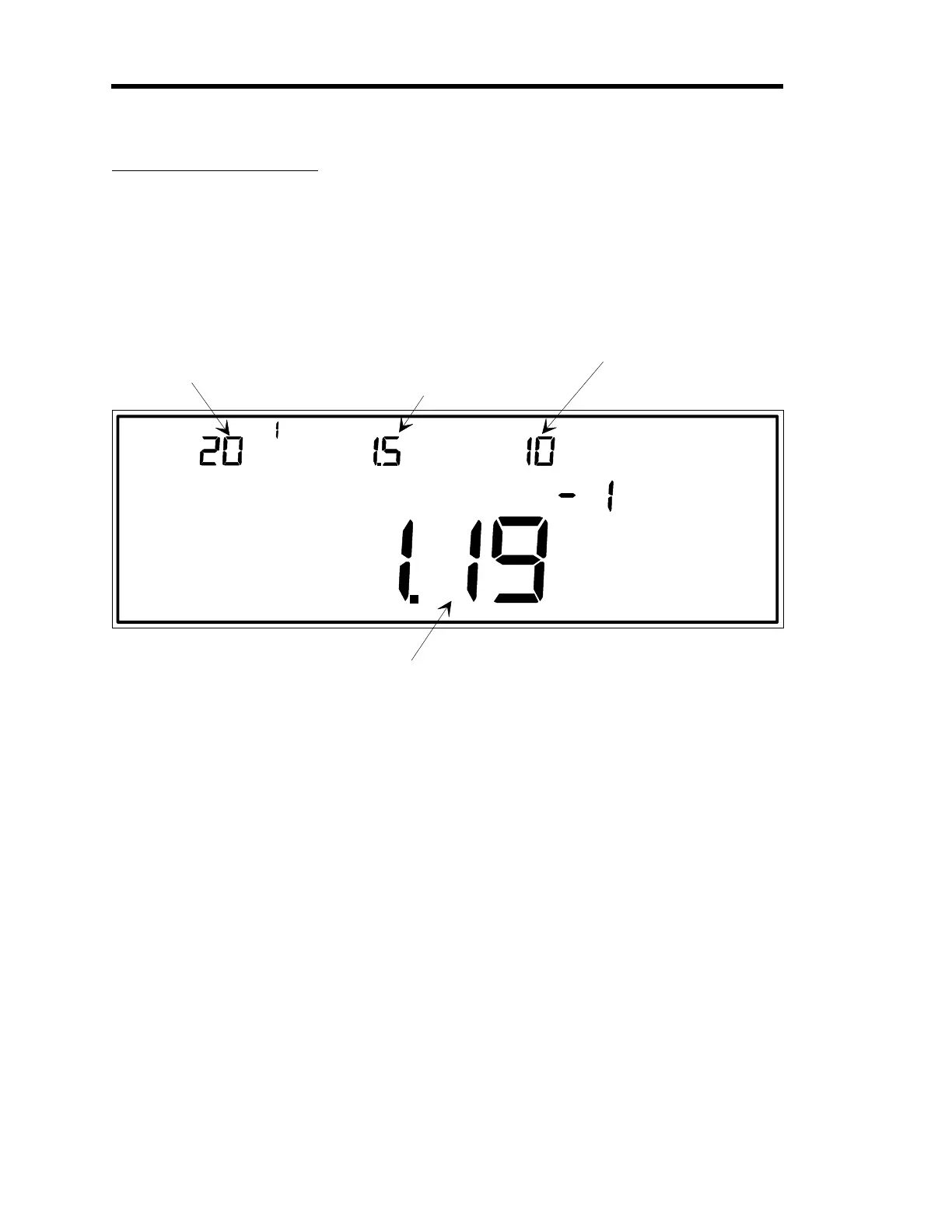
MAIN DISPLAY
This is the pressure readin
from the
au
e on the control channel.
MANUAL
TORR
TUNING
LEAD
LEFT DISPLAY
CENTER DISPLAY RIGHT DISPLAY
This is the current valve
position expressed as a
percent of the valve
control si
nal output.
This example shows a
settin
of 20.1% of the
valve control si
nal
output.
The LEAD value for the
selected recipe is shown
here. In this example,
LEAD is the parameter
which is selected for editin
.
You must select a recipe
before you can edit the
LEAD parameter.
The GAIN value for the
selected recipe is shown
here.
You must select a recipe
before you can edit the
GAIN parameter.
Figure 51: Adjusting the Lead Value
The Lead parameter creates a valve drive signal that is proportional to the
rate of change
of the
controlling sensor’s pressure reading. That is, the Lead value provides anticipation in the
system, allowing set point to be reached more quickly.
Lead is a real-time parameter. The new Lead value goes into effect as soon as it is adjusted with
this procedure.
1. Repeatedly press the [
DISPLAY MODE
] key until the 146 unit is in Tuning Mode.
The system responds by scrolling through modes.
Artisan Technology Group - Quality Instrumentation ... Guaranteed | (888) 88-SOURCE | www.artisantg.com











 To Next Page