General Information Cha
ter Six: O
eration in Tunin
Mode
158
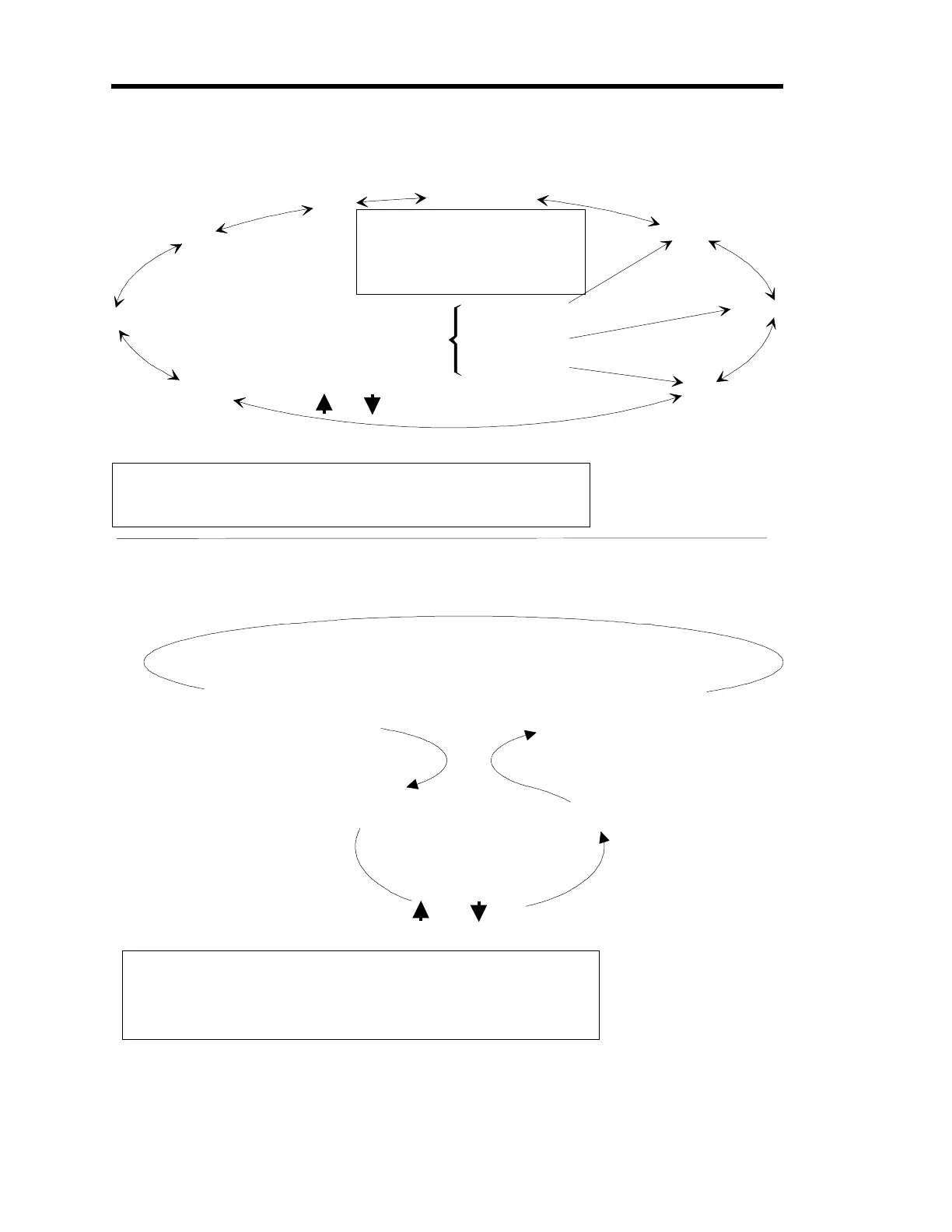
Upper Level of Tuning Mode
Lower Level of Tuning Mode
Base
Inte
ral
Preset
Gain
Lead
Set Point
[DEGAS/SETPOINT]
[ON/LEAD]
Valve Position
[OFF/GAIN]
Start
Parameter
Functionality returns to the
Upper Level of Tunin
Mode
Functionality be
ins on the
Upper Level of Tunin
Mode
Upper Level of Tuning Mode
Shortcut Keys
o directly
to a parameter and select
it for editin
.
and scroll throu
h these parameters
[ENTER] selects parameter for editin
To select Valve Position:
1. No other Tuning Mode parameters
can be displayed.
2. Control Mode parameter HOLD or
MANUAL must be displayed.
[QUIET/CANCEL] 1. Goes directly to Valve Position parameter
2. Returns to Normal Mode
Once selected with [ENTER]
the parameter is editable
[ENTER] ends editin
and adjust
parameter value
1. Returns a parameter to its pre-edited value
2. Returns to the Upper Level
3. Goes directly to Valve Position parameter
4. Returns to Normal Mode
[QUIET/CANCEL]
Figure 43: The Two Levels within Tuning Mode
Artisan Technology Group - Quality Instrumentation ... Guaranteed | (888) 88-SOURCE | www.artisantg.com











 To Next Page