How To Configure an Analog Output Cha
ter Seven: O
eration in Setu
Mode
208
How To Configure an Analog Output
CLOSE
VOLTS
SETUP
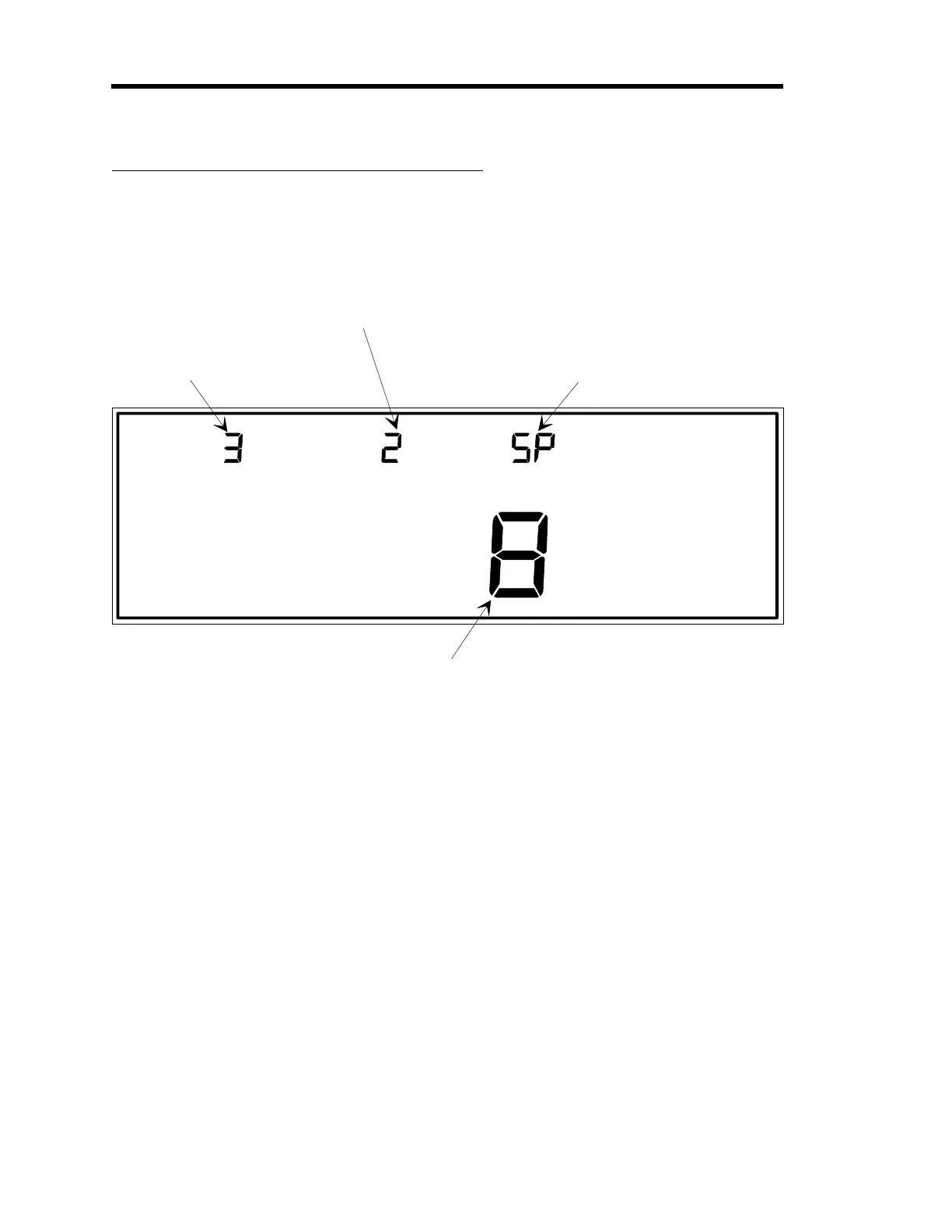
ANALOG END POINT
This indicates which
analog output (1 through 3)
is selected for editing.
In this example, analog
output number 3 is ready
for editing.
This display lists the
input channel (1 through 4)
whcih supplies the input
signal for scaling.
The output scaling method
is selected in this display.
The three output scaling
methods are: Linear (Ln),
Logarithmic (lo1 through lo9),
and set point (SP).
This display currently shows an output voltage of 8 Volts because the output scaling
method selected in the right display is SP (set point). If either Ln or lo0 through lo9
(logarithmic) is selected as the output scaling method, the main display is used to enter
the pressure value corresponding to the full scale output.
Note:
The 146 unit defaults to 5 Volts if a value over 10 is entered in the main displa
AND
the output scalin
method is set to SP (set point).
LEFT DISPLAY
CENTER DISPLAY RIGHT DISPLAY
MAIN DISPLAY
Figure 63: Display for Configuring an Analog Output
The 146 unit supports up to three analog outputs: one on the CPU board; and two on the
Auxiliary Output board. Each of these outputs may be programmed as either linearly scaled
(
Ln
), logarithmically scaled (
lo1 - lo9
), or as a set point (
SP
). In the case of linear or logarithmic
scaling, the full scale output of 10 V is made to correspond to a pressure.
Artisan Technology Group - Quality Instrumentation ... Guaranteed | (888) 88-SOURCE | www.artisantg.com











 To Next Page