Code 15x: How To Set Up the Analog Set Point Cha
ter Seven: O
eration in Setu
Mode
236
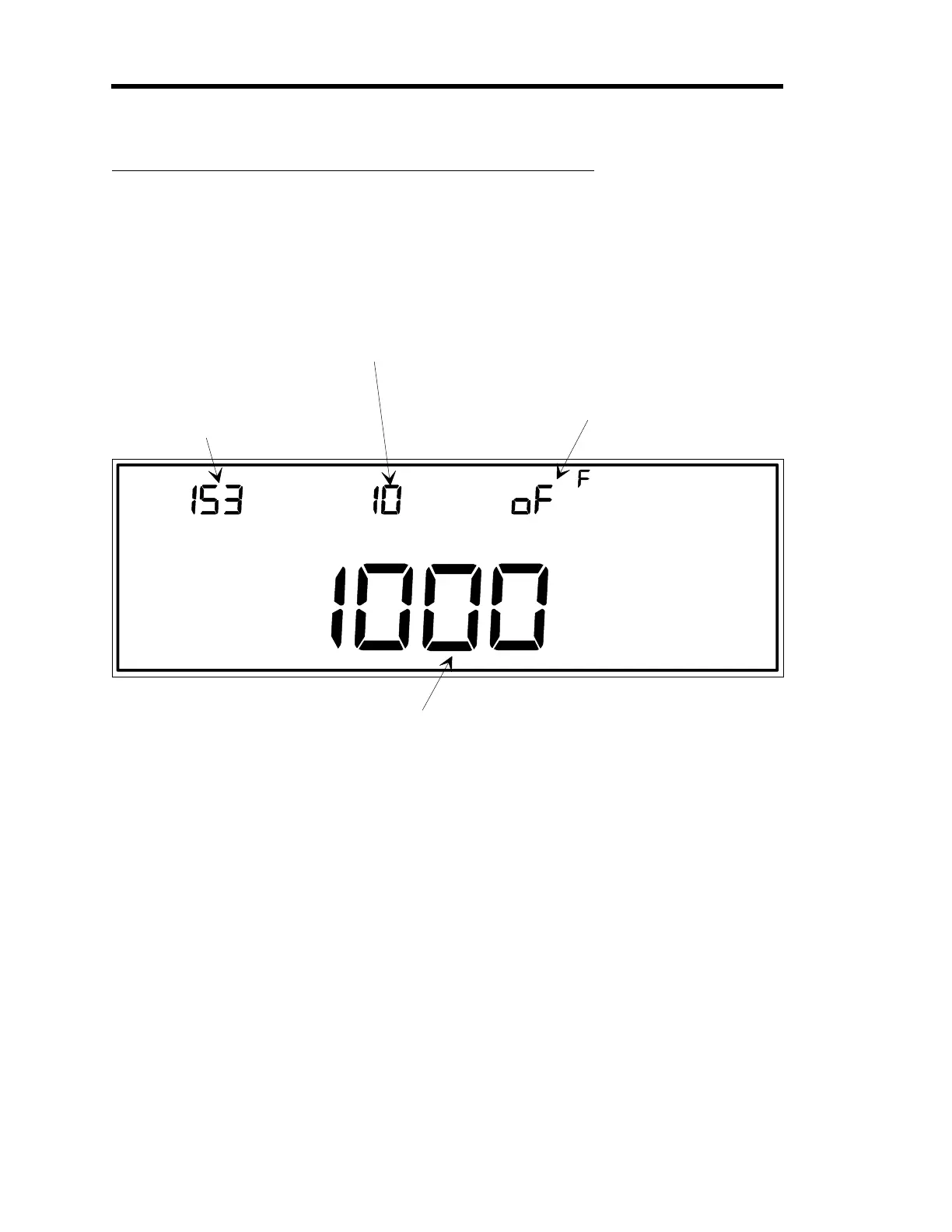
Code 15x: How To Set Up the Analog Set Point
CENTER DISPLAYLEFT DISPLAY
CLOSE
SETUP
TORR
CODE
The code number is
displayed and edited
here.
This number represents
the code number and the
recipe number to be modified.
In this example, the code
number is 15 and recipe
number 3 is selected for editin
.
MAIN DISPLAY
This is the full scale
volta
e used to set the
upper limit of the analo
input volta
e ran
e.
This value is used for
all recipes.
This is where the full scale set point pressure
is edited. The value entered here only effects
the selected recipe.
RIGHT DISPLAY
This display to
les between
on (enable the analo
set point
feature), and oFF (disable the
feature). This example shows the
analo
set point disabled.
If the analo
set point feature is
turned off, the 146 unit defaults
to a di
ital set point input.
Figure 78: Code 15x Display
This function requires the Control board.
The
x
in the code number represents a recipe number. Each recipe can be configured with a
different full scale set point pressure value, set in the main display. The set point signal input is
configured as an analog or digital input in the right display of this function. All parameters
adjusted in this function
except
the parameter edited in the center display (full scale voltage to set
the upper limit of the analog input voltage range), are specific to each recipe. The full scale
voltage for analog input is common to all recipes.
The analog set point input is a linear input sent through the lower connector on the Control
board. The input corresponds to an analog set point value (refer to Figure 79, page 237). By
adjusting the analog set point input voltage, the analog set point is changed. The default settings
are for an analog input of 0 Volts to correspond to a 0 set point, and for a 5 Volt input to define a
Artisan Technology Group - Quality Instrumentation ... Guaranteed | (888) 88-SOURCE | www.artisantg.com











 To Next Page