How To Perform Sensor Calibration/MFC Setup Cha
ter Seven: O
eration in Setu
Mode
198
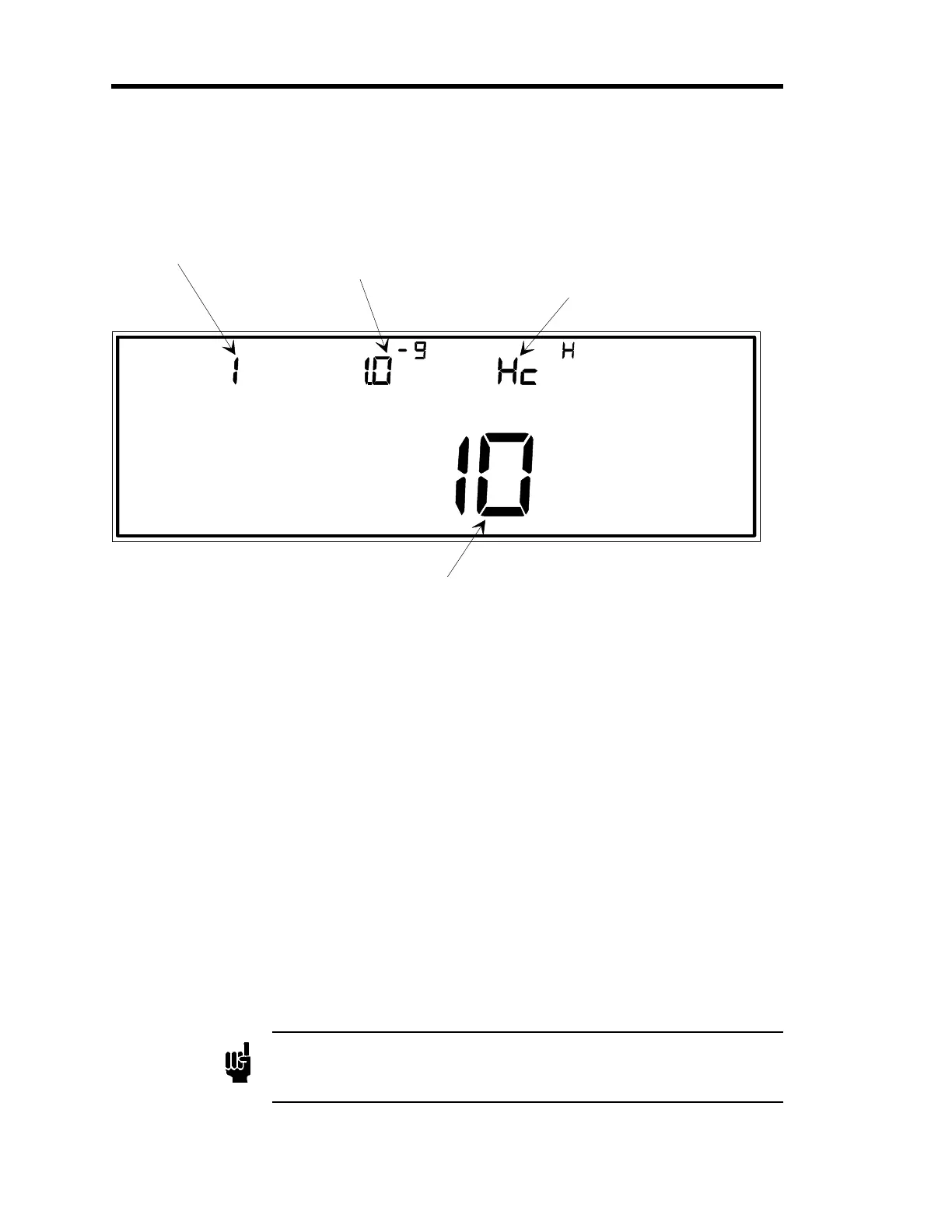
Hot Cathode
LEFT DISPLAY
CENTER DISPLAY RIGHT DISPLAY
Torr
SETUP
SENSOR CAL
The number for the input
channel is entered here.
This is the lower cutoff
pressure for the sensor
reading.
This stands for hot
cathode. The uppercase H
indicates high power, a
lowercase l indicates low power.
MAIN DISPLAY
This is the sensitivity value for the hot cathode gauge.
Figure 59: Sensor Calibration for Hot Cathode Gauges
A hot cathode sensor is indicated by the code
Hc.
In addition, above and to the right of the
Hc
code, is either the letter
H
or the letter
l
. The letter
H
is used to indicate a high power
hot cathode and it is the default setting. The letter
l
is used to indicate a low power hot
cathode (HPS low power, Bayard-Alpert, nude, hot cathode). Refer to
Configuring the Hot
Cathode Board for a Low Power Hot Cathode
, page 57, for instructions on how to change the
default setting and accommodate a low power hot cathode.
Refer to
How To Perform Sensor Calibration/MFC Setup
, page 190, for steps 1 through 3.
4. Enter a sensitivity value.
A. If the display is correct, press the [
ENTER
] key.
B. If the display is incorrect, enter another value, then press the [
ENTER
] key.
The system responds by accepting the entered value, and causing the center display to
blink.
Note
1. The default value for sensitivity is 10.
2. The sensitivity value must be in the range of 0.011 to 100.
Artisan Technology Group - Quality Instrumentation ... Guaranteed | (888) 88-SOURCE | www.artisantg.com











 To Next Page