Inside the Type 146 Unit Cha
ter Three: Overview
52
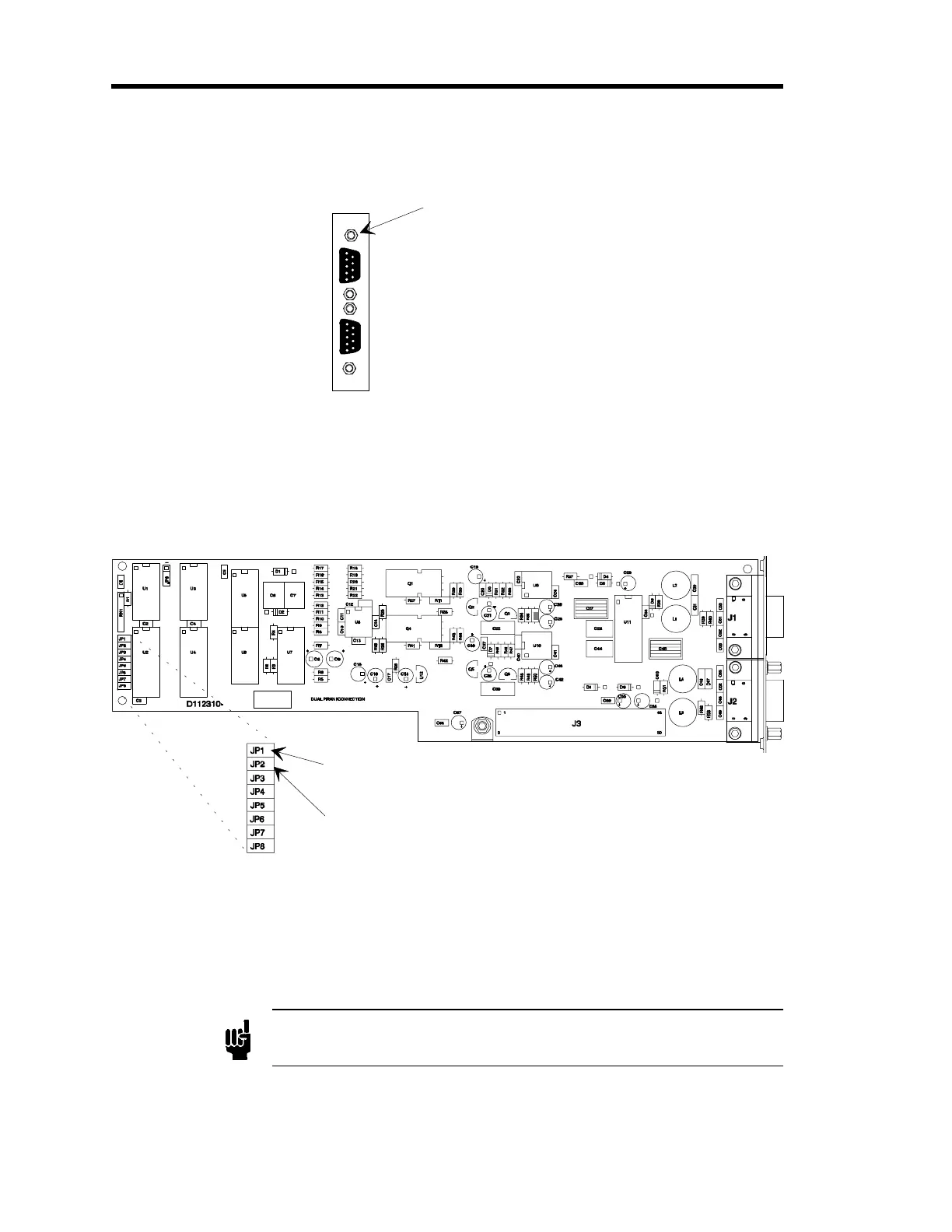
10. Remove the top fastening screw that is above the upper connector.
Top fastenin
screw
Figure 15: Dual Pirani Board Connectors
11. Carefully but firmly pull the Pirani/Convection board out of the 146 unit.
12. Remove the jumper that is currently on any jumper pack numbered JP2 through JP8
(typically the jumper is stored on JP2).
Place the jumper on JP1 for
single channel configuration
Place the jumper on JP2 for
dual channel configuration
Figure 16: Jumper Placement on the Pirani/Convection Board
13. Place the jumper on JP1.
The board is now configured as a single channel Pirani/Convection board. The top
connector becomes the only active channel.
Note
Only the top connector is active when the Pirani/Convection board is
configured for single channel operation.
Artisan Technology Group - Quality Instrumentation ... Guaranteed | (888) 88-SOURCE | www.artisantg.com











 To Next Page