Chapter Five: Operation in Leakage Mode General Information
125
Chapter Five: Operation in Leakage Mode
General Information
Press the [
DISPLAY MODE
] key once from Normal Mode to get to Leakage Mode. The word
LEAKAGE
appears in small letters above the main display.
Torr m
LEAKAGE
HOLD
TORR
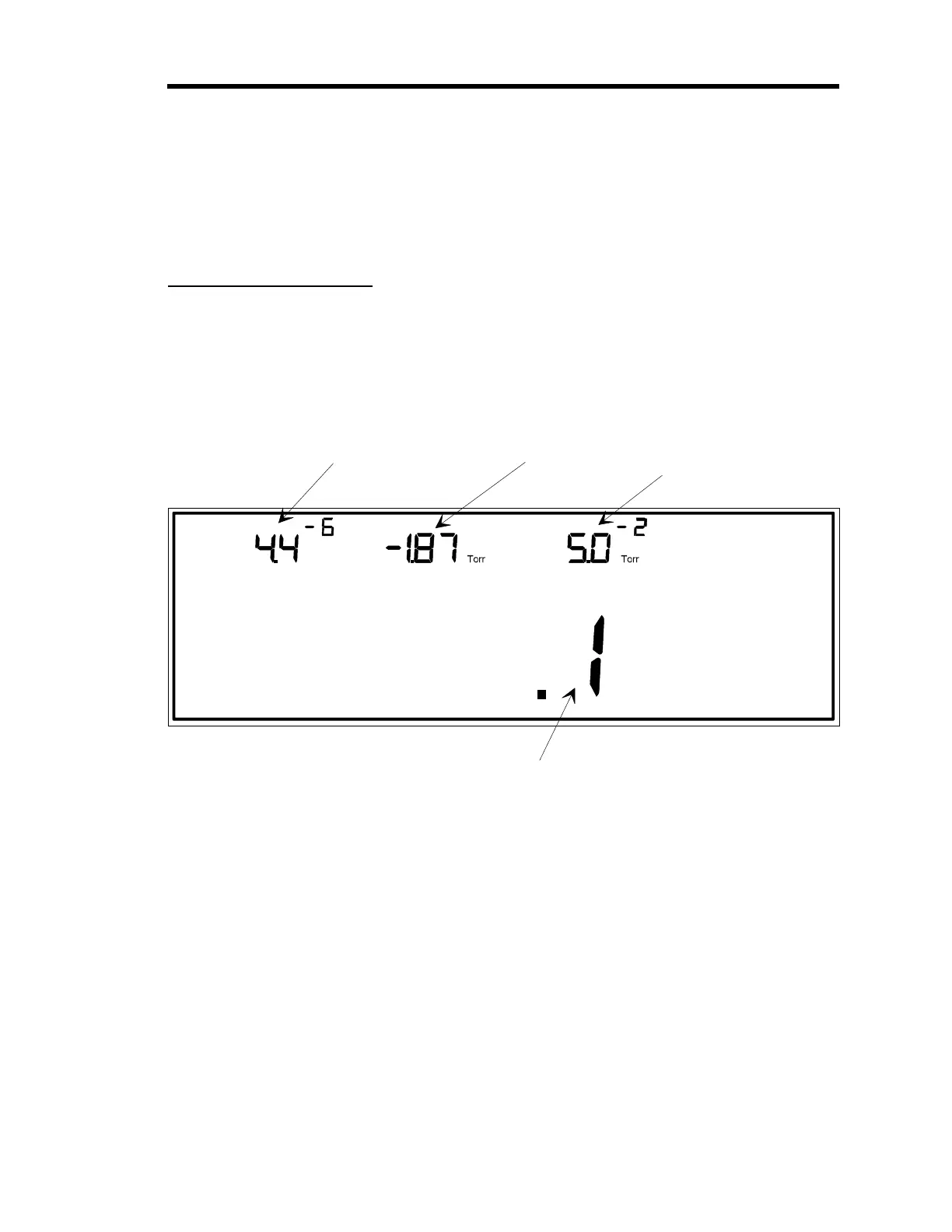
4
LEFT DISPLAY
CENTER DISPLAY
RIGHT DISPLAY
The pressure reading from
the gauge on channel 1 is
shown here.
The pressure reading from
the gauge on channel 3 is
shown here.
The pressure reading from
the gauge on channel 2 is
shown here.
MAIN DISPLAY
This is the leakage rate measured from the gauge on channel 4.
Note:
The main display may show the Leakage Rate (as in this
example) or instantaneous Leakage.
Figure 33: Leakage Mode
Figure 33 shows a sample window for Leakage Mode. In Leakage Mode, all upper displays
show a pressure reading, provided the displays are hooked up to active sensors and the sensors
are reading within their range. The main display shows either
leakage rate
, or
instantaneous
leakage
.
Leakage rate is the leakage over a user-defined time base. The leakage rate display shows the
rate in pressure units/second. For example, the leakage rate may be 3 Torr per 30 seconds, where
Torr is the pressure unit, and 30 seconds is the user-defined time base. The display shows the
rate as .1 Torr because a rate of 3 Torr/30 seconds equals a rate of 0.1 Torr/second. Refer to
Artisan Technology Group - Quality Instrumentation ... Guaranteed | (888) 88-SOURCE | www.artisantg.com











 To Next Page