The Front Panel Window Cha
ter Three: Overview
44
What to Look For
TUNING
GAIN
TORR
HOLD
1
INVALID
This is a legend
indicating the active
mode
This is a Tuning
Mode Parameter
Blinking
Display
This is a Control
Mode Parameter
Channel Number
An Error
Message
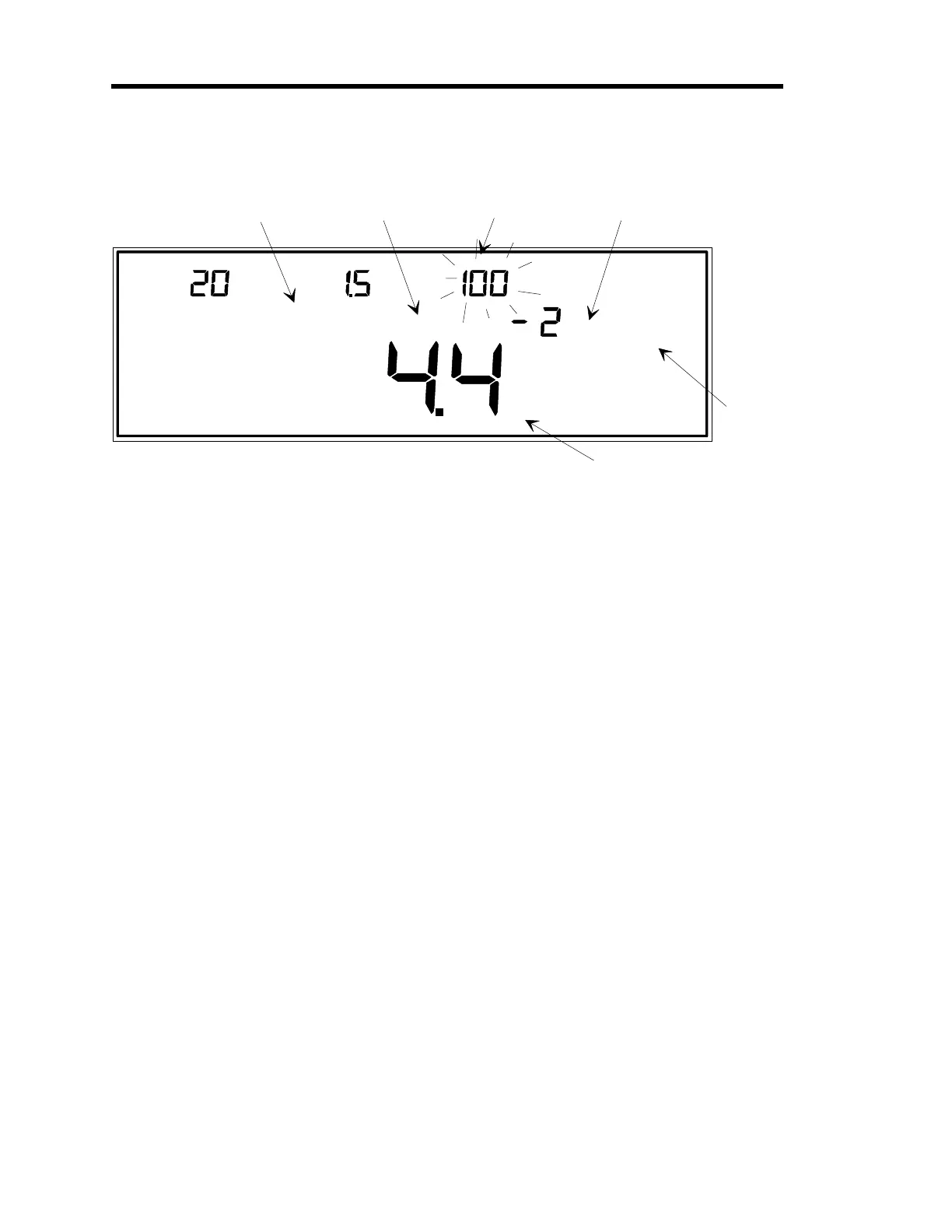
Figure 13: Explanation of the Front Panel Display
A Blinking Display
: A blinking parameter in the window indicates that this parameter is the
active entry—its value can be confirmed or edited. You may edit the blinking parameter, or
press the [
ENTER
] key to move to the next editable parameter (if there is one).
Legends
: The 146 unit displays many different legends. Some legends indicate which mode the
146 unit is operating in, some provide a choice of parameters (for example
OPEN
,
AUTO
,
CLOSE
,
HOLD
, or
MANUAL
), and some show which parameter is currently available for editing (for
example
SET POINT
,
LEAD
, or
GAIN
).
Channel Number
: The small number to the bottom right of the main display, indicates the
channel whose pressure reading is currently being shown in the main display. The left, center,
and right displays do not need to have a channel number because they always display channels 1,
2, and 3 respectively, when in Normal or Leakage Modes.
Error Codes
: The 146 unit is able to determine several different error conditions (such as a
disconnected sensor). Refer to Appendices C and D for a list of error codes and what they mean.
IMPORTANT
It is important to be familiar with the various legends, error messages, and parameters which can
be displayed in the front panel window. These messages convey valuable information about
which mode the 146 unit is operating in, the status of the 146 unit and the sensors connected to
it, the currently editable parameter, and more.
Take the time to look at Figure 12, page 43, to see all the standard legends, error messages, and
parameters of the 146 unit, and where they are displayed in the window. Refer to Table 7, page
45, for a summary of the standard messages. In addition to these standard messages, error codes
(see
Appendix D: Front Panel Error/Status Messages
, page 307), can also be displayed. Error
codes appear in the main, left, center, or right displays, whichever display is most appropriate.
Artisan Technology Group - Quality Instrumentation ... Guaranteed | (888) 88-SOURCE | www.artisantg.com











 To Next Page