Chapter Seven: Operation in Setup Mode General Information
181
Chapter Seven: Operation in Setup Mode
General Information
Press the [
DISPLAY MODE
] key three times from Normal Mode to get to Setup Mode. The word
SETUP
appears in small letters above the main display.
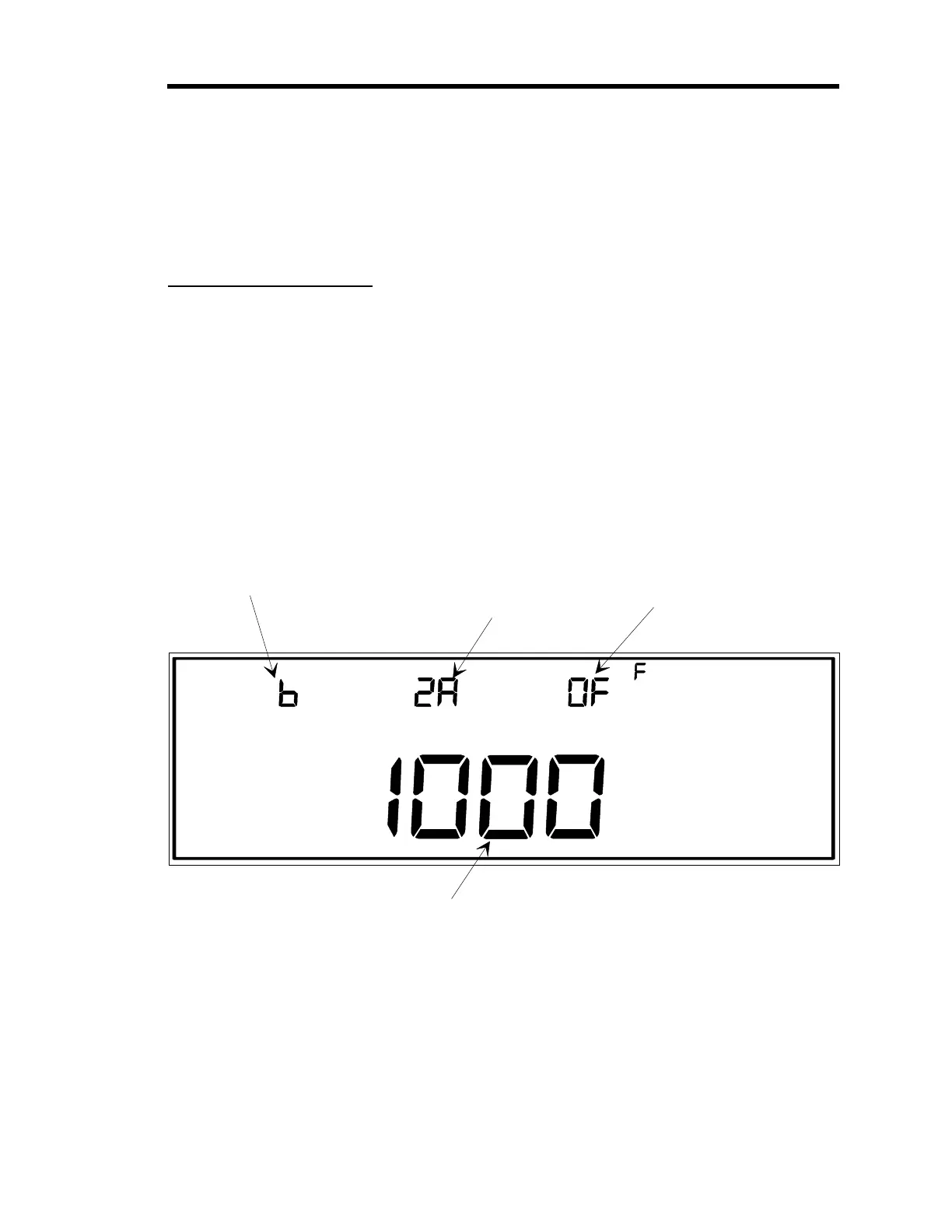
Figure 53 shows a sample window for Setup Mode. Setup Mode is used to set up the 146 unit to
operate according to the needs of a specific control system. For example, in Setup Mode, alarm
trip points are entered, and the 146 unit can be set up to read pressure over a range that is
spanned by two gauges. All the miscellaneous codes for the 146 instrument are contained within
Setup Mode.
CLOSE
TORR
SETUP
TRIP POINT
CENTER DISPLAY
RIGHT DISPLAY
LEFT DISPLAY
MAIN DISPLAY
This indicates if the selected
alarm is ON (enabled) or
OFF (disabled) as in this
example.
The trip point for the selected
alarm is shown in this displa
.
The letter of the alarm
which is selected for
editin
(A throu
h D)
is shown here.
This is the channel number
for the
au
e which is
associated with the selected
alarm. The uppercase A
indicates normall
actuated.
Figure 53: Setup Mode
Artisan Technology Group - Quality Instrumentation ... Guaranteed | (888) 88-SOURCE | www.artisantg.com











 To Next Page