Chapter 3: AT Commands Reference
December 31, 2007 AT Commands Reference Manual 3-285
Two modes exist:
• Idle mode: The G24 has no data to send.
• Wakeup mode: The G24 has data to send to the terminal.
After the G24 changes the line edge to Wakeup mode, there will be a delay (the default is 30 ms)
sent by the ats102 command before sending any data to the terminal (using RS232 protocol).
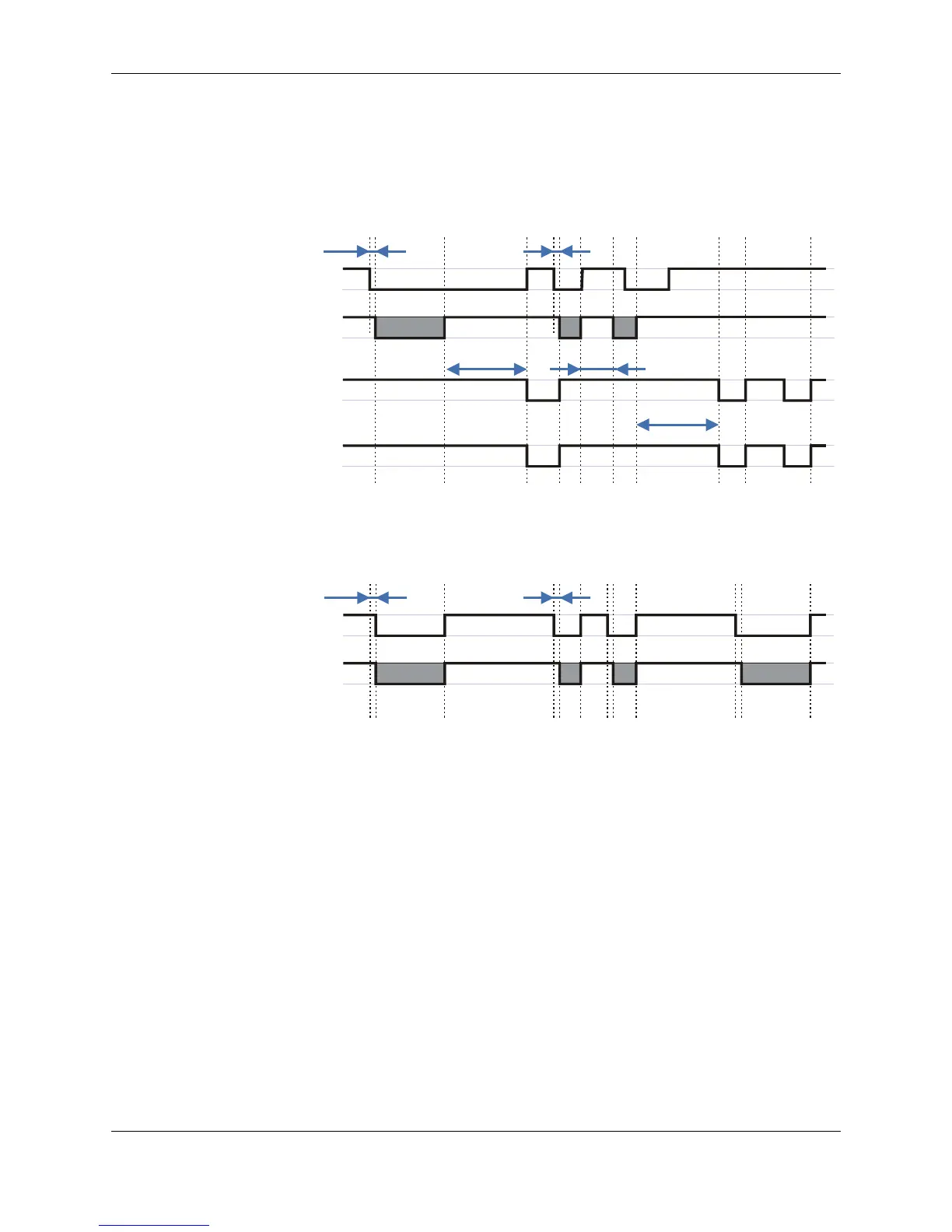
Figure 3-12: Sleep Mode when S24 > 0
Figure 3-13: G24 Lines when S24 > 0
S24, Set Number of Seconds Delay Before G24 Enters Sleep Mode
This command activates/disables the Sleep mode. The terminal sends ATS24=5, and if there are
no radio and UART activities, the G24 enters sleep mode in 5 seconds.
If terminal has some indication of the CTS pin activity, it can see:
• If +MSCTS=0 (default), the line changes its state periodically. (For more information refer
to “+MSCTS, Enable/Disable CTS During Wakeup Period” on page 3-288.)
• If +MSCTS=1, the line is switched off at the moment of entering Sleep mode and stays off
even if G24 is awakened.
G24 CTS
(Defaultwhen
at+mscts=0)
G24
Sleep mode
(Clock)
Terminal TXD
Awake
Sleep
S24 Less than S24
WAKEUP-IN
30 ms
S24
30 ms
G24 TXD
WAKEUP-OUT
S102S102



 To Next Page
 Loading...
