Chapter 4: Using the Commands
December 31, 2007 AT Commands Reference Manual 4-33
Audio
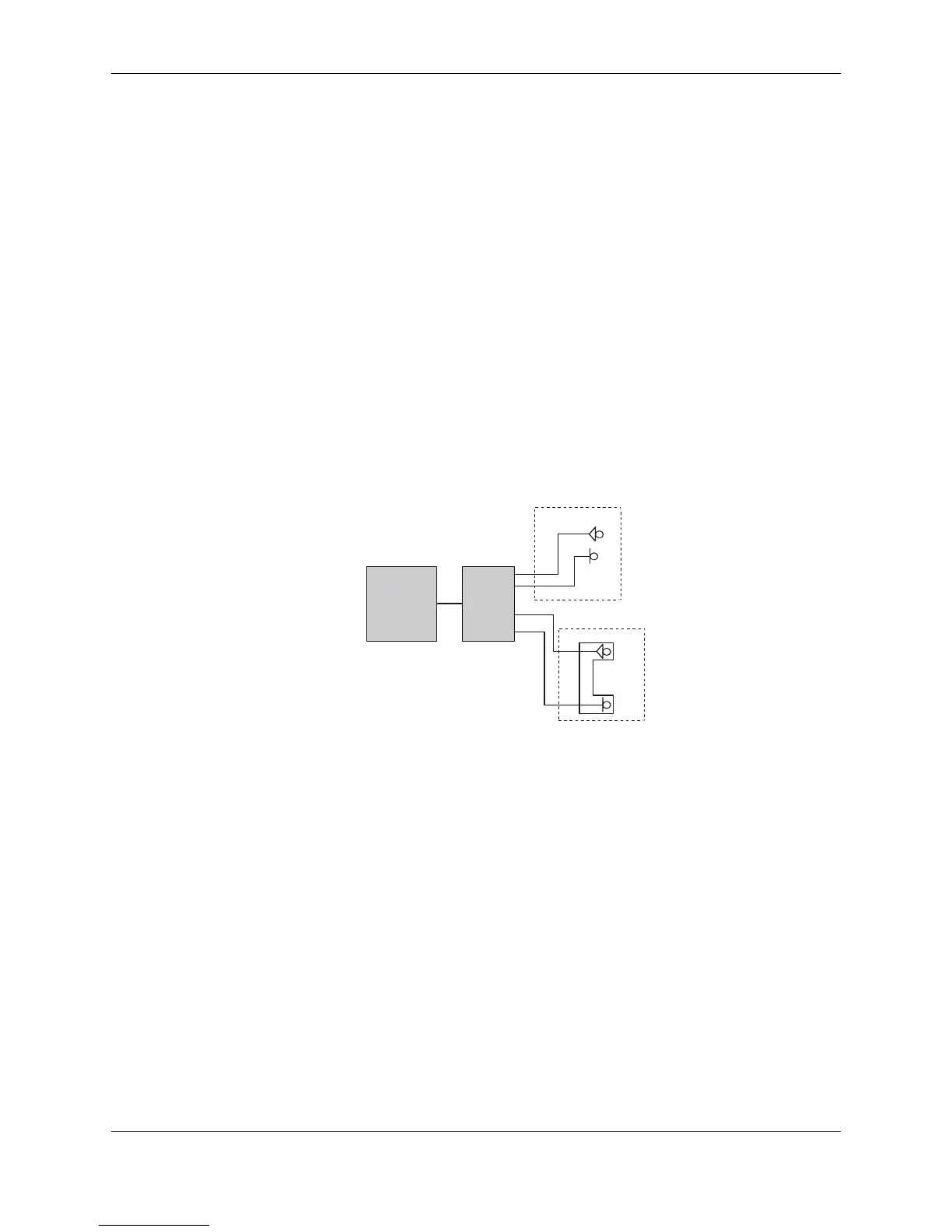
Scenarios for Setting Up Handset Mode or Handsfree
Mode
Handset Mode
AT+MAPATH=1,1 //Set the input path through the microphone
AT+MAPATH=2,1,3 //Set voice and keypad through the earpiece speaker
AT+MAPATH=2,3,12 //Set alerts and rings to go through the transducer
AT+MAFEAT=6,0 //Disable echo cancellation and noise suppression
AT+MAFEAT=1,1 //Enable sidetone
Handsfree Mode
AT+MAPATH=1,1 //Set the input path through the microphone
AT+MAPATH=2,1,15 //Set all tones through the earpiece speaker
AT+MAFEAT=1,0 //Disable sidetone
AT+MAFEAT=6,1 //Enable echo cancellation and noise suppression
Figure 4-24: Handset or Handsfree Setup
Terminal
Handsfree
Handset
G24



 To Next Page
 Loading...
