8 Operation
Maschinenfabrik Reinhausen GmbH 2020234 3587317/21 ENTAPCON
®
Property Options
Correction factor
2)
Set the correction factor (m) for the correction of the func-
tion value (x). The corrected function value (y) is:
y=(m*x)+t
Correction offset
2)
Set the offset (t) for the correction of the function value
(x). The corrected function value (y) is: y=(m*x)+t
Table82: Configuration of the analog inputs and outputs
1)
Only available for GPAI.
2)
Only available for inputs.
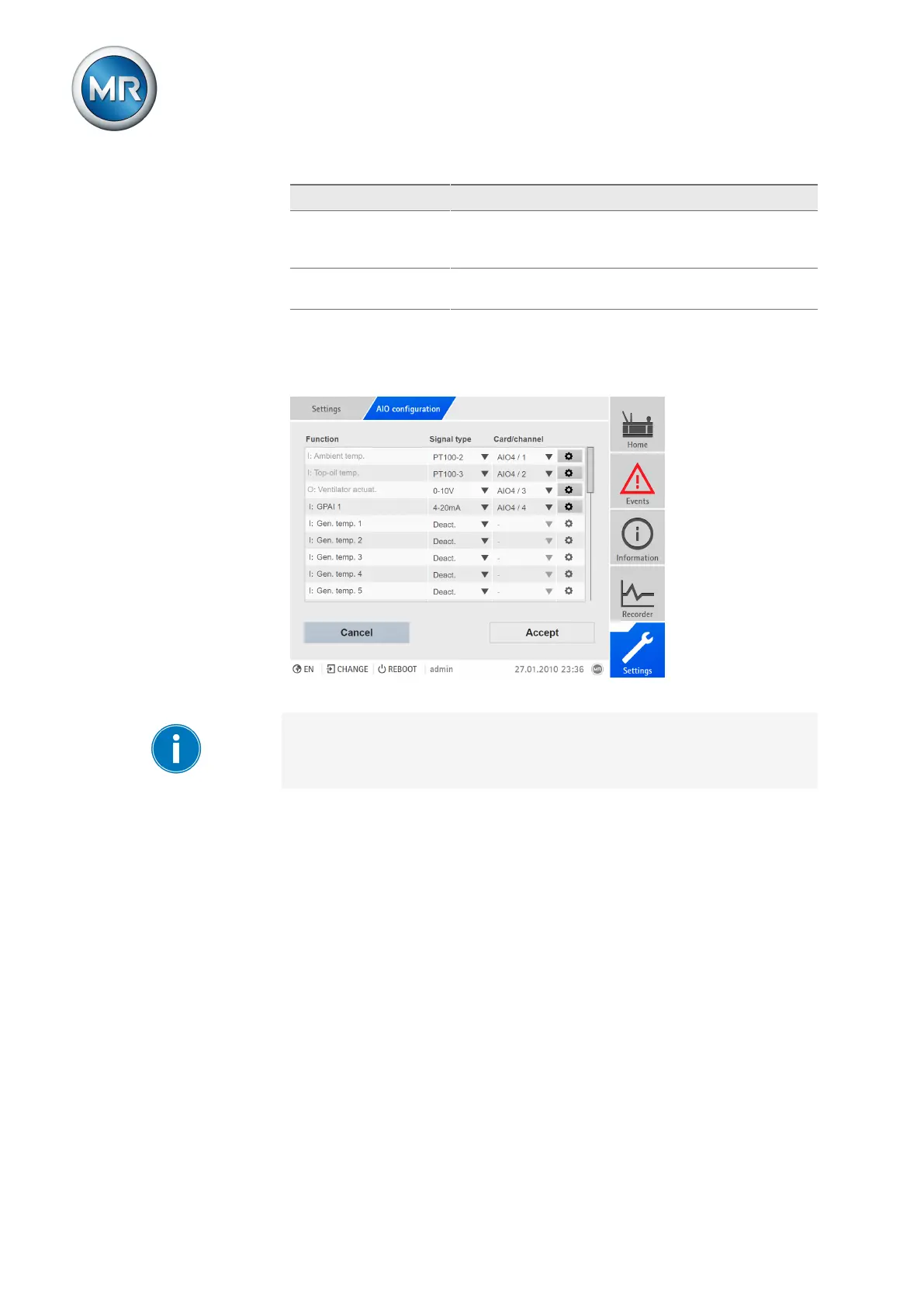
Figure165: Configuring analog inputs/outputs
You can only change the configuration of the analog inputs and outputs if
you have a Parameter Configurator or Administrator role.
When in delivery status, you can log in as the administrator as follows:
▪ User name: admin
▪ Password: admin
Creating a backup
You need to create a backup to be able to reset the system in the event that
any incorrect configuration settings are made. To do so, proceed as follows:
1. Go to Settings > Export.
2. Go to the option Settings to export a backup copy of the current settings.
3. Select the desired Interface (USB or PC).
4. Press the Export button to start the export.
Configuring AIO
1. Go to Settings > AIO configuration.



 To Next Page