Printer Pool PRISMAproduction Explorer
122 A29247-X3-X-6-7670
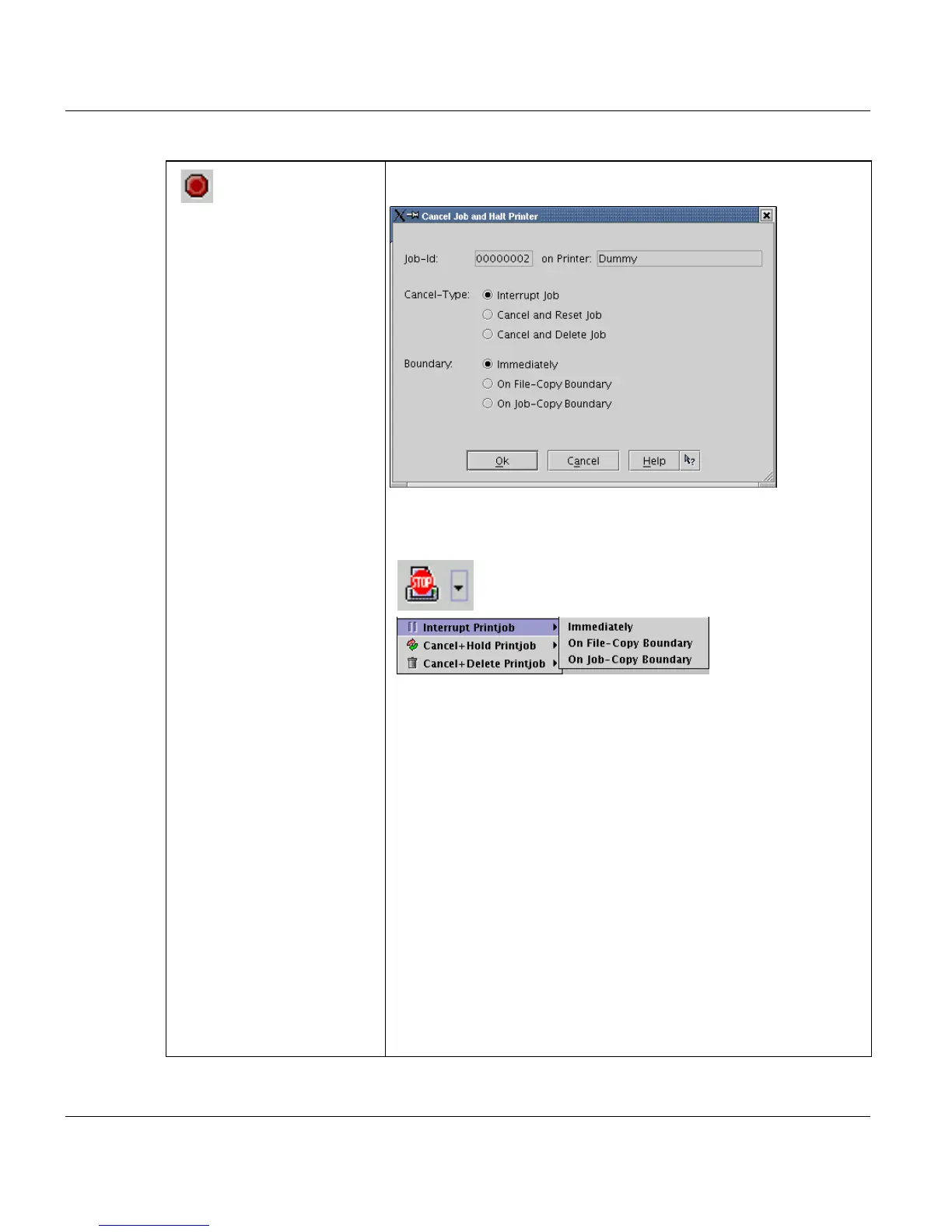
'Cancel Job and Halt
printer’
This entry opens a dilog box, where the user selects the job cancel
procedure:
The toolbar additionally contains a sub-menu, where the cancel
procedure can be selected directly. To open this menu, click on the
’arrow down’ button right of the stop sign:
Cancel-Type:
Every cancel command sets the printer into the 'Halted' state. After
interrupting the printout, you can print one or more jobs belonging
to a different job queue. Once these jobs have been printed, you
can switch back to the job queue you interrupted and then continue
the printout.
'Interrupt Job'
Halts printing of the current job and sets the printer into the 'Halted'
state The job stays in the queue. If it will be printed again, printing
will resume at the point, where the job was interrupted.
'Cancel+Reset Job' or 'Cancel+Hold Job'
Halts printing of the current job and sets the printer into the 'Halted'
state. The job stays in the queue and if it will be printed again, it will
be reprinted from the beginning.
'Cancel+Delete Job'
Halts printing of the current job and sets the printer into 'Halted' sta-
te. The job is deleted from the job list.



 To Next Page