Configuration User Administration
A29247-X6-X-6-7670 145
• Edit user
Create a new user
To create a new user
• select from the menu ’User’ -> ’New user’ or
• select ’New user’ from the context menu or
• click the toolbar icon:
A new user will be created with a default name, which you can modify at once.
When creating a new user the permission group ’operator’ is assigned as default group. If
you want to assign a different group, you can do this in the basic window after closing the
dialog.
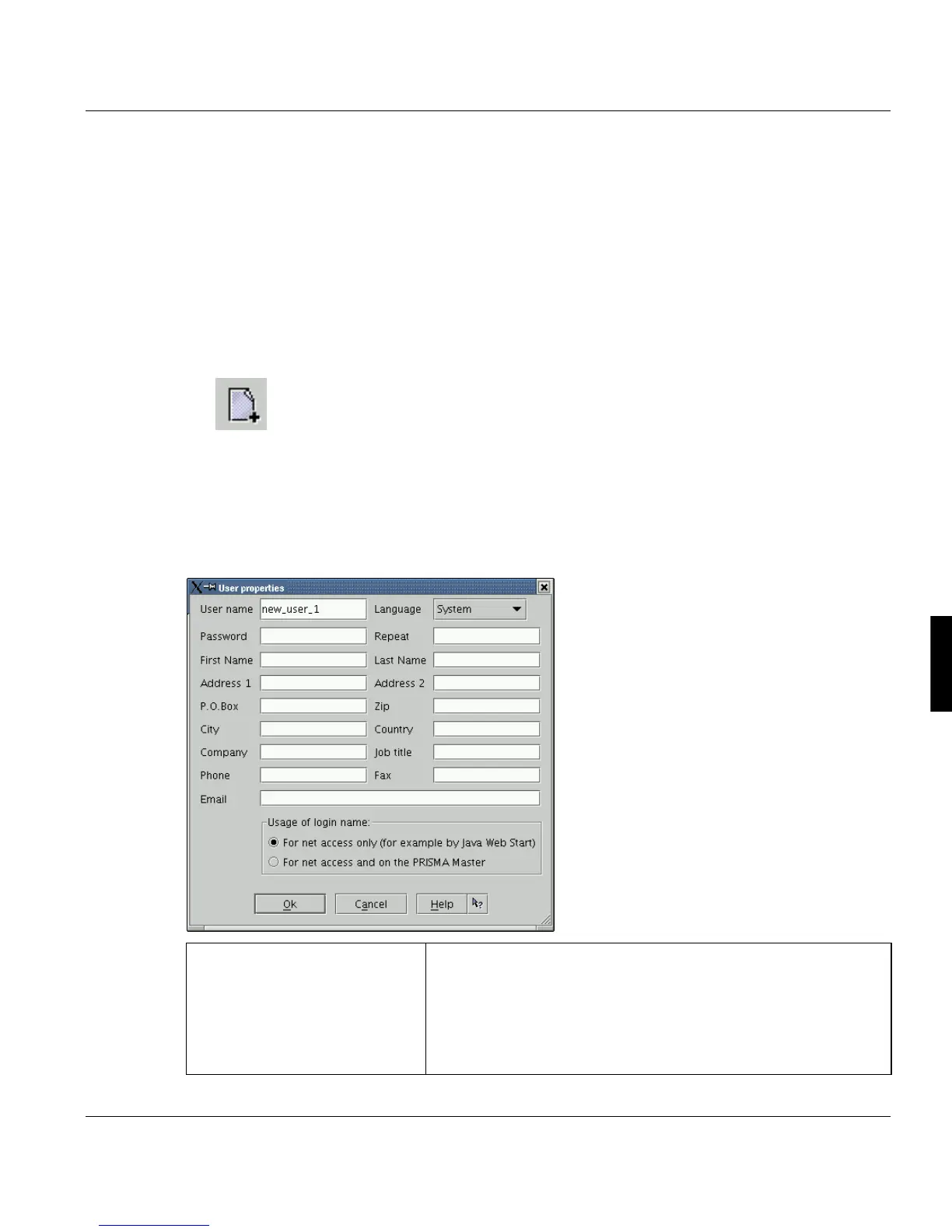
If you create a new user, the following dialog is opened:
User name Name of the user, which is used to log on to PRISMAproduction.
The user name must be unique, max 32 characters, beginning
with a letter followed by alphanumeric characters with special
characters: _ . - (underscore, dot, hyphen).
Note: The use name must also be different from registered
users of the web client.



 To Next Page