’Job Attributes’ Section Print Job Manager
256 A29247-X3-X-6-7670
4. In the PJM in ’Job Attributes’ -> ’Print’ dialog you can now define the toner color in the
’Color Selection’ section of the dialog.
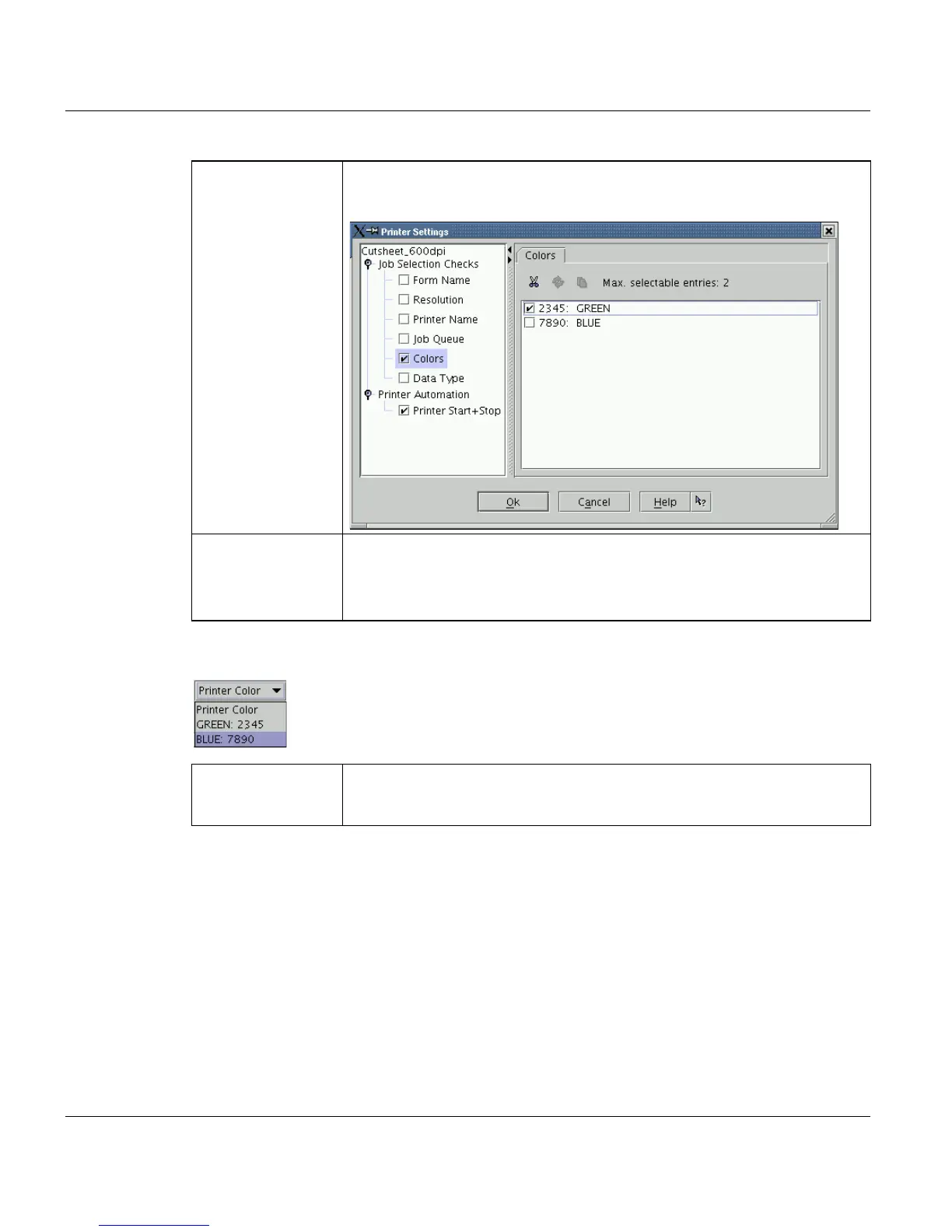
’Name’ Name of the color, which is to be offered in the PJM ’Job Attributes’ -> Print-
er’. This name is also displayed in ’Printer Pool’-> ’Printer settings’ -> ’Col-
ors’.
’Verification ID’ Unique number of the color, is automatically inserted acoording ’Configura-
tion’ -> ’Color Verification’.
This verification ID is offered in the PJM (in ’Job Attributes’ -> ’Printer’ and
in the ticket). Is also displayed in ’Printer Administration’ and in the job list.
’Printer Color’ The color allocations configured in ’Configuration’ -> ’Printers’ -> ’Colors’
are offered. The number of list boxes depends on the toner station installed
in the selected printer.



 To Next Page