Print Job Manager ’Job Attributes’ Section
A29247-X3-X-6-7670 255
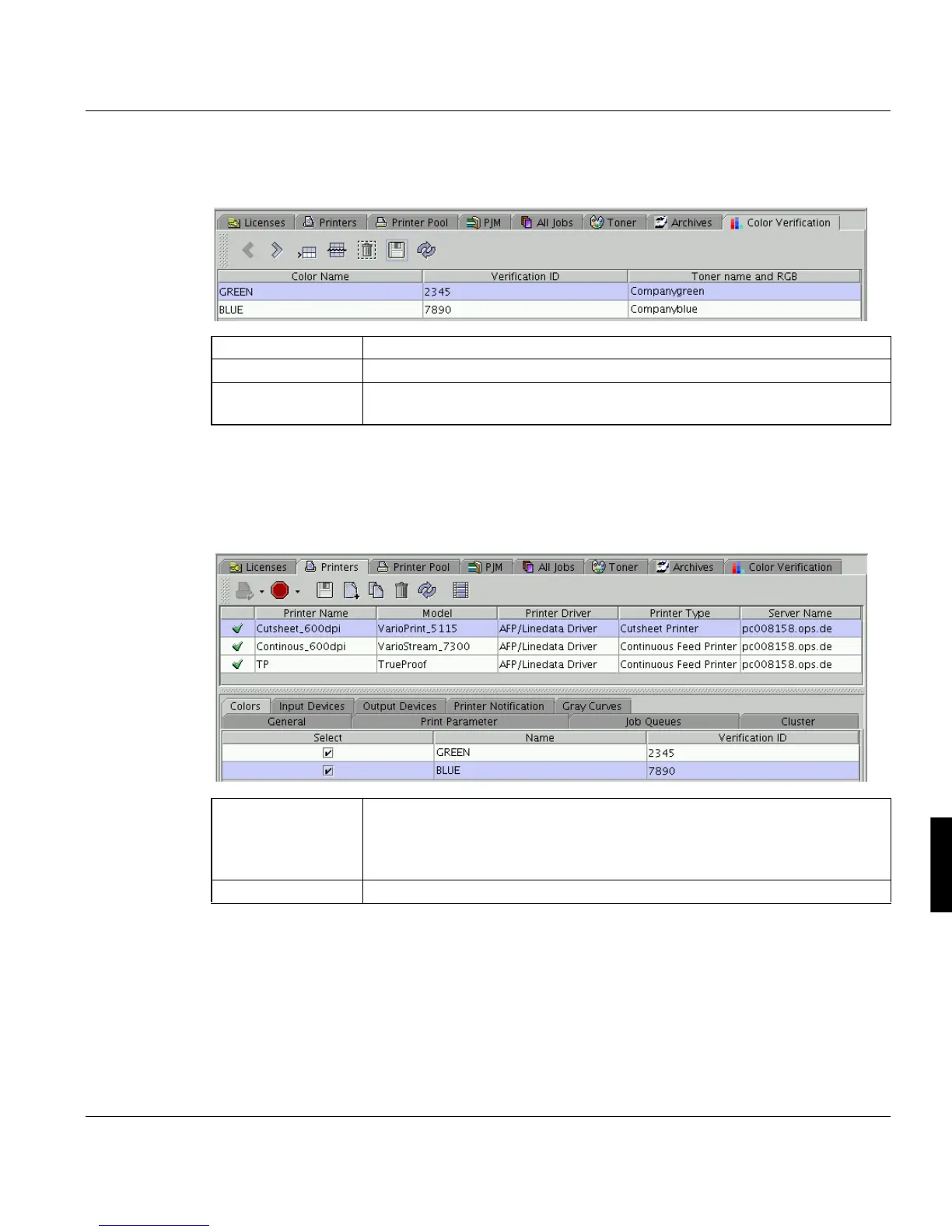
2. In the Explorer open ’Configuration’ -> ’Color Verification’ to define, which color should
be displayed by which toner. Insert the following information:
3. Afterwards you can assign toner stations to printers using the ’Toner stations’ tab in
’Configuration’ -> ’Printers’. Here you configure a list of toner stations and their colors.
The number of toner stations offered in the PJM ’Job Attributes’ dialog depends on the
number indicated as ’Build-in Toner Count’ on this tab. Every color allocation you define
here can be assigned to the toner stations in the PJM dialog.
’Color Name’ Name of the color
’Verification ID’ Unique Number of the color.
’Toner name and
RGB’
Double clicking this column opens a list of toners defined in ’Configuration’
-> ’Toner’.
’Built-in Toner
Count’
Indicates how many toner stations are installed in the printer. This number
is offered for selection in the PJM. The ’Printerpool’ window indicates which
toner stations are currently installed in the printer. Therefore select ’Printer
settings’ -> ’Toner stations’ in this window.
’Number’ Number of the toner station.



 To Next Page