Create an Annotation User Box
6
6-4 d-Color MF552/452/362/282/222
6.2
6.2 Create an Annotation User Box
Only the administrator can create an Annotation User Box.
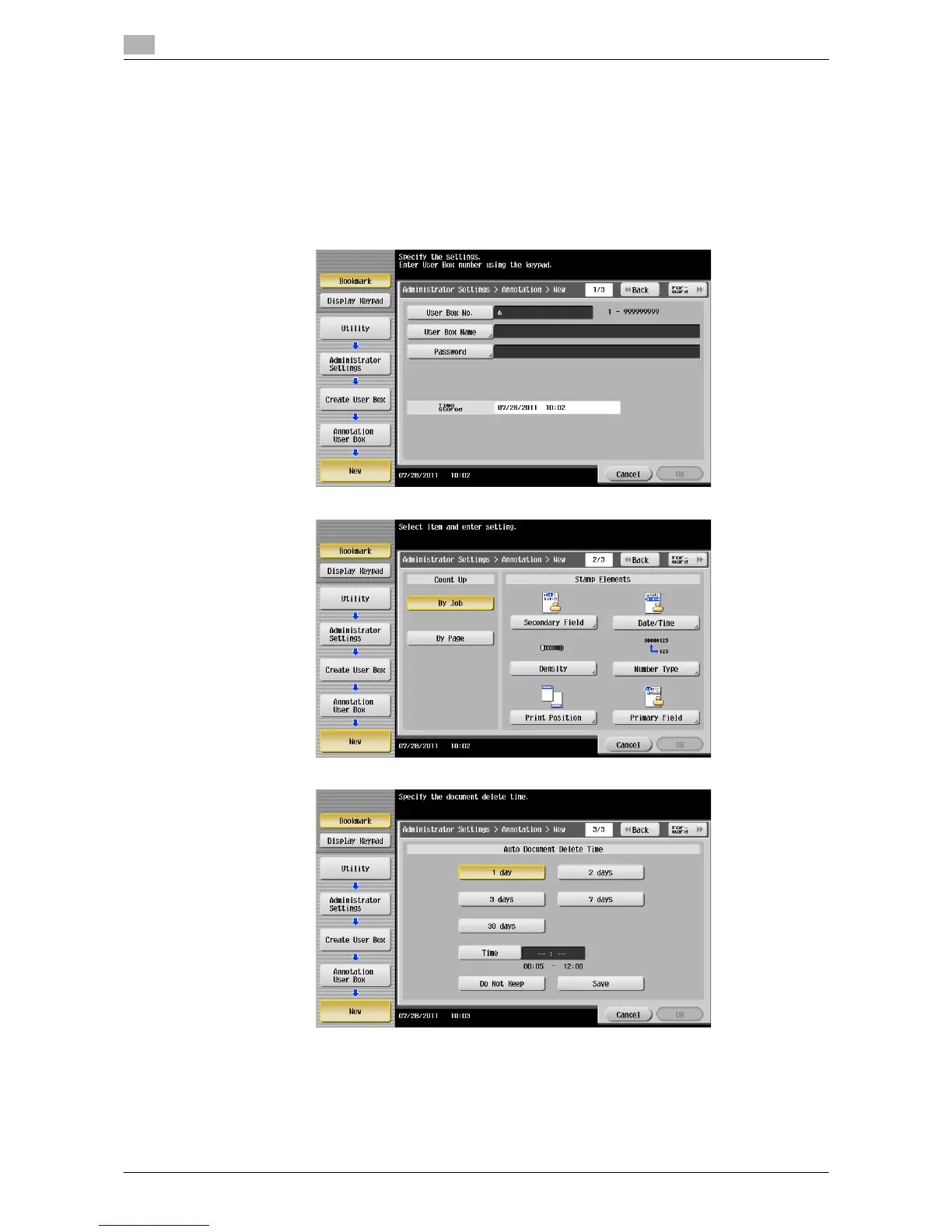
1 Press [Utility] - [Administrator Settings] - [One-Touch/User Box Registration] - [Create User Box] - [An-
notation User Box] - [New].
2 Enter the registration information, then press [OK].
% For details on registration information, refer to page 17-13.
d Reference
You can also create an Annotation User Box with the Web Connection. For details, refer to [User's Guide:
Web Management Tool].



 To Next Page
 Loading...





