15
15-42 d-Color MF552/452/362/282/222
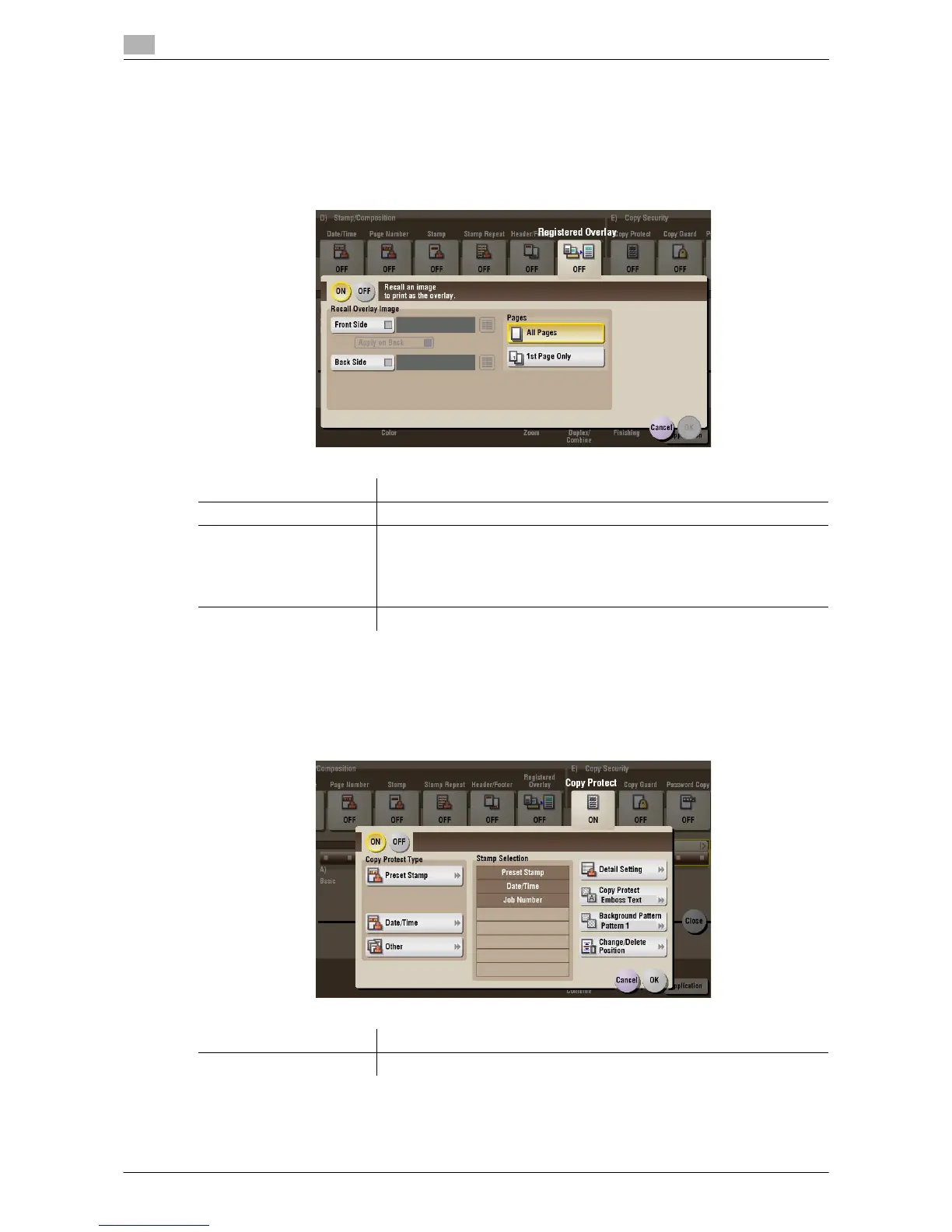
[Registered Overlay] ([Public]/[Personal]/[Group]) ([Print])
To display: [Box] - Select a User Box - [Open] - Select the file - [Print] - [Application] - [Stamp/Composition]
- [Registered Overlay]
You can call a registered overlay image and compose it to the print file image.
The overlay image must first be registered on this machine.
[Copy Protect] ([Public]/[Personal]/[Group]) ([Print])
To display: [Box] - Select a User Box - [Open] - Select the file - [Print] - [Application] - [Copy Security] -
[Copy Protect]
Text such as "Copy" and "Private" are printed in the background pattern as concealed text.
Settings Description
[ON]/[OFF] Select [ON] to overlay with a registered image.
[Recall Overlay Image] Specify which side of the paper to compose the overlay image, and select
an overlay image to be composed. Check the density, composition meth-
od, color change, and preview of overlay image if necessary.
If you set [Apply on Back], the image on the front side is composed on the
back side of paper.
[Pages] Select the range of pages on which an overlay image is composed.
Settings Description
[ON]/[OFF] Select [ON] to print the copy protection text.



 To Next Page
 Loading...





