d-Color MF552/452/362/282/222 15-31
15
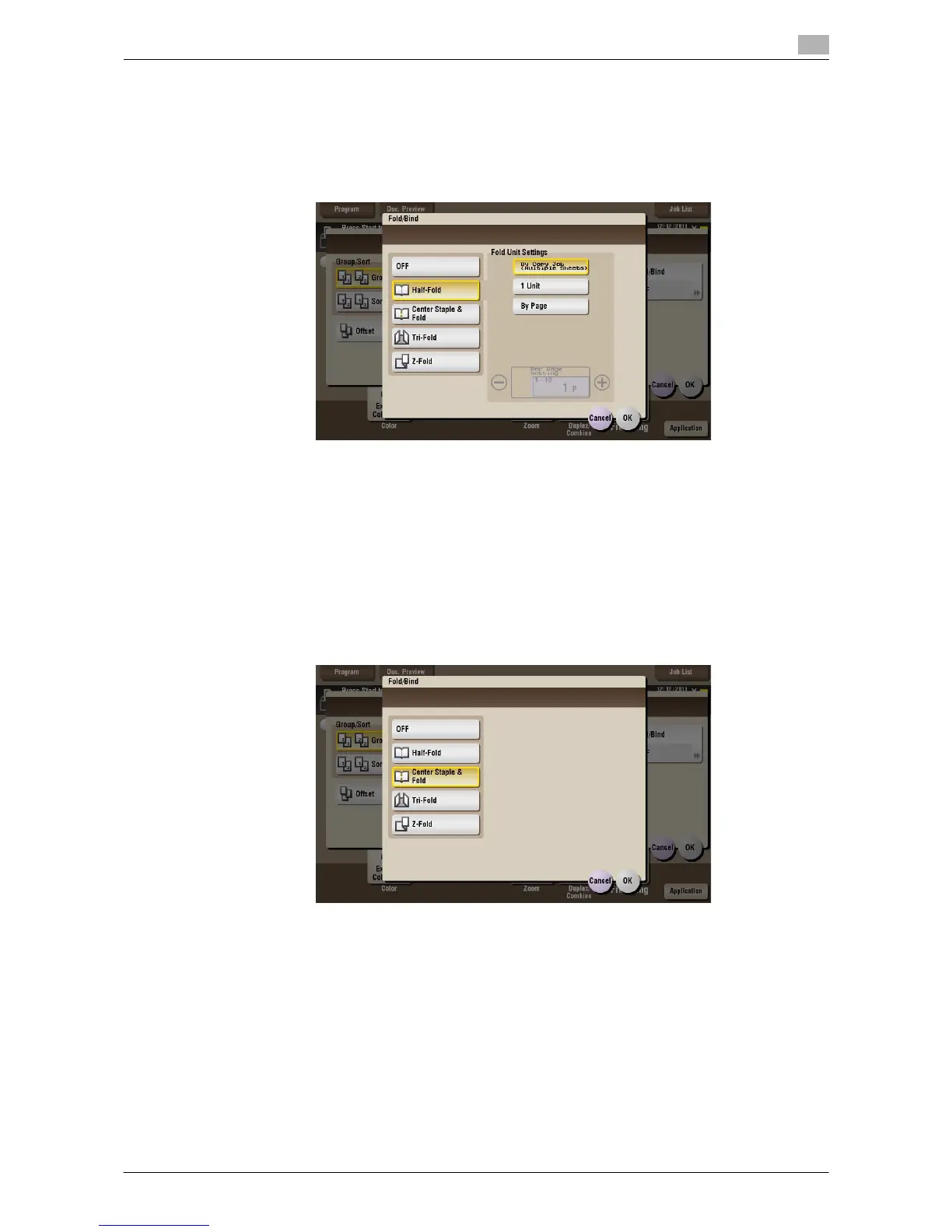
[Half-Fold] ([Public]/[Personal]/[Group]) ([Print])
To display: [Box] - Select a User Box - [Open] - Select the file - [Print] - [Finishing] - [Fold/Bind] - [Half-Fold]
Feeds out a printed sheet by folding it in two. Also select the unit by which the paper is folded from [By Copy
Job (Multiple Sheets)], [1 Unit], and [By Page]. When you set [By Page], specify the number of pages to be
folded at one time.
Tips
- To use the Half-Fold function:
–The Finisher FS-534 and Saddle Stitcher SD-511 are required.
–The Finisher FS-535 and Saddle Stitcher SD-512 are required (only for d-Color MF552).
[Center Staple & Fold] ([Public]/[Personal]/[Group]) ([Print])
To display: [Box] - Select a User Box - [Open] - Select the file - [Print] - [Finishing] - [Fold/Bind] - [Center
Staple & Fold]
Staples and feeds out a printed sheet by folding it in two.
Tips
- To use the Center Staple & Fold function:
–The Finisher FS-534 and Saddle Stitcher SD-511 are required.
–The Finisher FS-535 and Saddle Stitcher SD-512 are required (only for d-Color MF552).



 To Next Page
 Loading...





