d-Color MF552/452/362/282/222 10-5
10.2 Operations required to use this function
10
Create a Relay User Box
To use this machine as a fax relay machine, create a Relay User Box. Assign the Relay User Box the recipients
you have registered on the Group Address List.
Up to five Relay User Boxes can be created.
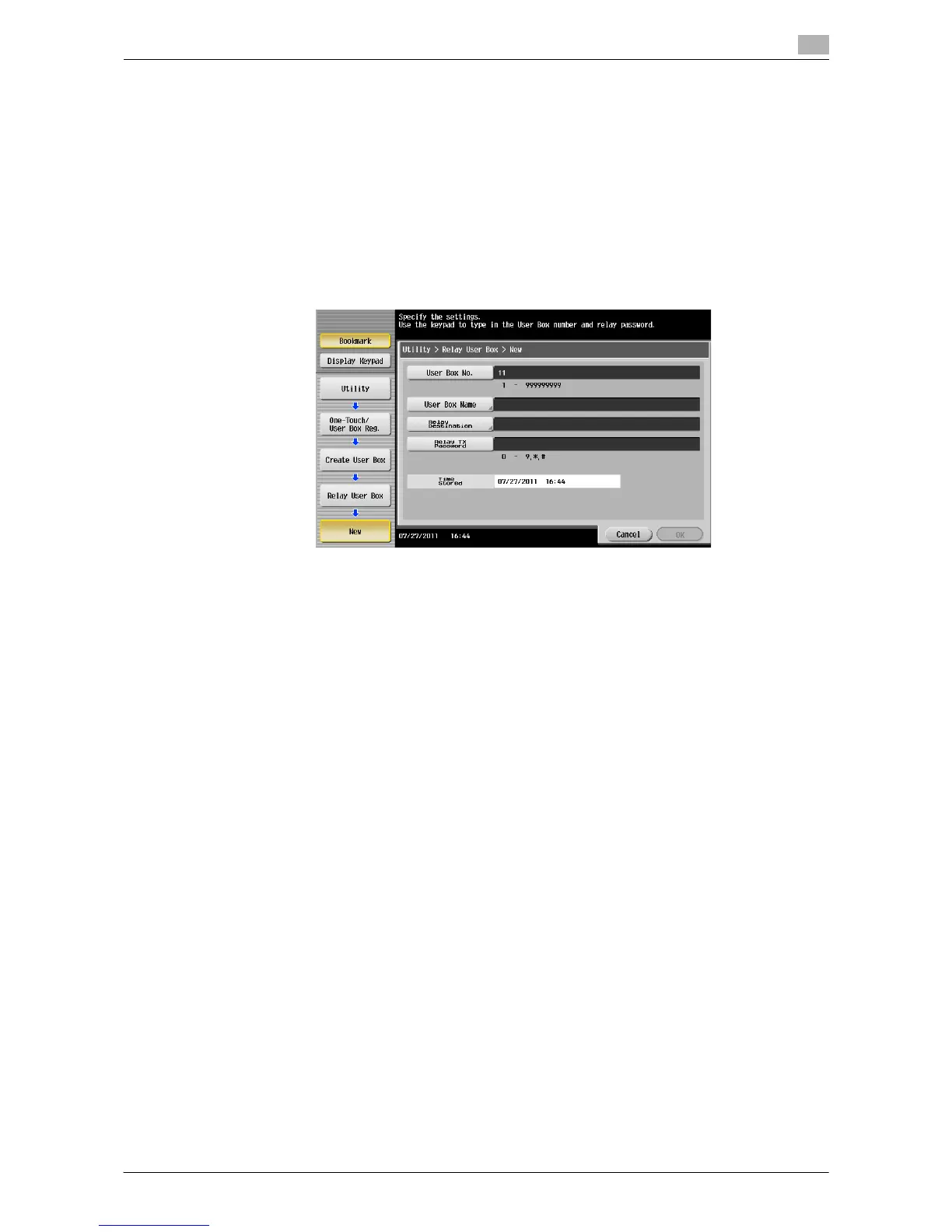
1 Tap [Utility] - [One-Touch/User Box Registration] - [Create User Box] - [Relay User Box] - [New].
% The administrator can perform the same actions by selecting [Administrator Settings] - [One-
Touch/User Box Registration].
2 Enter the registration information, then tap [OK].
% For details on registration information, refer to page 16-6.
d Reference
You can also register the Relay User Box using Web Connection. For details, refer to the [User's Guide: Web
Management Tool].



 To Next Page
 Loading...





