15
15-178 d-Color MF552/452/362/282/222
[Stamp Repeat] ([Annotation]) ([Print])
To display: [Box] - [System] - [Annotation] - Select a User Box - [Open] - Select the file - [Print] - [Application]
- [Stamp/Composition] - [Stamp Repeat]
Stamp such as "Copy" and "Private" are printed on the entire page.
[Stamp Imprint] Select the stamp you want to print.
[Pages] Select the range of pages to print.
[Text Details] If necessary, select the print size and text color.
[Print Position] If necessary, select the print position of the text. You can adjust the print
position in [Adjust Position] more finely.
Settings Description
Settings Description
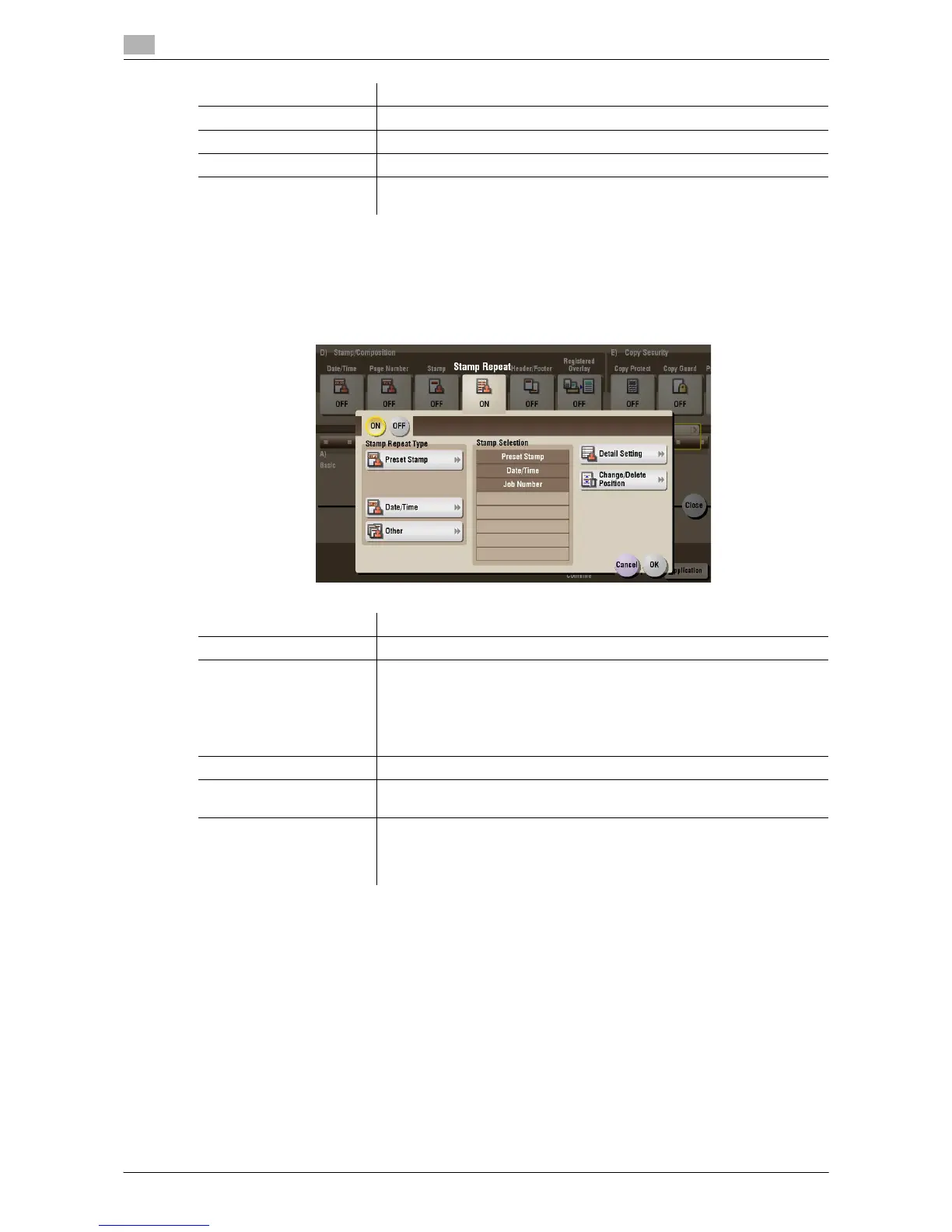
[ON]/[OFF] Select [ON] to repeat stamping.
[Stamp Repeat Type] Select a stamp used. The date and time can also be printed.
• [Preset Stamp]: Select a preset stamp to be printed.
• [Registered Stamp]: Select a registered stamp to be printed.
• [Date/Time]: Select a format (type) of date and time to be printed.
• [Other]: Specify the job number, the machine's serial number, and dis-
tribution control number to be printed.
[Stamp Selection] The registration status of the stamp is displayed.
[Detail Setting] Select the color, density, size, and pattern overwriting of print characters if
necessary.
[Change/Delete Position] Allows to check, change or delete the stamp position settings if necessary.
You can change the stamp sequence and insert a space between stamps.
When you select up to four stamps, you can change their angle (within +/-
45 degrees).



 To Next Page
 Loading...





