d-Color MF552/452/362/282/222 15-63
15
[Save & Print] ([Public]/[Personal]/[Group]) ([Send])
To display: [Box] - Select a User Box - [Open] - Select the file - [Send] - [Application] - [App] - [Save & Print]
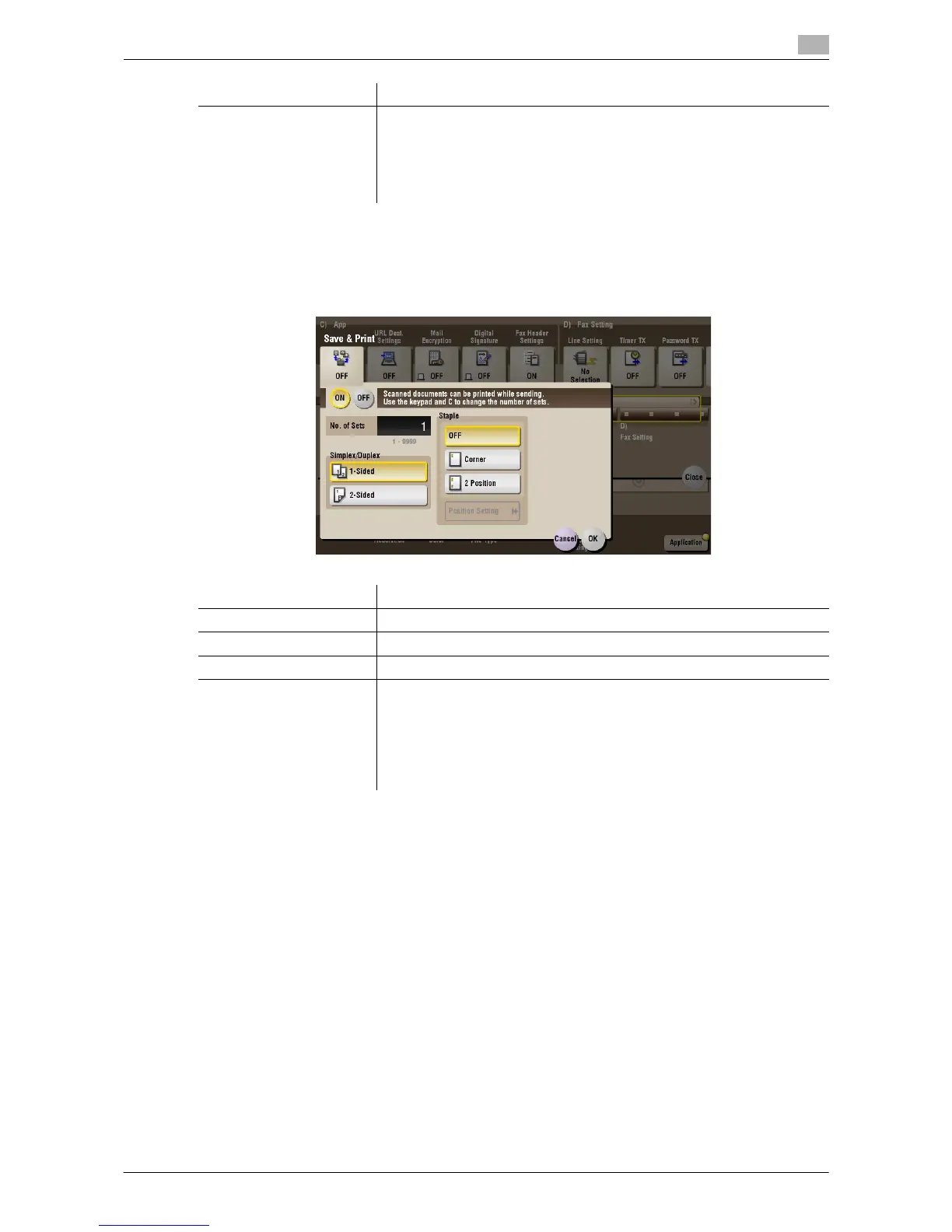
You can print data at the same time as you are using Scan or Fax TX.
[Check/Change Temporar-
ily]
If necessary, check or temporarily change the details of the program that
is selected in [Recall Header/Footer].
• [Header Setting]: Change the content of the header.
• [Footer Setting]: Change the content of the footer.
• [Pages]: Change the range of pages to print.
• [Text Details]: Change the print size, font, and text color.
Settings Description
Settings Description
[ON]/[OFF] Select [ON] to send and print simultaneously.
[No. of Sets] If necessary, enter the number of copies to print.
[Simplex/Duplex] Select [2-Sided] to print on both sides of sheets of paper.
[Staple] Select the binding positions for stapling the sheets.
• [Corner]: Each set of printed sheets is stapled in a corner (top left or top
right) before it is output.
• [2 Position]: Each set of printed sheets is stapled at two positions (in the
top, left, or right) before it is output.
• [Position Setting]: Select the binding position. If [Auto] is specified for
the binding position, the binding position is determined automatically.



 To Next Page
 Loading...





