d-Color MF552/452/362/282/222 15-185
15
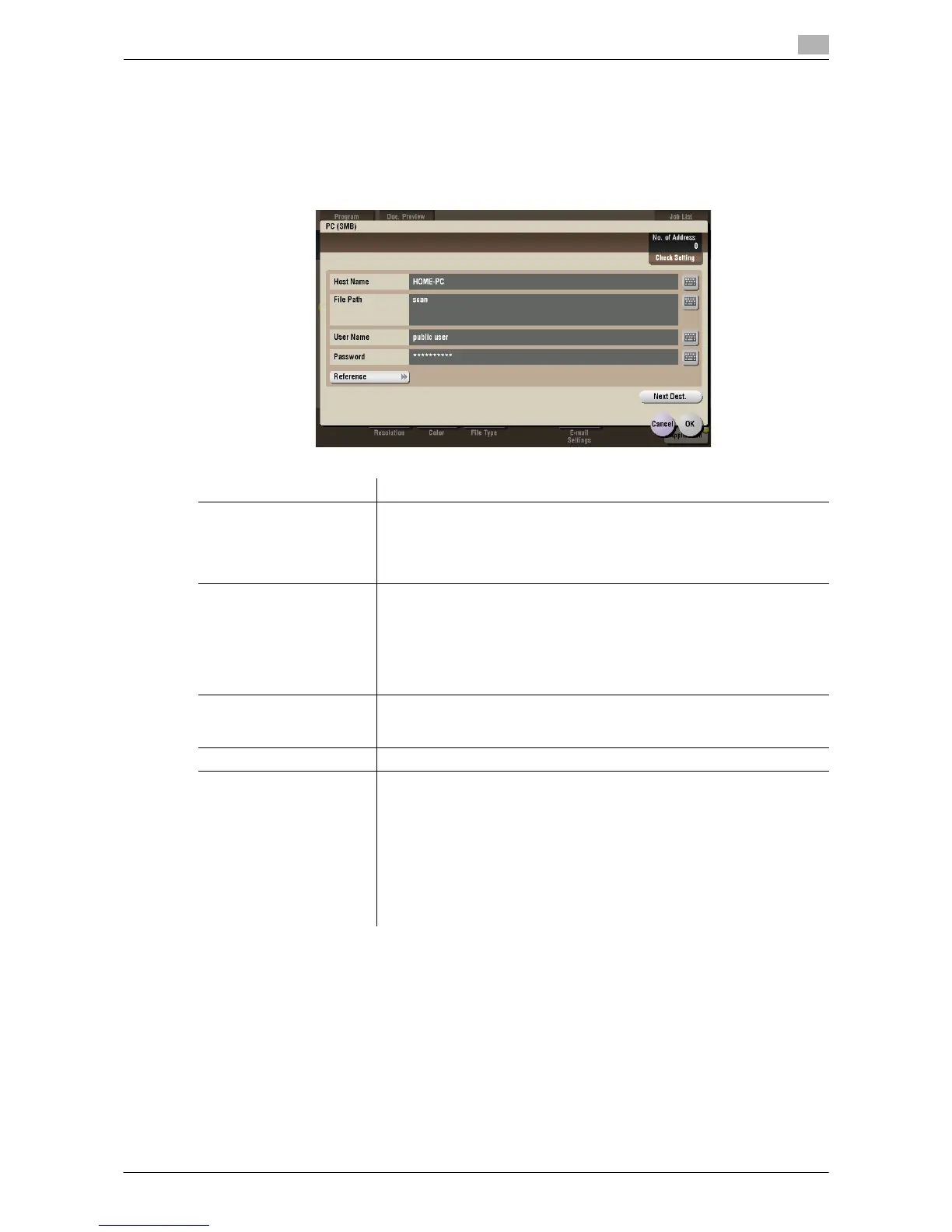
[PC (SMB)] ([Annotation]) ([Send])
To display: [Box] - [System] - [Annotation] - Select a User Box - [Open] - Select the file - [Send] - [Direct
Input] - [PC (SMB)]
Enters the destination PC name (host name) or IP address to send files to the shared folder of the network PC.
When specifying multiple destinations, tap [Next Dest.] to add destinations.
Settings Description
[Host Name] Enters the destination PC name (host name) or IP address (up to 253 bytes
long).
• Example of PC name (host name) entry: "HOME-PC"
• Example of IP address (IPv4) entry: "192.168.1.1"
• Example of IP address (IPv6) entry: "fe80::220:6bff:fe10:2f16"
[File Path] Enter the shared folder name of the computer specified in [Host Name] with
up to 255 bytes. The shared folder name is generally referred to as a shared
name.
• Entry example: "scan"
When specifying a folder in the shared folder, insert a "\" symbol between
the folder names.
• Entry example: "share\document"
[User Name] Enter the name of a user who is authorized to access the folder specified
in [File Path], using up to 64 characters.
• Entry example: "public user"
[Password] Enter the password of the user specified in [User Name].
[Reference] On the Touch Panel, search for a computer to send a file to, and select a
target shared folder.
When the authentication screen appears, enter the name and password of
a user who has privileges to access the selected folder. After authentica-
tion, [Host Name] or [File Path] is entered automatically.
The Reference function may fail in the following conditions.
• If 512 or more workgroups or computers are on the network (subnet)
connected to this machine, this function may fail.
• This function is not available in the IPv6 environment.



 To Next Page
 Loading...





