d-Color MF552/452/362/282/222 15-59
15
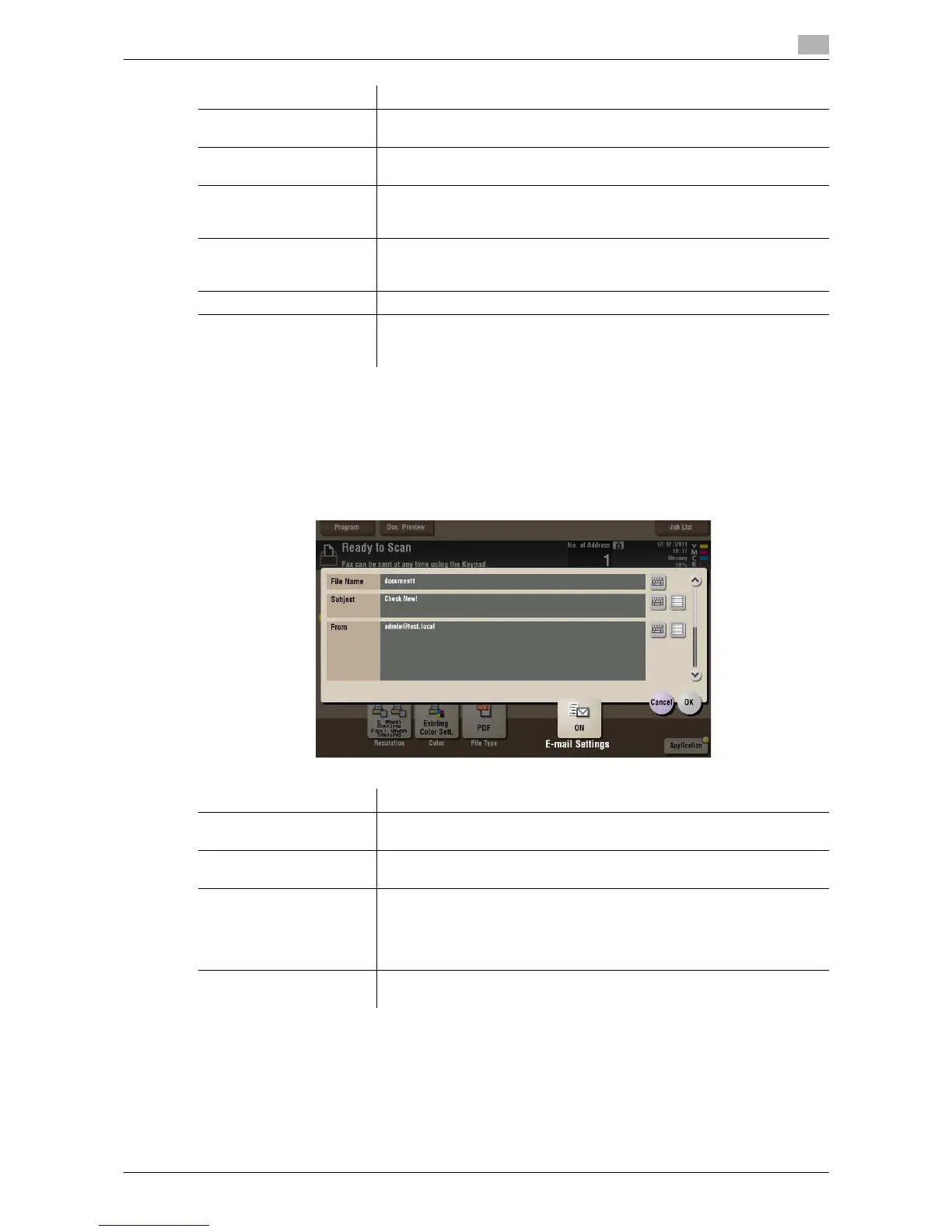
[E-mail Settings] ([Public]/[Personal]/[Group]) ([Send])
To display: [Box] - Select a User Box - [Open] - Select the file - [Send] - [E-mail Settings]
You can change the file name that was set when saved in the User Box.
When sending by E-mail, you can specify the subject and message text of an E-mail and change the sender
E-mail address ("From" address).
Settings Description
[Password] Enter the password to restrict access to the file. Create a PDF file that is
accessible by specific users who know the password.
[Permissions Password] To specify permissions for printing and editing a PDF file, enter an author-
ization password.
[Encryption Level] When specifying permissions for a PDF file, select an encryption level ac-
cording to the security level that you want to specify.
If you select [High Level], you can specify permissions in more detail.
[Printing Allowed] Select whether to allow users to print PDF files.
If [Encryption Level] is set to [High Level], you can permit printing of PDF
files only in low resolution ([Low Resolution]).
[Copy Contents] Select whether to allow users to copy text and image from PDF files.
[Changes Allowed] Select the content of PDF for which modification is permitted.
If [Encryption Level] is set to [High Level], you can select the contents to be
permitted in more detail.
Settings Description
[File Name] You can change the file name that was set when saved in the User Box if
necessary.
[Subject] If necessary, change the subject of the E-mail. If fixed subject phrases are
registered, you can select a subject from among those registered.
[From] If necessary, change the sender E-mail address.
Normally, the E-mail address of the administrator is used as sender E-mail
address.
If user authentication is installed on this machine, the E-mail address of the
login user is used as sender E-mail address.
[Body] If necessary, change the body of the E-mail. If fixed body phases are reg-
istered, you can select a body from among those registered.



 To Next Page
 Loading...





