Installation: G3 Interface Unit Type 9001 (D418-06)
D418 18 SM
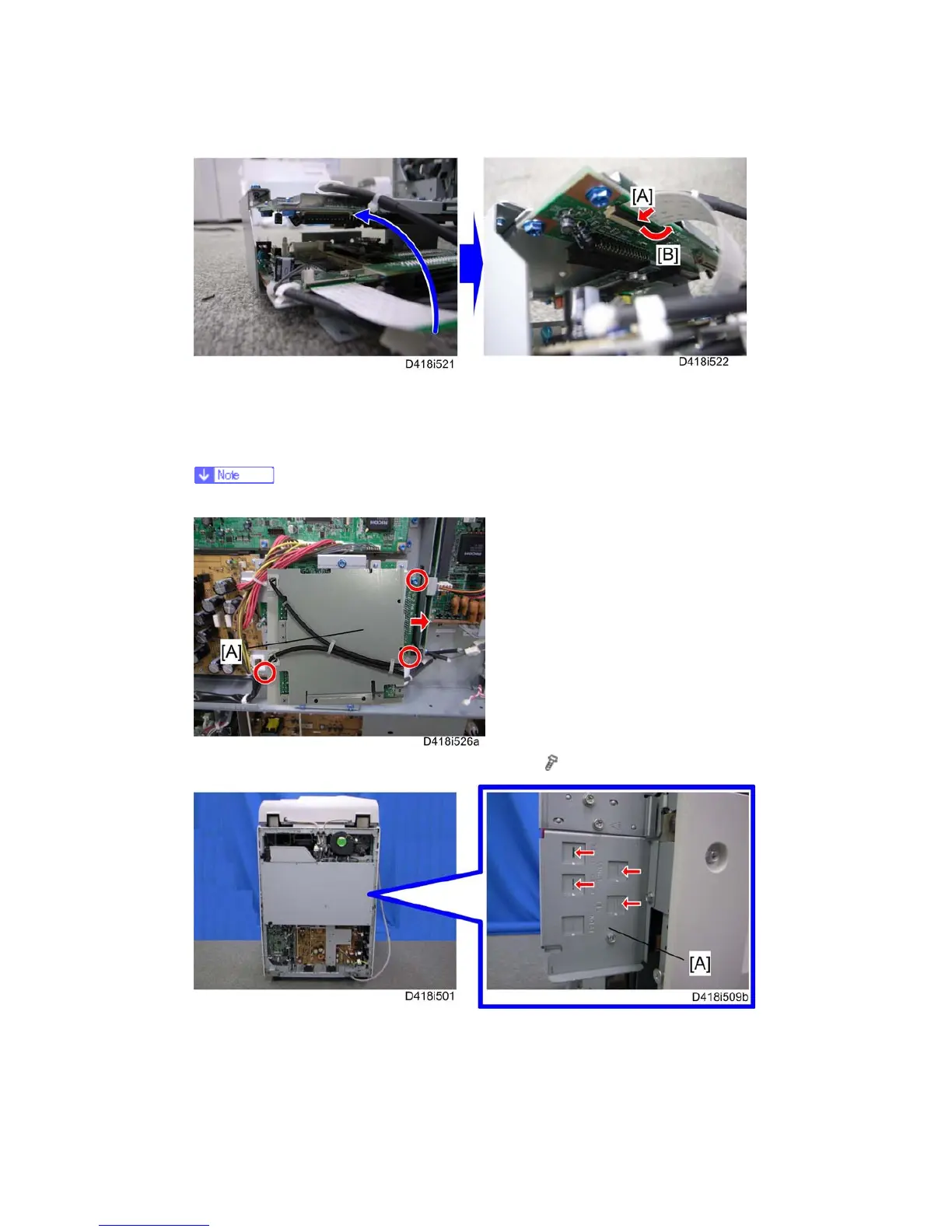
8. Connect the other side of the FFC to the G3 interface unit.
[A]: Insert the FFC as shown above.
[B]: Lock the stopper down.
Make sure that both green sides of the FFC face each other.
9. Install the FCU assembly [A] in the interface board (
x 3).
10. Remove the four cut-outs [A] from the controller box with a flat-headed screwdriver.


 To Next Page
 Loading...








