Jam Detection
D062/D063/D065/D066 6-4 SM
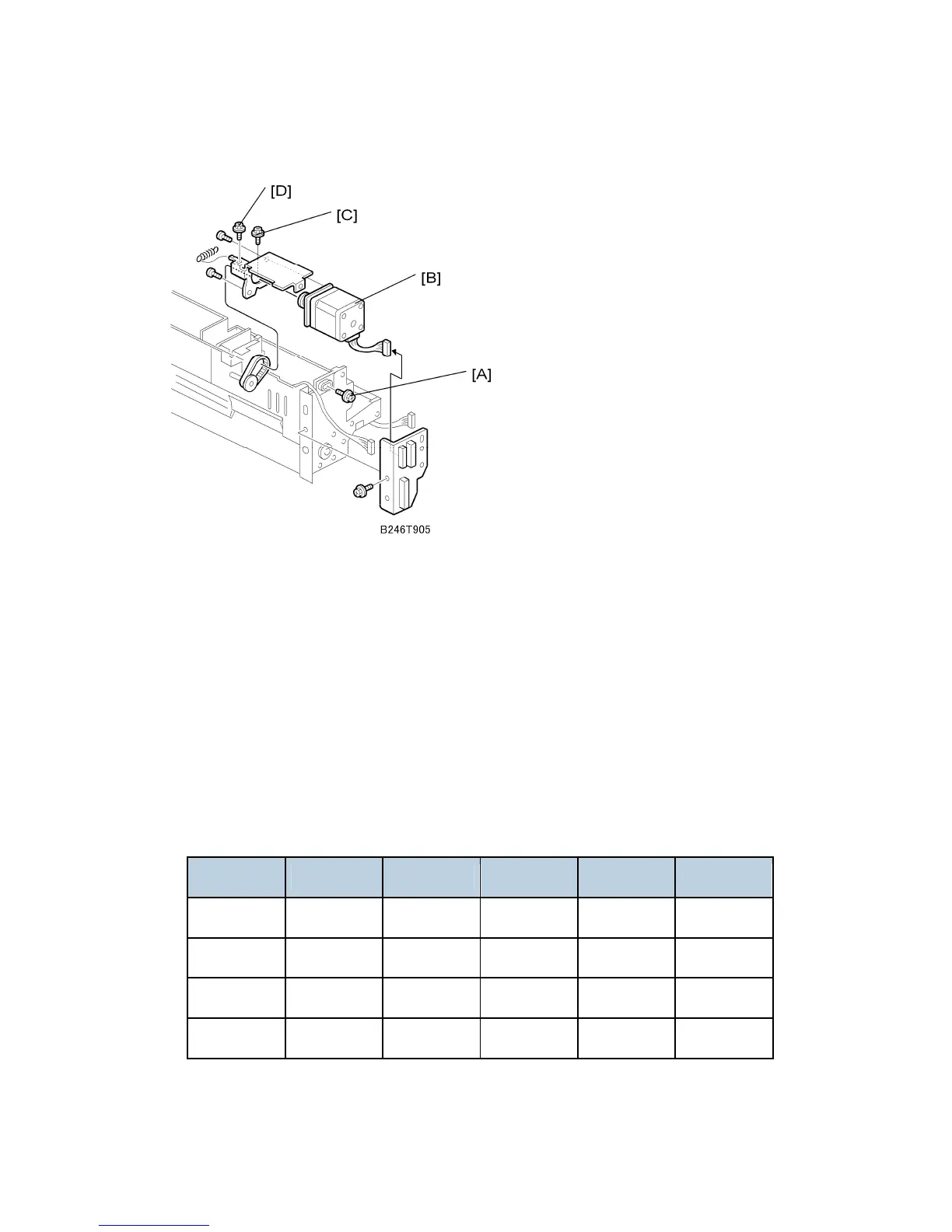
Symptom 2: Jams with noise from the paper feed unit
1. Remove the paper feed unit.
2. Loosen screw [A].
3. Push the motor [B] toward the tray side, then tighten the screw [A].
4. Loosen screws [C] and [D], let the spring move the unit to the correct position, then
tighten the screws.
Symptom 3: Other
If none of the two symptoms 1 or 2 applies, do this procedure.
1. Use SP7504 to check the jam counts and find which SPs have high counts.
2. From the table and illustration below, find which gears must be replaced.
Example: For tray 1, if SP7504-012 is high, replace gear A, or if SP7504-008 is high,
replace gear B.
Tray SP7504 12 SP7504 8 SP7504 9 SP7504 10 SP7504 11
Tray 1 Gear [A] Gear [B]
Tray 2 Gear [A] Gear [B]
Tray 3 Gear [A] Gear [B]
Tray 4 Gear [A] Gear [B]
3. Clean the shafts and replace the necessary gears.



 To Next Page