Jam Detection
SM 6-5 D062/D063/D065/D066
Trouble-
shooting
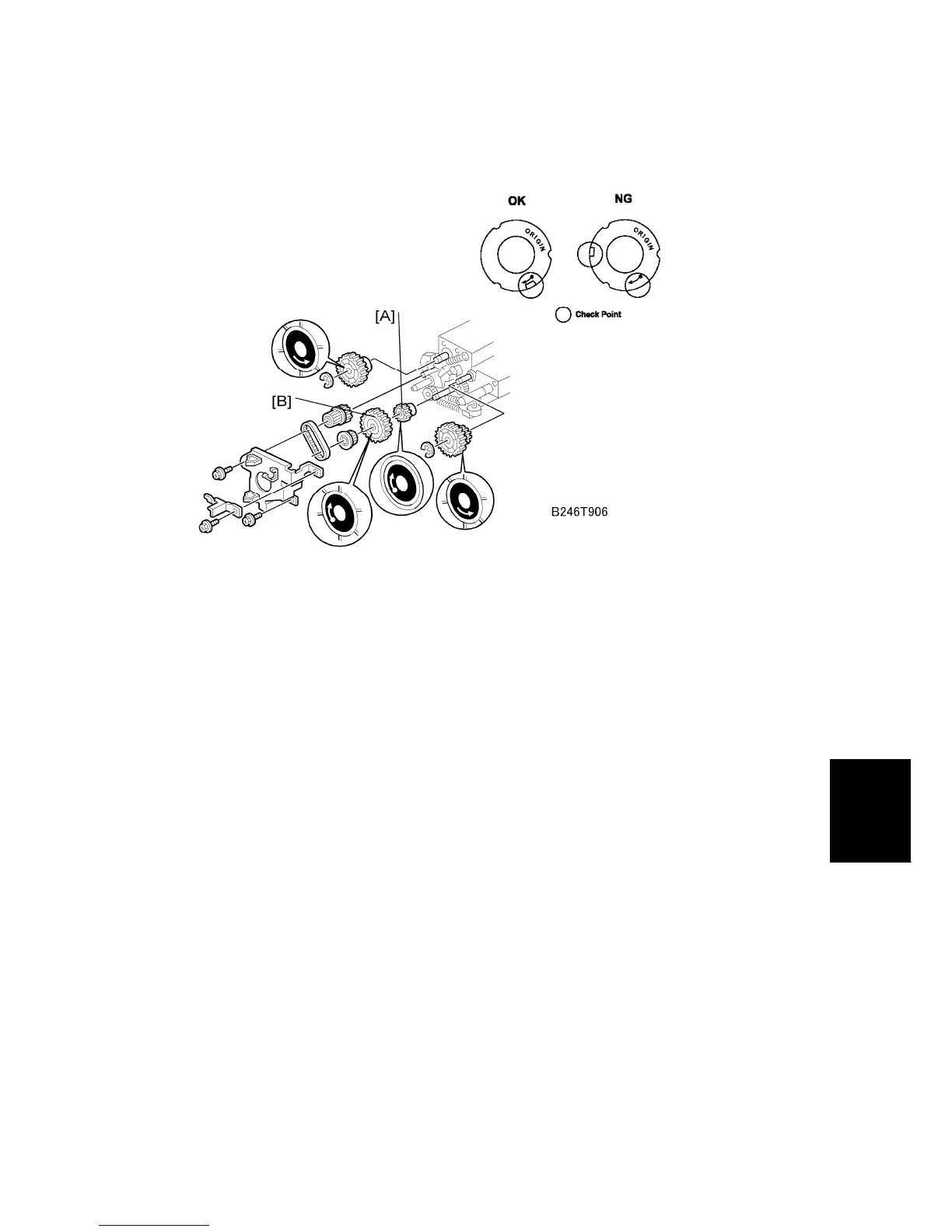
4. Replace a gear if its cutout and arrow are not in the same position.
5. When you replace Gear [A] or Gear [B], be sure to put the metal face on the outer side,
and the arrow must be in view.
6. If a replacement gear is not available, do this as a temporary procedure:
Remove the paper feed unit.
Remove the gear.
Clean the gear shaft and inside the gear.
Attach the gear.
Install the paper feed unit.



 To Next Page