Main Machine
D062/D063/D065/D066 2-12 SM
2. Remove the shutter cover [A] ( x 1).
3. Remove the lock screw [B].
4. Remove any remaining shipping tape [C].
5. Pull the toner bottle holder [D] and swing it to the right.
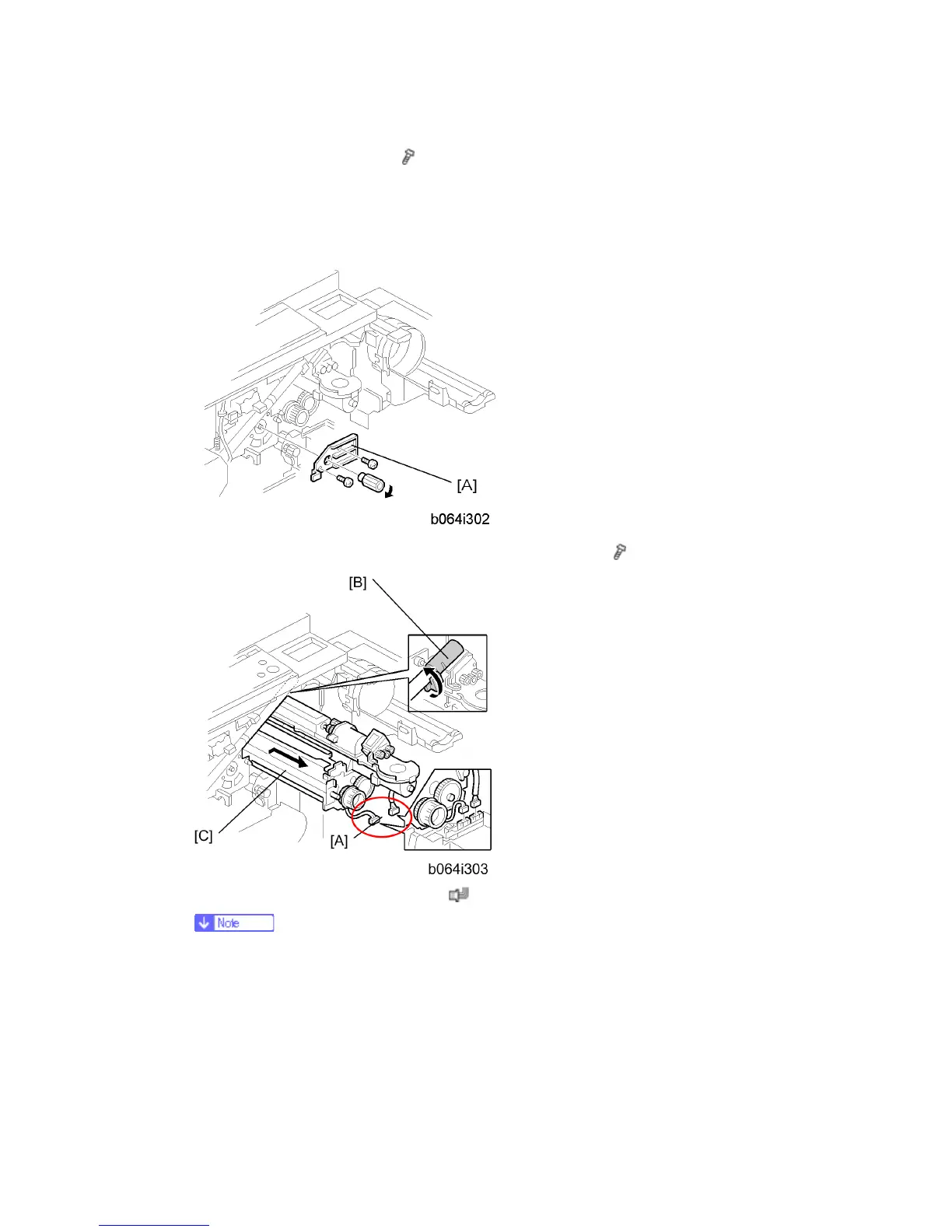
6. Remove the face plate [A] of the development unit (knob x 1,
x 2).
7. Disconnect the development unit [A] (
x 2).
If the LCT is installed, disconnect it. This lets the front door open far enough
for development unit removal.
8. Close the supply pipe shutter [B].
9. While allowing the development unit [C] to slip to the right, slowly pull it out of the
machine.



 To Next Page