Functions for Master-Making
Reproducing the Master [Renew Page]
102
Recreating a Master
1
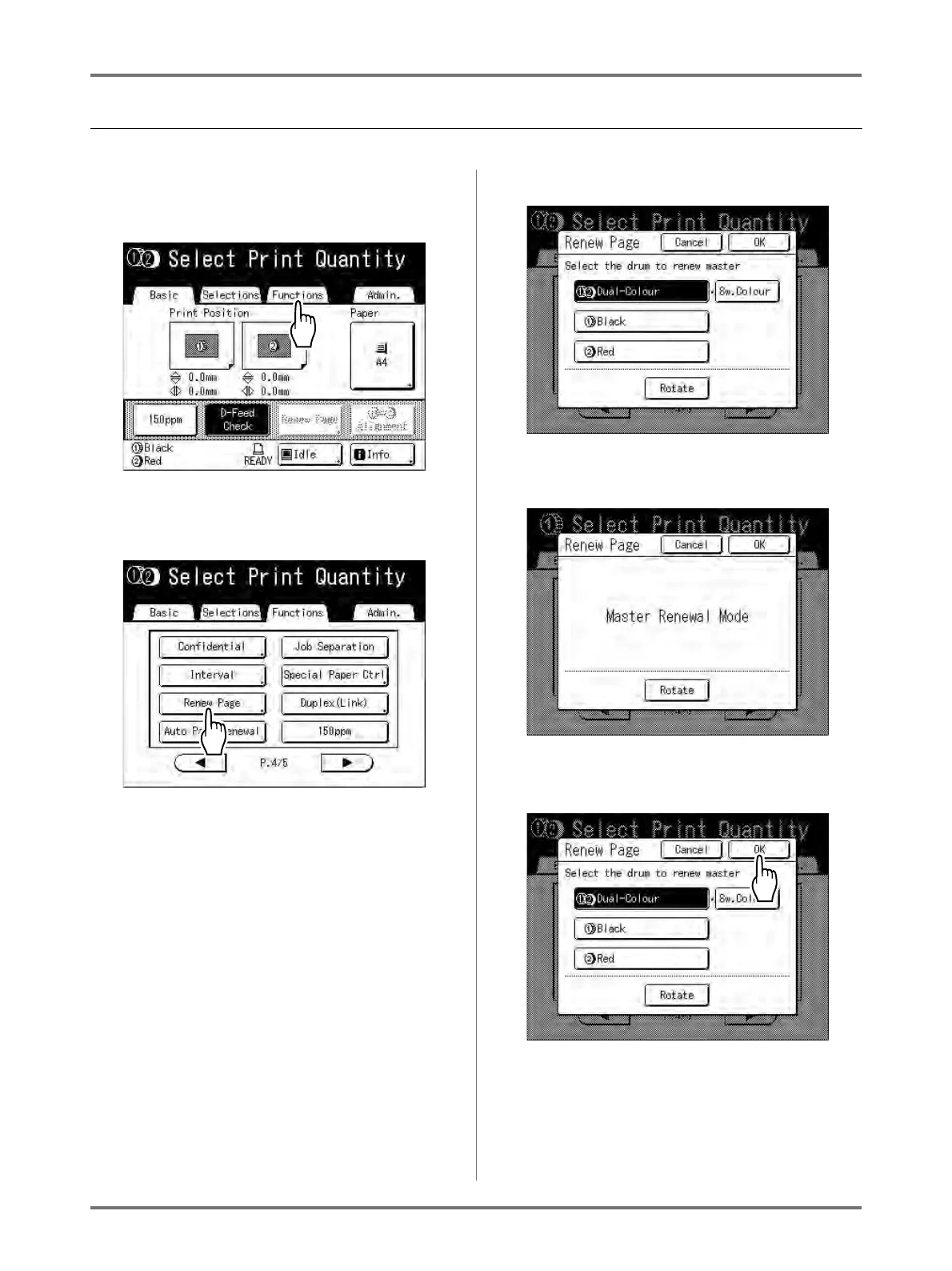
Touch [Functions] on the Print Basic
Screen.
2
Touch [Renew Page].
The display screen for 2-Colour and 1-Colour
printing are different.
For 2-Colour Printing
The Drum selection screen appears.
Touch the button of the drum used to recreate
the master.
Note:
• If you touch and select [Sw.Colour], you
can change the masters on Drum 1 and
Drum 2 (a handy function if you've inadvert-
ently misplaced the original order).
• If you touch and select [Rotate], you can
rotate the original 180 degrees for renewing
the master.
• When [Rotate] is set, the machine rotates
180 degrees for renewing the master while
excecuting [Auto Page Renewal].
• To cancel [Rotate], touch [Rotate] again.
For 1-Colour Printing
The following screen appears.
3
Touch [OK].
“Renew Page” begins reproducing the master.



 To Next Page