Functions for Master-Making
Reproducing the Master [Renew Page]
103
Using Auto Page Renewal
In order to use “Auto Page Renewal”, you must enable it in “Admin.” prior to use.
If “Auto Page Renewal” is activated and “Auto Page Renewal” is set to “ON” , “Auto Page Renewal” can be executed
during a print job.
Important!:
• If “Auto Page Renewal” is not activated in “Admin.” , “Auto Page Renewal” cannot be set to “ON”.
)p.177
• The “Auto Page Renewal” is set to “OFF” in the following instances.
– When printing with “Programme”
– When the is pressed
– When attempting to process the next job with direct print
Note:
• The factory settings are such that a master is recreated every 1000 copies, with a setting to print 3 proofs. This set-
ting can be changed in “Admin.”.
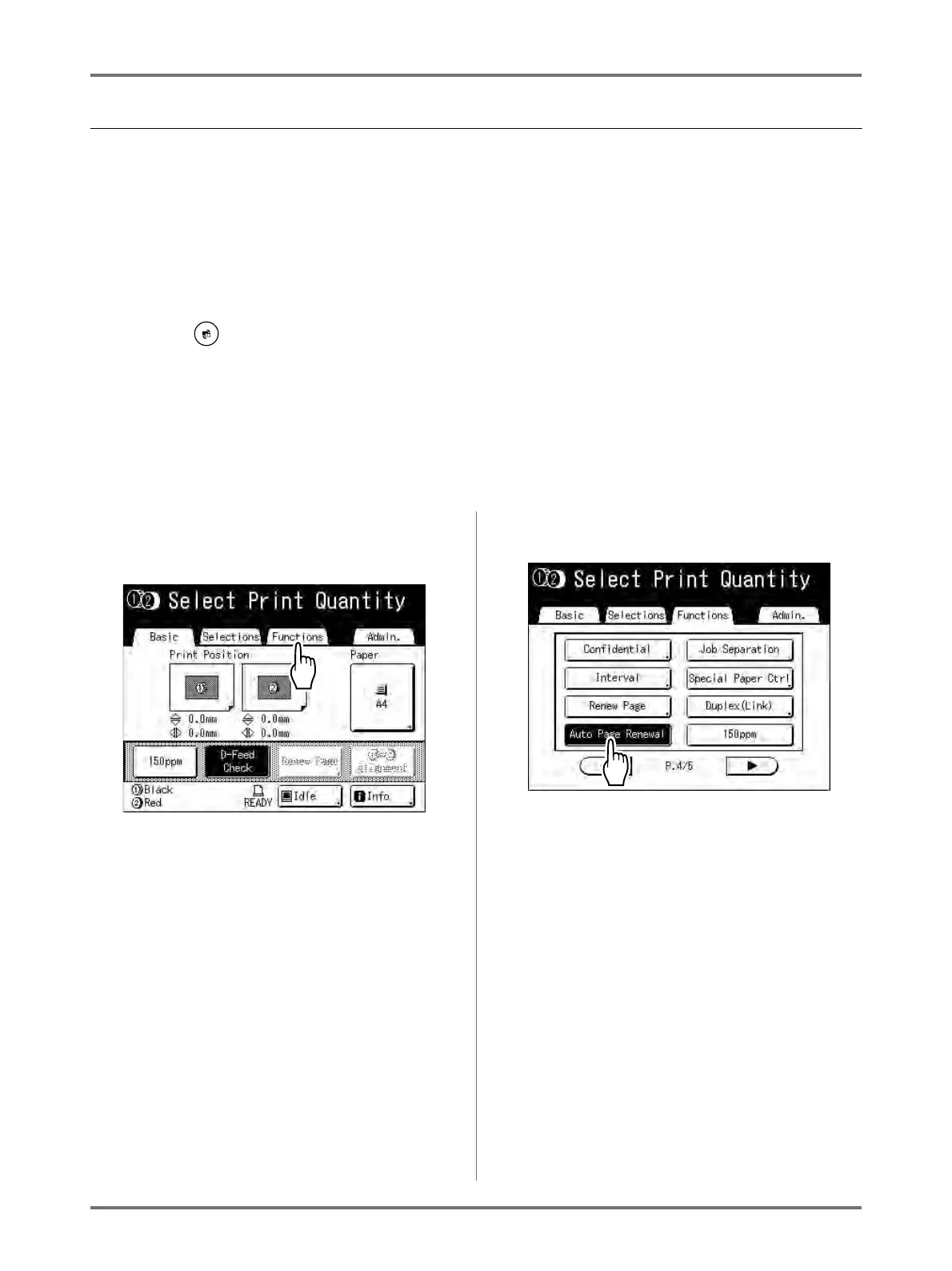
Turning ON “Auto Page Renewal”
1
Touch [Functions] on the Print Basic
Screen.
2
Touch [Auto Page Renewal].
“Auto Page Renewal” is activated.
When you print with these settings, “Auto Page
Renewal” will be executed after the specified
number of copies are printed.



 To Next Page