When using a Linked Printer (sold separately)
Using Optional Functions on a Linked Printer
232
Configurable Functions
: Initial setting (factory default)
Functions Description Screens and Steps
Related
Admin.
Settings
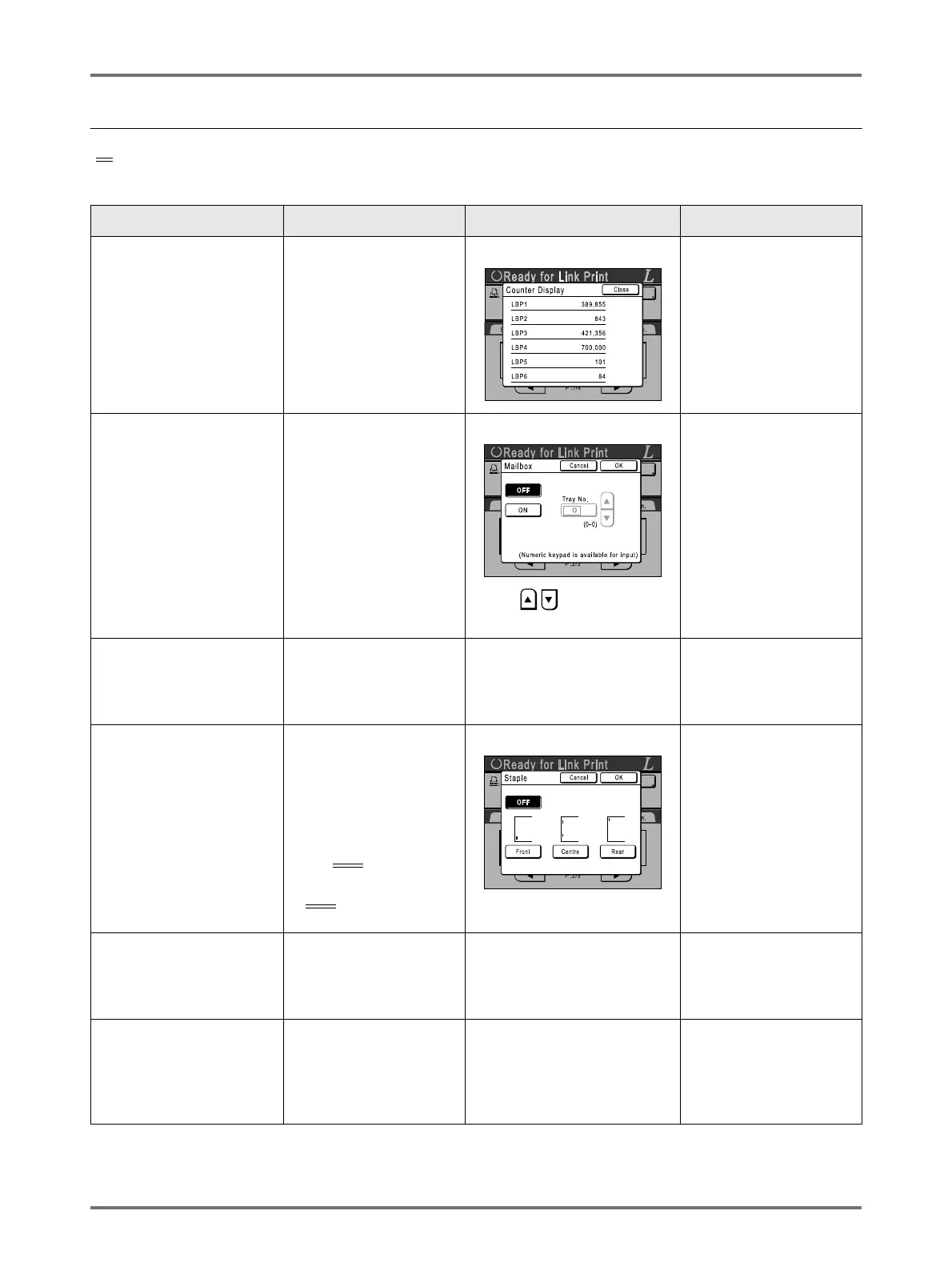
Counter Display
Displays the number of
printed copies for each
Linked Printer recognized
by the machine.
--- ---
Mailbox
Select a paper receiving
tray as an Output Tray.
Tray No. 0 to n (n is the
total number of trays set
on [Total Trays] on the
Admin. screen.)
Touch or enter using
the Print Quantity Keys.
Total Trays:
The total number of
trays. Set at 1 or more.
Offset Pages
Enable a feature to
alternately eject multiple-
page print copies.
ON/OFF
---
Offset Pages:
Available only when
“Offset Pages” option is
ON.
Staple
Specify the positioning of
staples on printed copies.
Differs depending on
how the [Staple Position]
is set on the Admin.
screen.
• When set to
[Invariable]:
ON/OFF
• When set to [Variable]:
OFF
/
Front
/
Centre
/
Rear
Touch to select a button.
Staple:
Available only when
“Staple” option is ON.
Punch
Select whether to punch
holes on the printed
copies.
ON/OFF
---
Punch:
Available only when
“Punch” option is ON.
Output Reversal
Sets a function to print in
reverse order the originals
were scanned from the
ADF unit.
ON/OFF
---
Output Reversal:
Available only when
“Output Reversal” option
is ON.



 To Next Page