Storage and Scan Modes (Option)
2-Colour Printing with the Original and Storage Data [Stamp]
217
Changing the Stamp Data
1
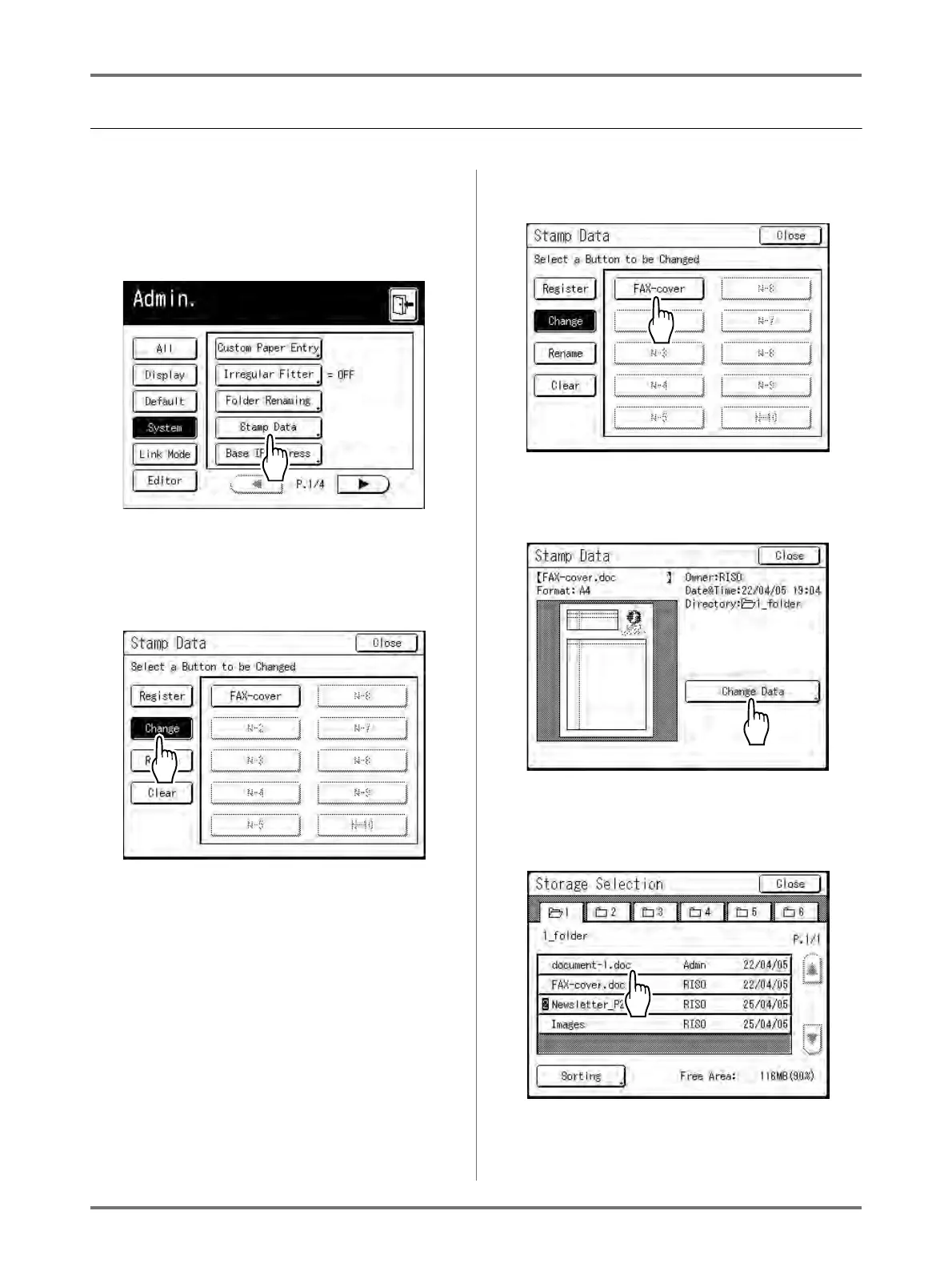
Touch [Stamp Data] on the Admin.
screen.
See )p.173 for operational details of the Admin.
screen.
The Stamp Data screen appears.
2
Touch [Change].
3
Touch the buttun to change.
4
Touch [Change Data].
5
Select the storage data to use as the
new Stamp Data.
Note:
• See )p.204 for information about the Storage
Selection screen.



 To Next Page