When a Message Displays
262
Troubleshooting
When a Message Displays
Refer to the following information to determine the cause and take appropriate actions when the machine stops oper-
ating and a message is displayed.
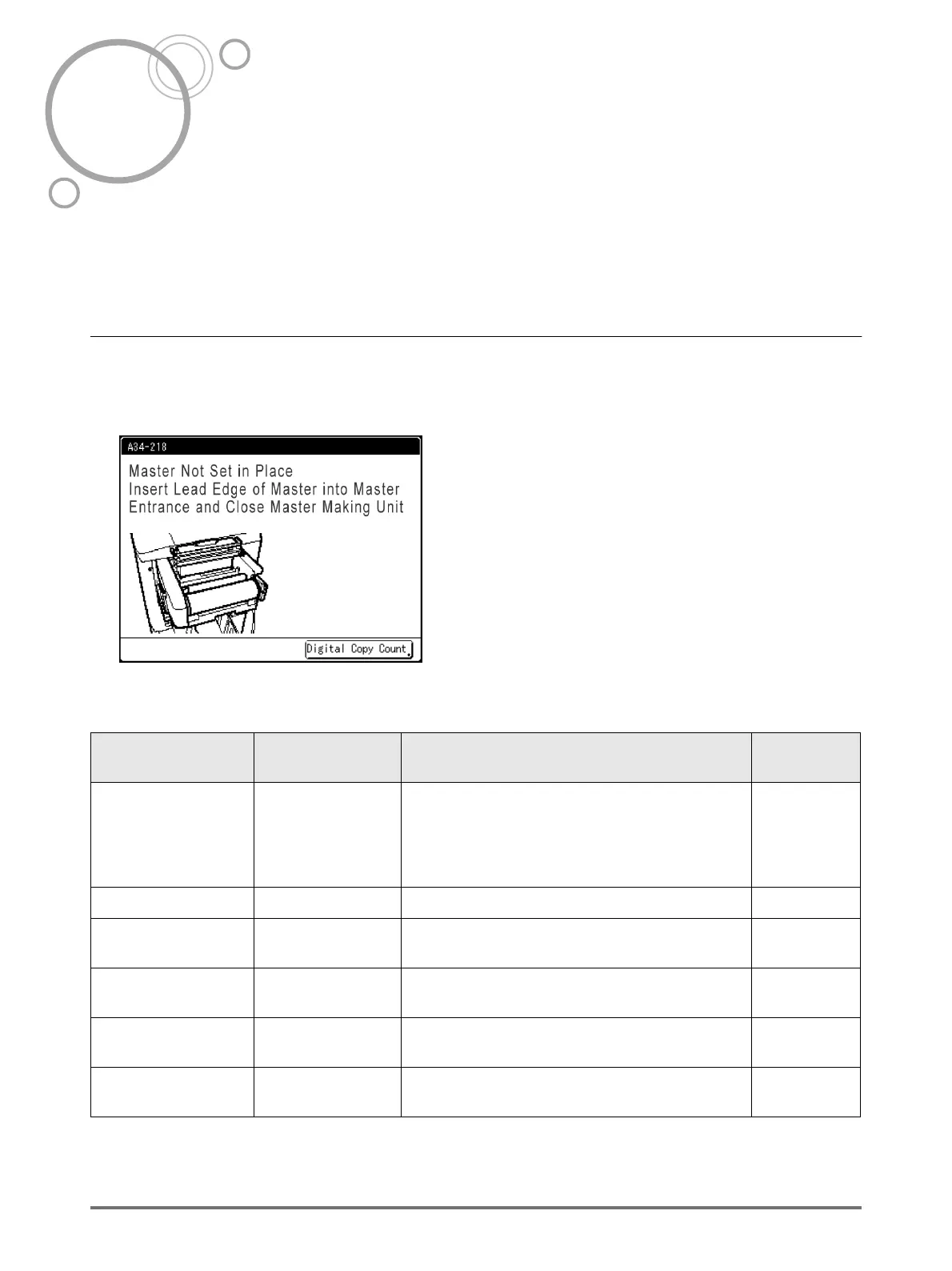
Error Message Layout
A message and a troubleshooting illustration will be displayed in accordance with the message type to show how to
resolve the problem.
1) Error Number
error type and error ID number
2) Error Messages
description of the error and actions to resolve the
problem
3) Graphic Area
visually demonstrates how to resolve the problem
4) Digital Copy Count
Touch to display the “Digital Copy Count” window
Error Number Error Types Description Reference
page
T00-000 Service Call Error
Errors that require repair or inspection by a
authorised service representative.
To resolve a Service Call Error, contact your dealer
(or authorised service representative) with the
error number.
)p.263
A00-000 Jam Error Displays when the master is jammed, etc.. )p.263
B00-000
Optional Device
Error
Displays when an error occurs on the optional
device or Linked Printer.
)p.264
C00-000 Consumable Error
Displays when a consumable such as ink or master
roll is depleted.
)p.266
D00-000 Installation Error
Displays when a part or unit is not properly
installed.
)p.266
J00-000 Paper Jam Error
Displays when an original document or printing
paper is jammed.
)p.269



 To Next Page