Replacing Consumables
Replacing the Print Drum
252
Installing the Print Drum
1
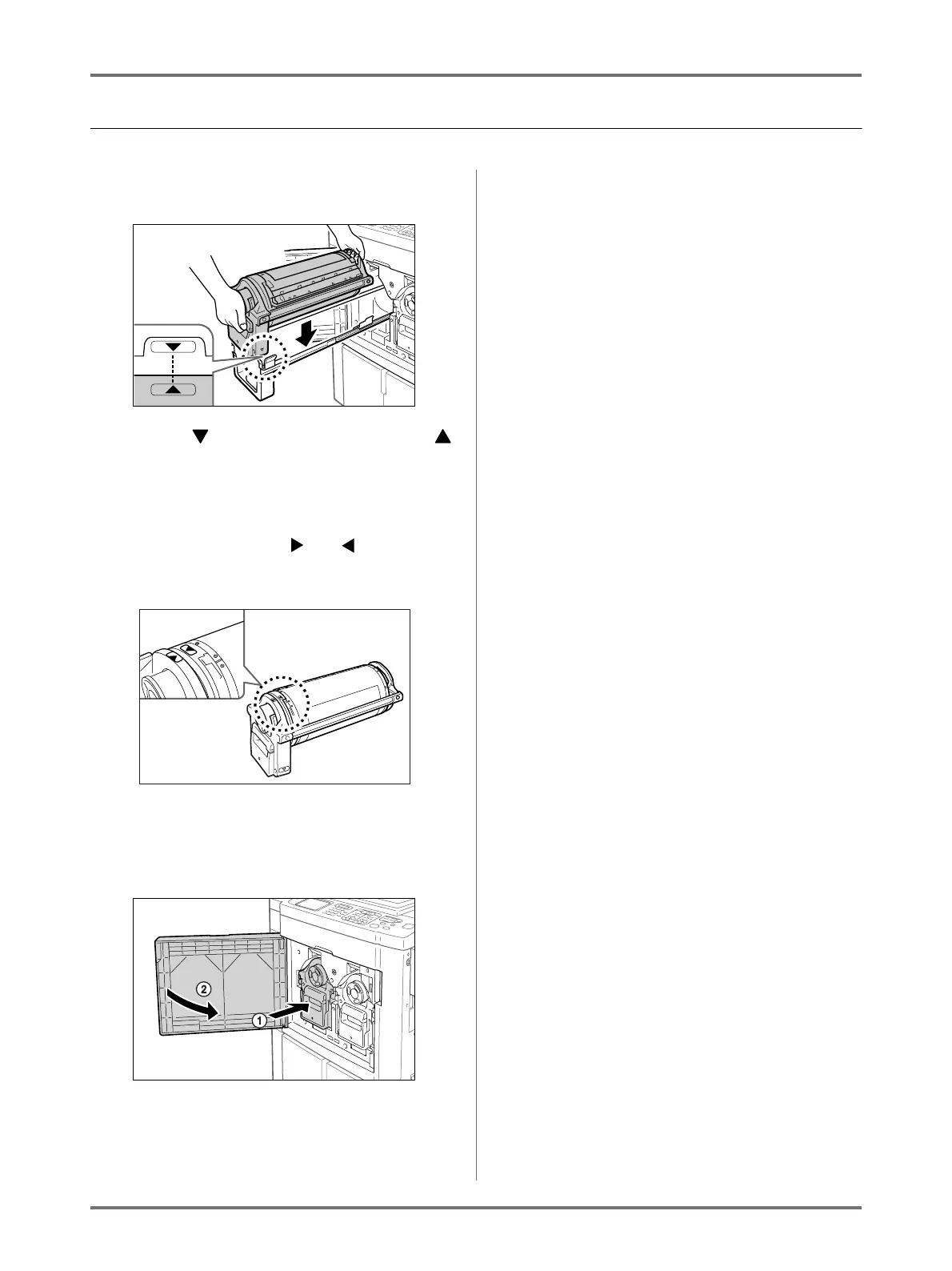
Place the Print Drum on the Rail.
Align the mark on the Print Drum with the
mark on the guide, and place the Print Drum hori-
zontally onto the guide.
Note:
• If the Print Drum was manually rotated, be sure
to turn it back so that and marks align,
after it is placed on the guide.
2
Return the Print Drum to its original
position.
Push the Print Drum in as far as it will go, and then
close the Front Cover.
Important!:
• Do not grasp the Print Drum Handle when
pushing in the Print Drum.



 To Next Page