Functions for Master-Making
Printing from Bound Documents [Book Shadow]
84
Printing from Bound Documents
[Book Shadow]
This function erases the shadows appearing in the binding “spine” in the centre as well as in the peripheral area when
printing from magazines and books.
The printer automatically determines the area to delete.
Important!:
• If “Book Shadow” is selected during colour printing, the settings are applied to both Drum 1 and Drum 2 (the setting
cannot be applied to just Drum 1 or just Drum 2).
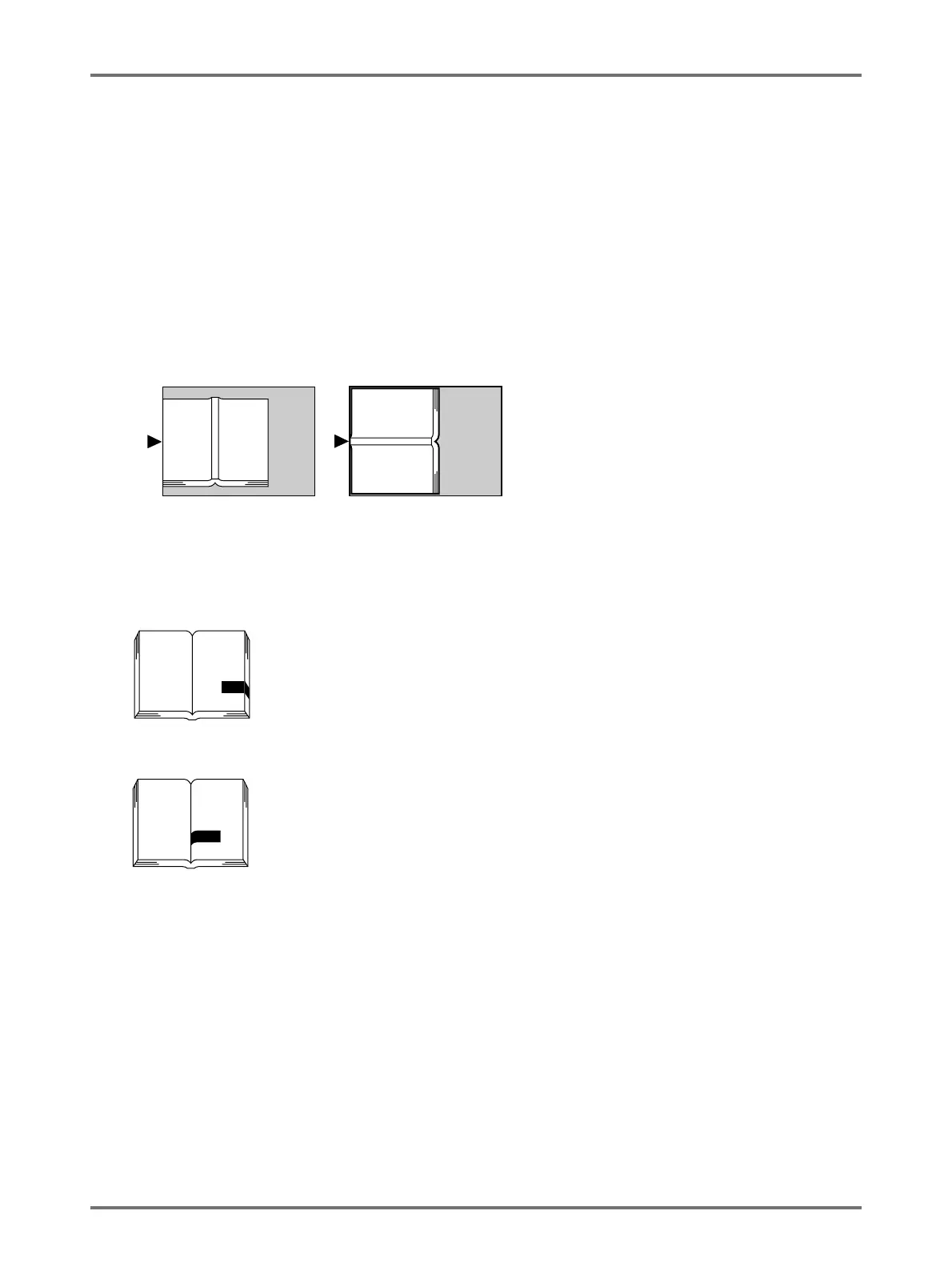
• The original must be placed as shown below. Align centre on the top edge. The shadows will be erased.
• “Book Shadow” is not available for bound books or magazines with images placed on the edge of the page or on
the binding as shown below.
– A continuous black image area (non-white) from the edge of the original
– A continuous black image area from the centre of the original
• “Ink Saving”, “Contrast” and “Easy 2Colour” functions are not available when “Book Shadow” is selected.
Note:
• If the Gauge Cover is installed, remove the Gauge Cover before using the “Book Shadow” to delete the appropriate
area.



 To Next Page