Changing the Print Speed [Print Speed Adjustment]
112
Functions for Printing
Changing the Print Speed
[Print Speed Adjustment]
You can select the print speed from five levels; from 60 to 120 copies/minute.
The print speed may be adjusted while printing is in progress.
Note:
• Set the default print speed on the Admin. screen.
The factory default is level 3 (approximately 100 copies/minute).
)p.174
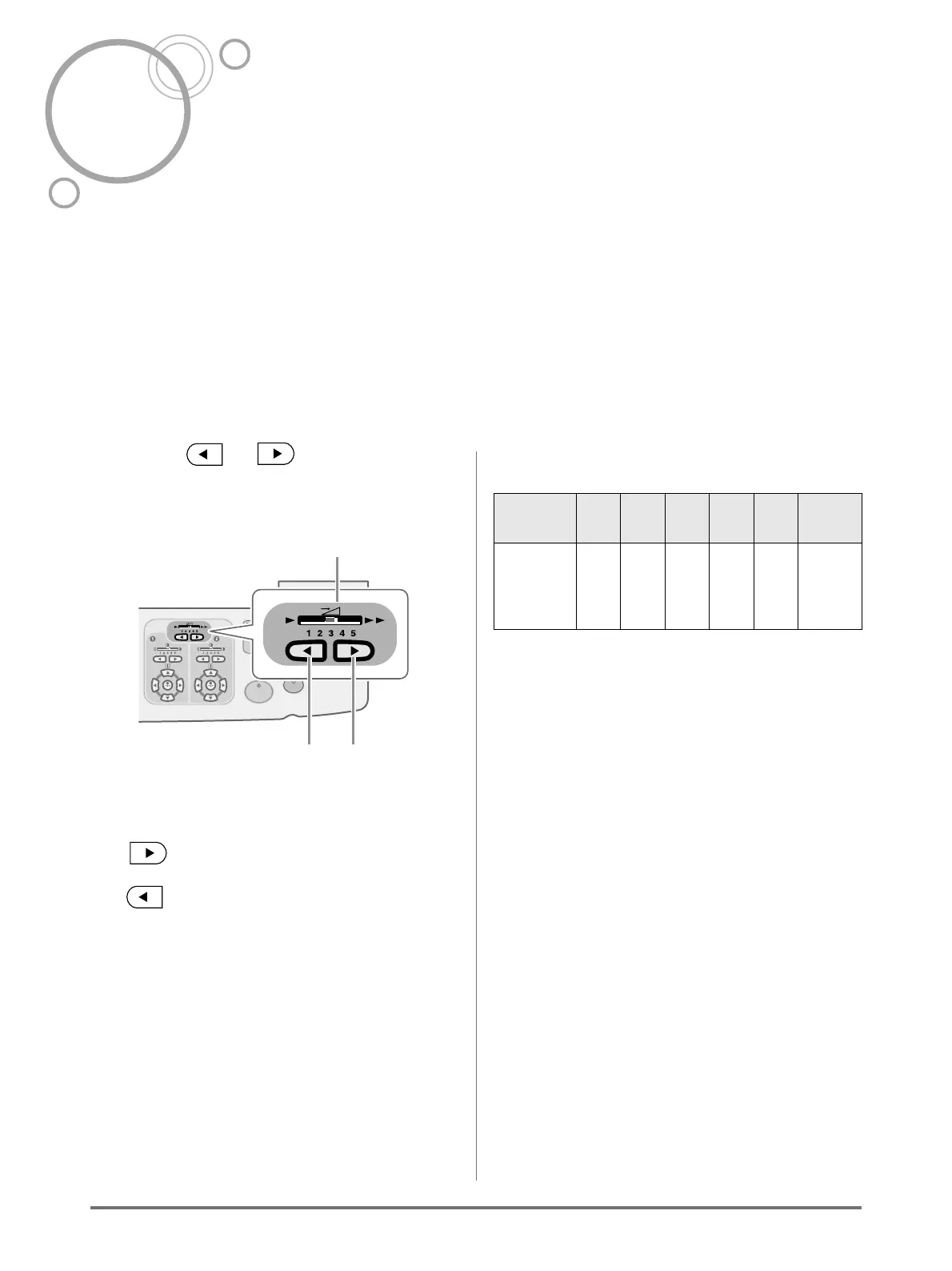
Press the or key to adjust the
print speed.
1) Print Speed Indicator
Shows the current print speed.
2) Key
Increases the print speed incrementally.
3) Key
Decreases the print speed incrementally.
Indicator level and print speed
*1: These are approximate ppm values.
*2: High-speed printing is set from "Functions" on the
display.
1
23
Indicator
Level
1 2 3 4 5 150
ppm
*2
Print
Speed
*1
(copies/
minute)
60 80 100 110 120 150



 To Next Page