Getting Acquainted
Display
25
Selecting a Mode
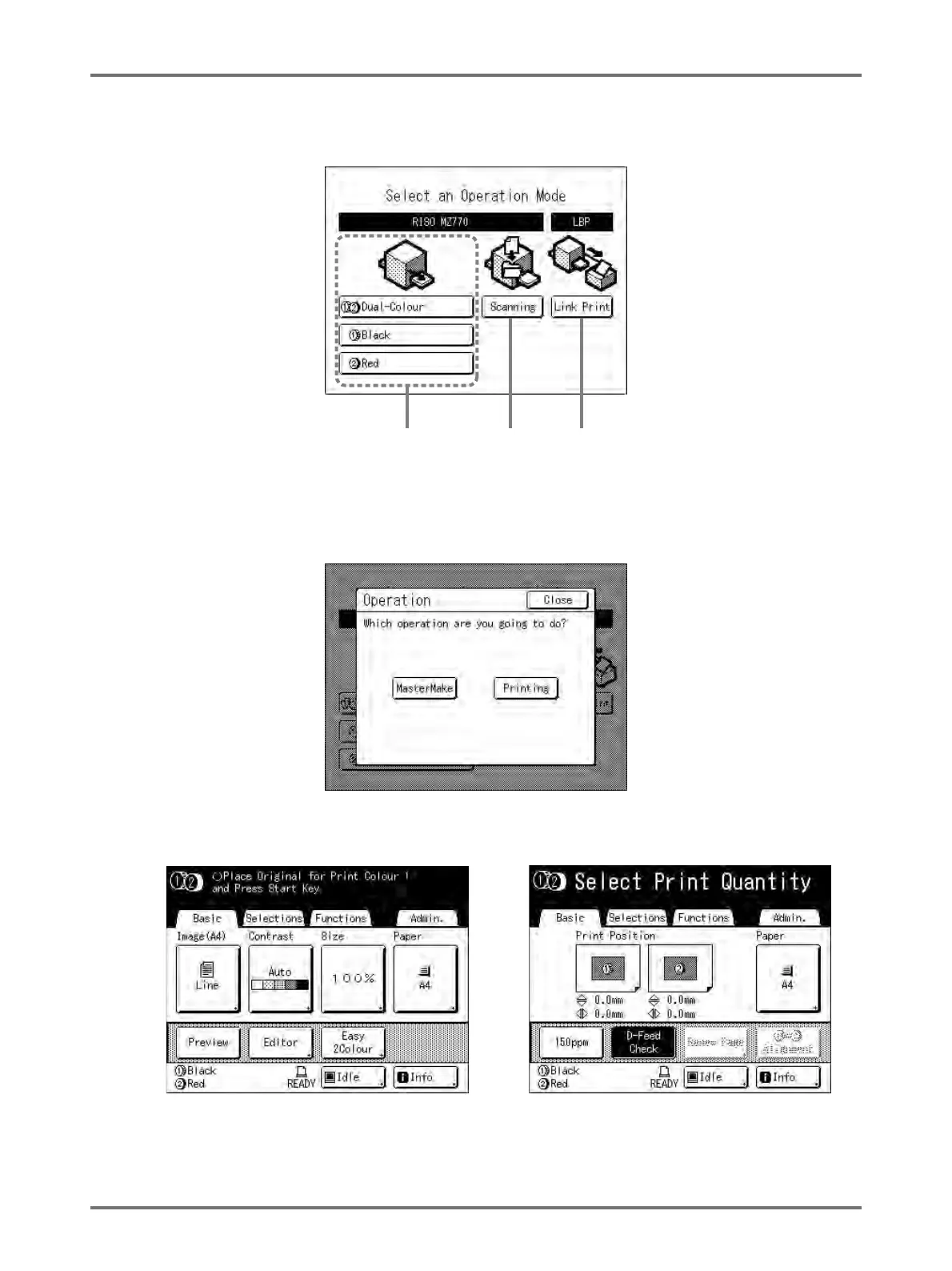
Touch the Mode button on the Mode Screen to view the basic screens of the various modes.
1) Colour Mode
Select the print type (2-Colour Print/1-Colour Print (Drum 1 only or Drum 2 only)) to display the Operation Selec-
tion Screen (MasterMake/Printing).
Note:
• The diagram above shows the basic screen for 2-Colour printing. The screen for 1-Colour printing is different.
• Touch [MasterMake] to display the Master
Making Basic Screen.
• Touch [Printing] to display the Print Basic Screen.
1) Colour
Mode
2) Scan
Mode
3) Link
Mode



 To Next Page