When using a Linked Printer (sold separately)
Setting up a Linked Printer [Link Properties]
227
Setting up a Linked Printer
1
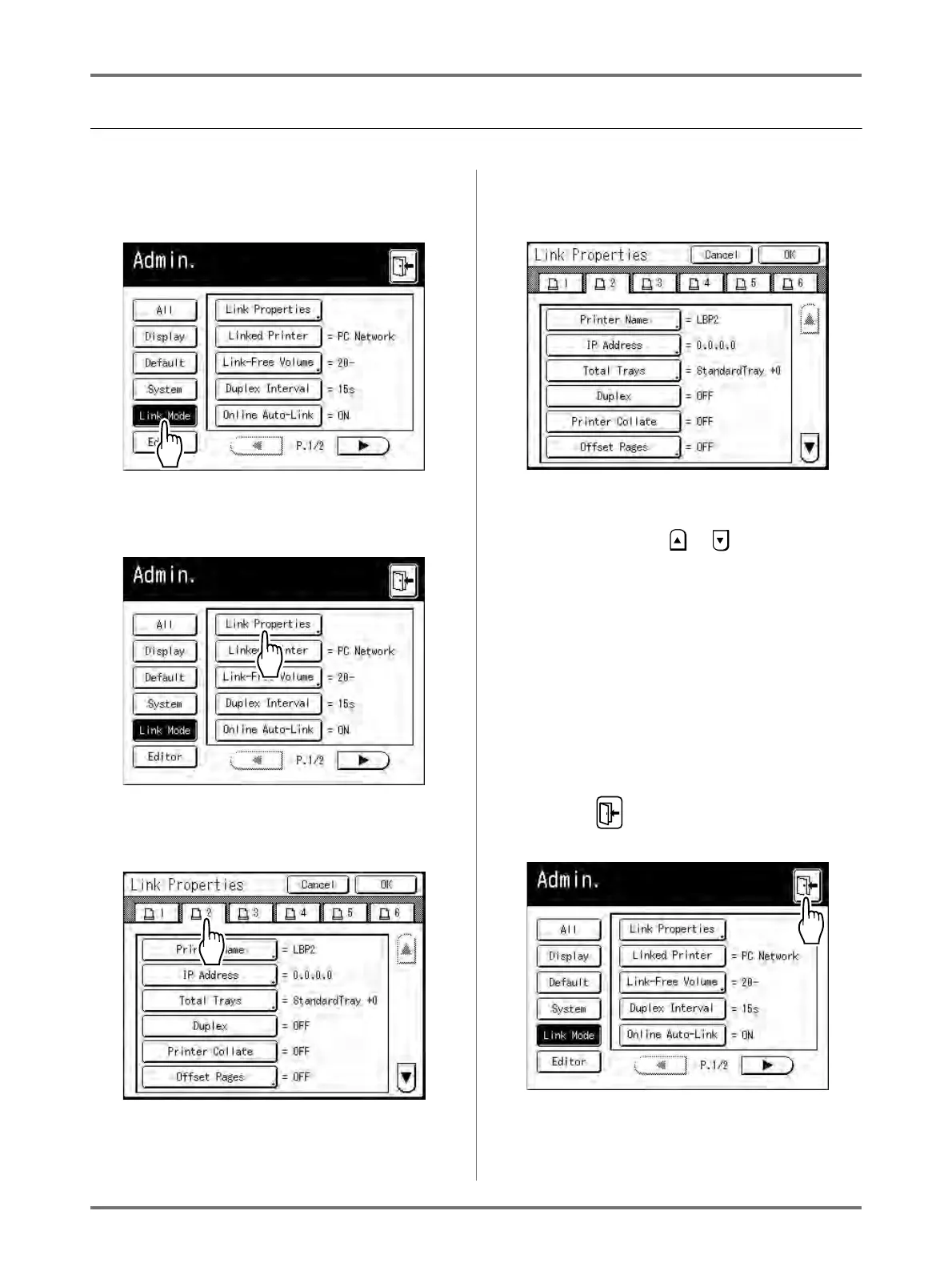
Touch [Link Mode] on the Admin.
screen.
2
Touch [Link Properties].
3
Select a tab for the Linked Printer.
Note:
• Up to 6 Linked Printers may be entered.
4
Select the button to enter informa-
tion.
Note:
• To display other functions that are not visible on
the screen, touch or .
5
Change settings.
See “Linked Printer Setup List” ()p.224) to
change settings.
Note:
• If the function has additional Setup screens,
enter necessary settings then touch [OK].
Returns to the Link Properties screen. The
changes are updated. Touch [Cancel] to can-
cel the changes and return to the Link
Properties screen.
6
Touch .
Returns to the Basic Screen. “Admin.” settings are
updated.



 To Next Page