Functions for Master-Making
Checking the Print Image Prior to Making Master [Preview]
109
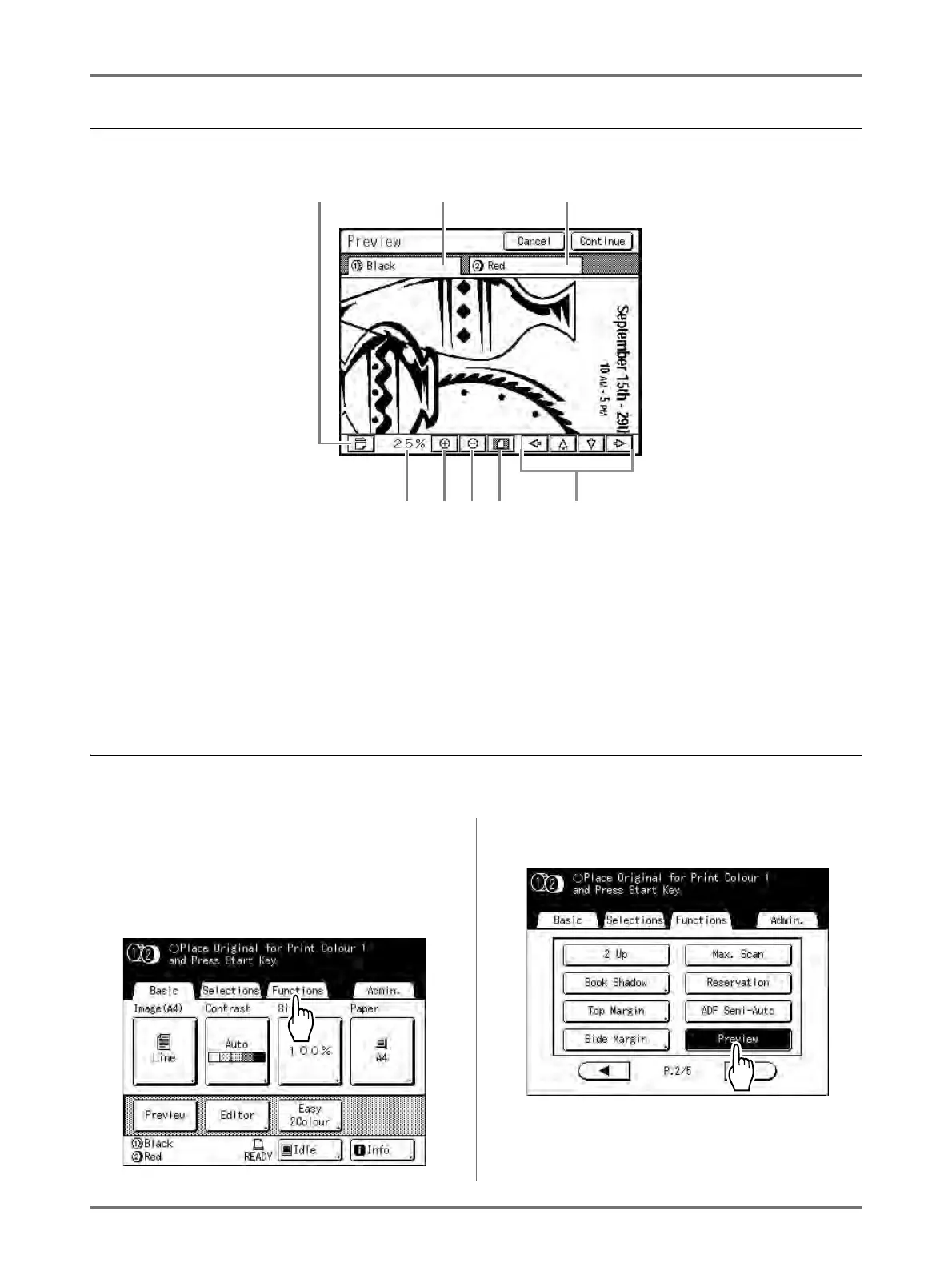
Actions Available on the Preview Screen
1) Rotate Image Button
Allows you to rotate the displayed image 90 degrees.
2) Drum 1 Original
3) Drum 2 Original
4) Scroll Button
The image moves in the direction of the displayed arrow.
5) Show All Button
Shows the entire image.
6) Reduce Button
Shrinks the preview display each time it is touched.
7) Magnify Button
Magnifies the preview display each time it is touched.
8) Displays the size of the current display.
Setting and Printing the Preview Display
The operational procedures for “Printing Hardcopy” are explained below.
1
Place an original and load paper.
2
Touch [Functions] on the Master
Making Basic Screen.
3
Touch [Preview].
Preview setting is updated.
1
2
3
4
5678



 To Next Page