Functions for Printing
Printing at High Speed [150ppm]
113
Printing at High Speed [150ppm]
By using “150ppm”, you can print faster than if you were to simply adjust the “Print Speed”.
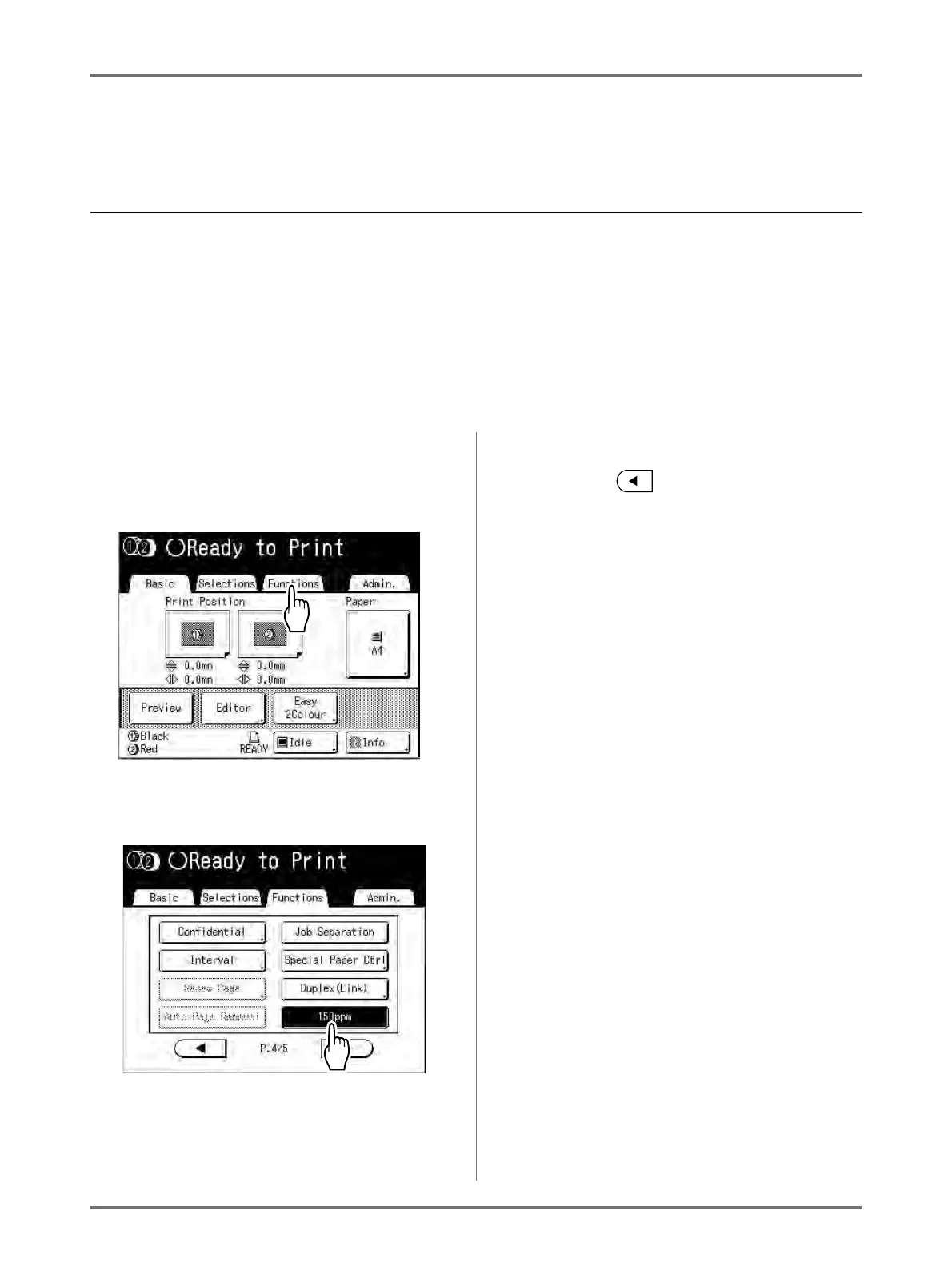
Setting “150ppm”
By registering to the Direct Access area, you can set “150ppm” by a single touch during a printing process.
)p.182
“150ppm” cannot be used in the following cases:
• When Printing with A4, B5, Letter sizes, using only Drum 2 for 1-Colour printing
• When used in an environment in which the temperature is less than 15°C.
Important!:
• Use the normal print speed adjustment (1 to 5) until the internal temperature of the machine is higher than 15°C.
The time it takes for the internal temperature to rise depends upon the machine environment.
1
Touch [Functions] on the Master
Making Basic Screen or the Print
Basic Screen.
2
Touch [150ppm].
150ppm setting is updated.
Note:
• To slow down printing speed from “150ppm”,
press the key on “Print Speed”
adjustment keys/indicator.



 To Next Page