Storage and Scan Modes (Option)
2-Colour Printing with the Original and Storage Data [Stamp]
211
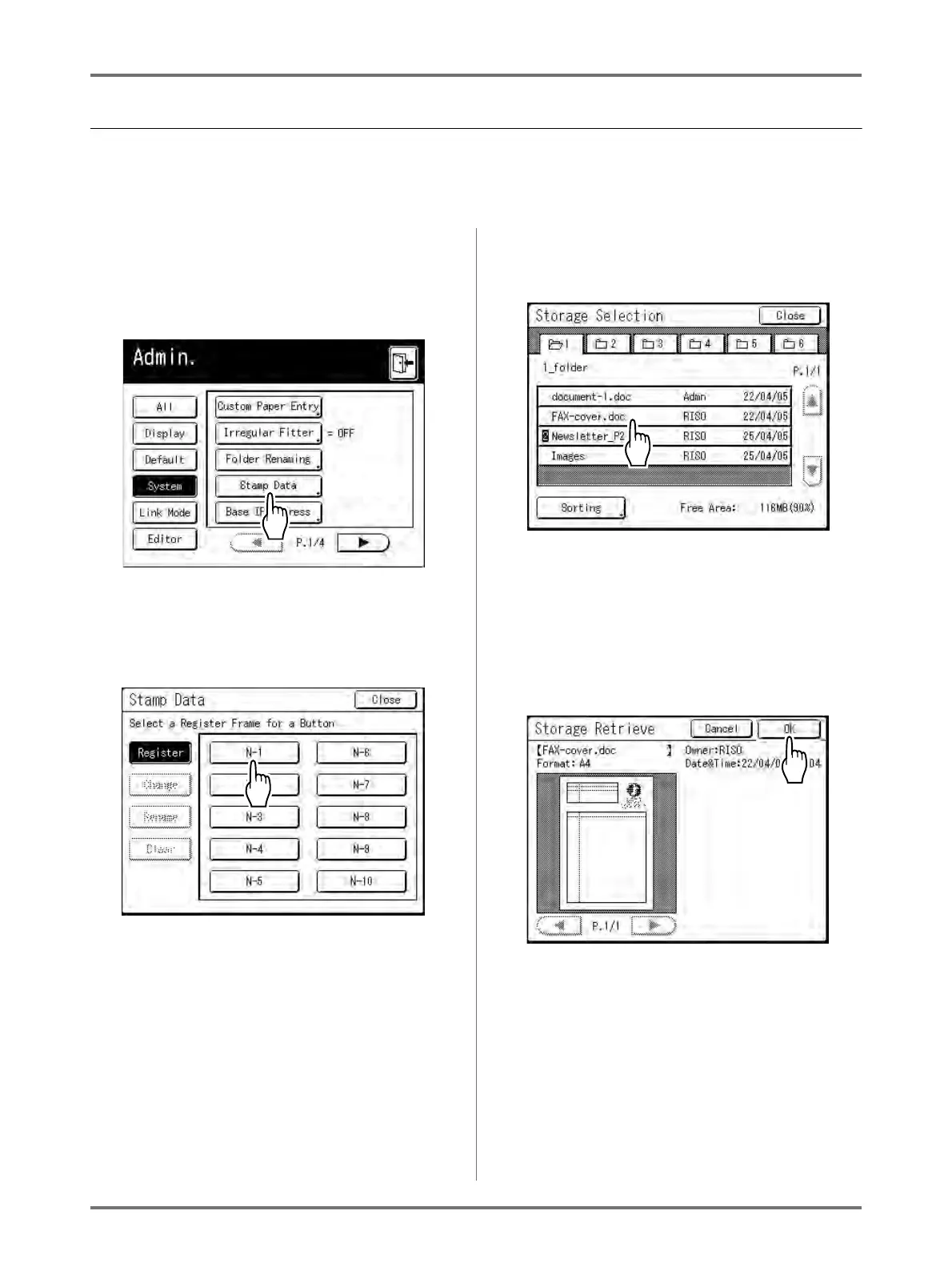
Registering a Stamp Data to insert
Stamp data must be pre-registered from storage data.
Up to 10 data can be registered as Stamp Data.
See )p.194 for information on creating storage data.
1
Touch [Stamp Data] on the Admin.
screen.
See )p.173 for operational details of the Admin.
screen.
The Stamp Data screen appears.
2
Touch an unused button.
Unused buttons are displayed with a solid line.
Greyed-out buttons are not available (registered
another data).
3
Select the storage data to use as the
[Stamp].
Note:
• See )p.204 for details on using the Storage
Selection screen.
4
Confirm the storage data and touch
[OK].
Note:
• See )p.206 for information about the Storage
Retrieve screen.
Returns to the Stamp Data screen.



 To Next Page