Advanced Features
Registering a Custom Paper Size [Custom Paper Entry]
189
Deleting a Custom Paper Size
1
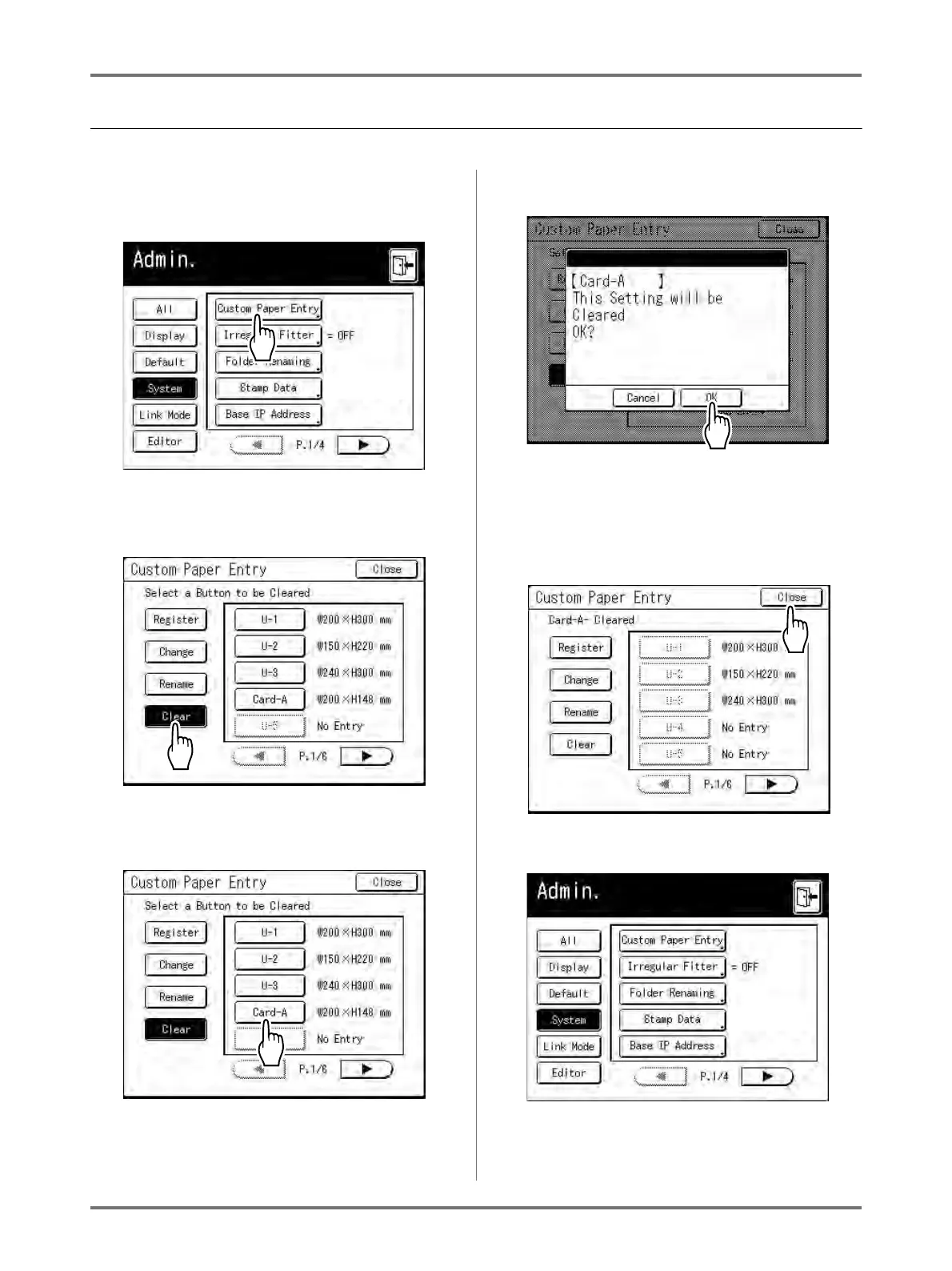
Touch [Custom Paper Entry] on the
Admin. screen.
2
Touch [Clear].
3
Select the paper size to delete.
4
Touch [OK].
Returns to the Custom Paper Entry screen. The
selected paper size is deleted.
5
Touch [Close].
The following screen appears.
Returns to the Admin. screen. Paper size is
updated.



 To Next Page