Advanced Features
Automatic Sorting Into Groups [Programme]
139
Saving Programmes
Store frequently-used Programme settings for later retrieval and printing.
A total of 12 settings (Single Page Mode, Multi-Page Mode Mode or Combination Print) can be stored.
1
Create and enter a Programmed
Printing settings.
Follow steps 1-3 in “Setting Up for Programmed
Printing” ()p.136).
2
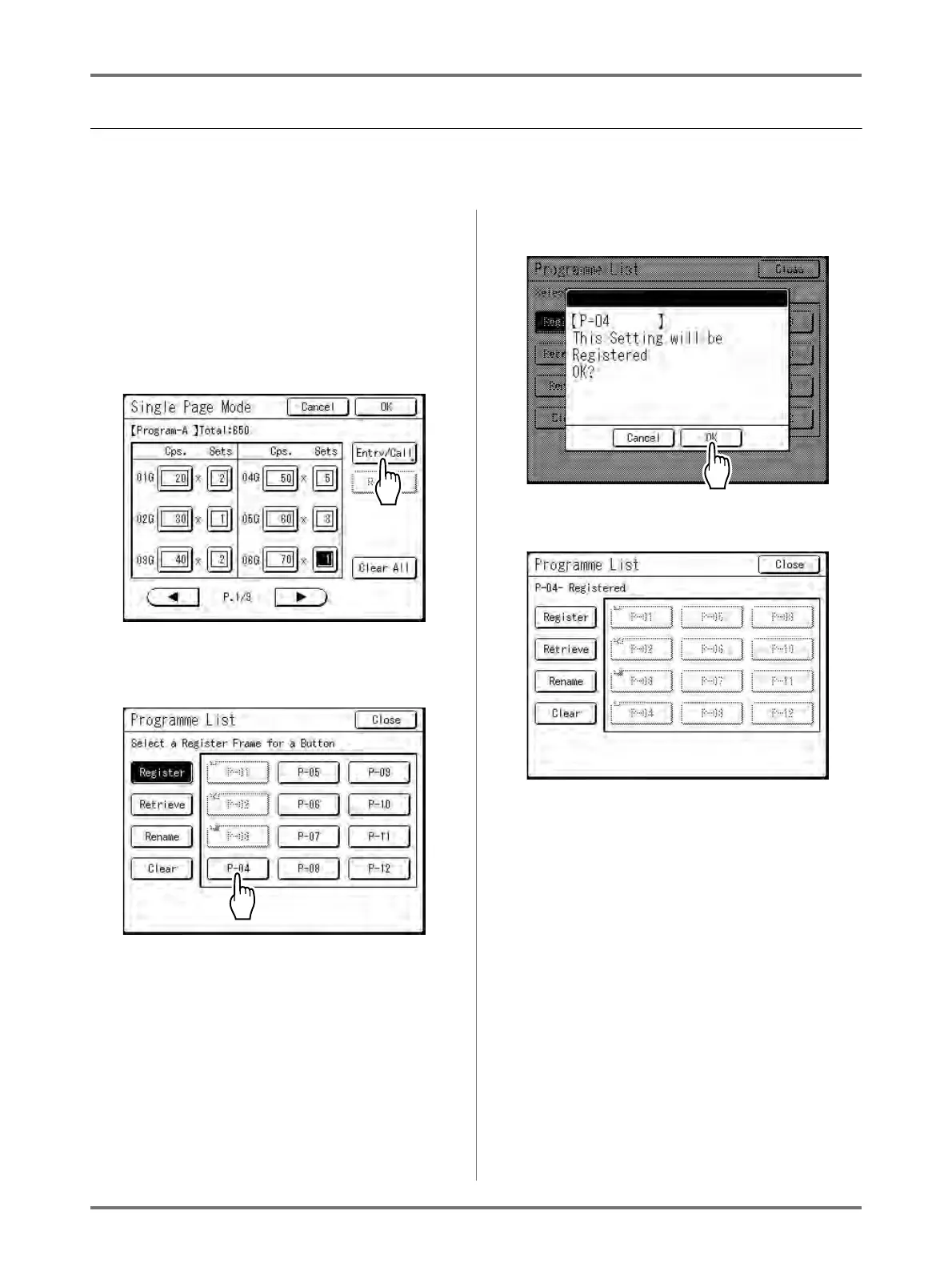
Touch [Entry/Call] on the Pro-
gramme screen.
3
Touch an unused button.
Touch a button displayed with solid lines. Greyed-
out buttons are not available (already associated
with another programme).
4
Touch [OK].
The following screen appears.
Returns to the Programme List screen. The Pro-
gramme is stored.
Each Programme can be named for your con-
venience. See step 3 in “Renaming a Pro-
gramme” ()p.141).
Note:
• After saving the Programme, touch [Close] on
the Programme List screen to return to the Pro-
gramme screen.



 To Next Page