Storage and Scan Modes (Option)
2-Colour Printing with the Original and Storage Data [Stamp]
213
Renaming the Stamp Data
1
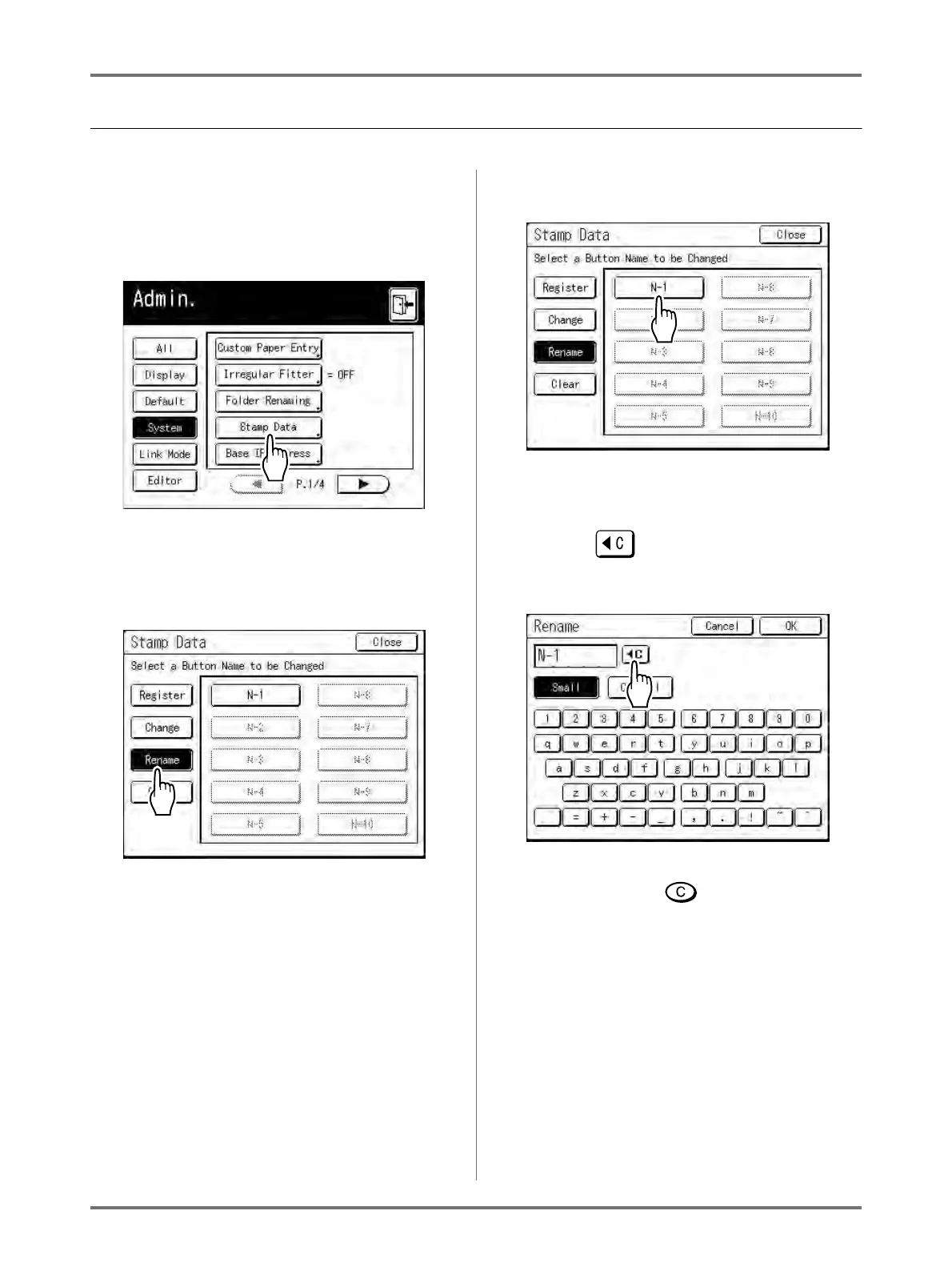
Touch [Stamp Data] on the Admin.
screen.
See )p.173 for operational details of the Admin.
screen.
The Stamp Data screen appears.
2
Touch [Rename].
3
Touch the buttun to rename.
Greyed-out buttons are not available (no Stamp
Data has been registered yet).
4
Touch to delete the existing
name.
Note:
• You can also use button to clear the entry.
5
Touch character buttons to enter a
new name.
Change capitalization by selecting [Small] or
[Capital] button.
• See )p.142 for renaming screen.



 To Next Page