Advanced Features
Automatic Sorting Into Groups [Programme]
142
5
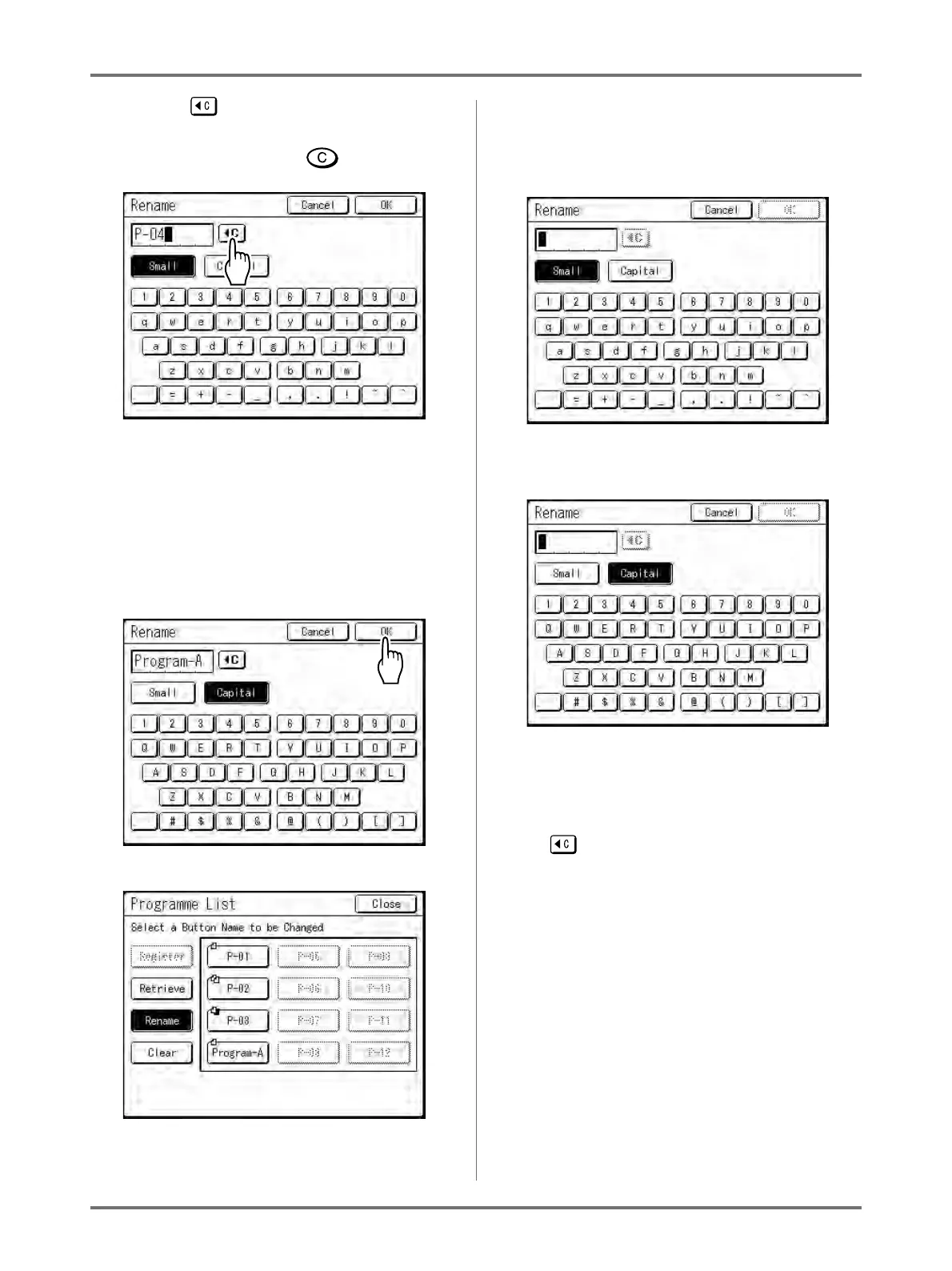
Touch to delete the current name
Note:
• You can also press the key to delete.
6
Touch character buttons to enter a
new name.
Change capitalization be selecting [Small] or
[Capital] button.
)p.142
7
When entered, touch [OK].
The following screen appears.
Returns to the Programme List screen. The pro-
gramme is renamed.
Tip:
Rename Screen
Small
Capital
Note:
• You can enter up to 10 characters.
• Print Quantity Keys may also be used for enter-
ing numbers.
• button clears previously saved or current
entry. Touch to clear one character at a time.



 To Next Page