Functions for Master-Making
Enlarging/Reducing Originals [Standard Ratio] [Free] [Margin+] [Zoom]
80
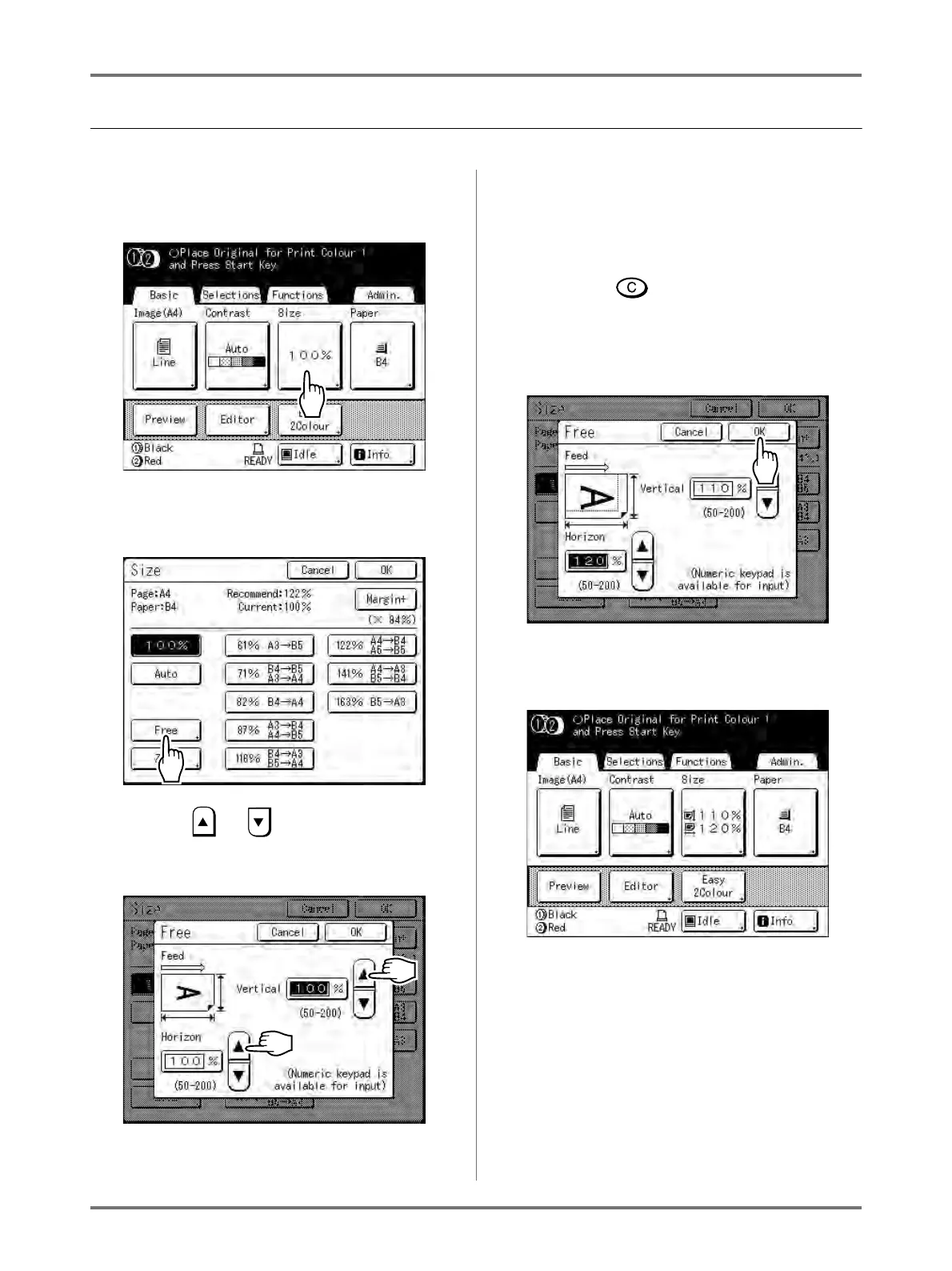
Magnification/Reduction of a Changed Aspect Ration [Free]
1
Touch [Size] on the Master Making
Basic Screen.
2
Touch [Free].
3
Touch or to adjust zoom ratio
in horizontal or vertical directions.
The reproduction size can be increased/
decreased in increments of 1%.
Note:
• Print Quantity Keys can also be used to enter
numbers.
• Press the key to restore the original size
(100%).
4
Touch [OK].
Returns to the Master Making Basic Screen. Size
is updated.



 To Next Page