Functions for Master-Making
Selecting Scanning Contrast for the Original [Contrast]
77
Selecting Scanning Contrast for the Original
[Contrast]
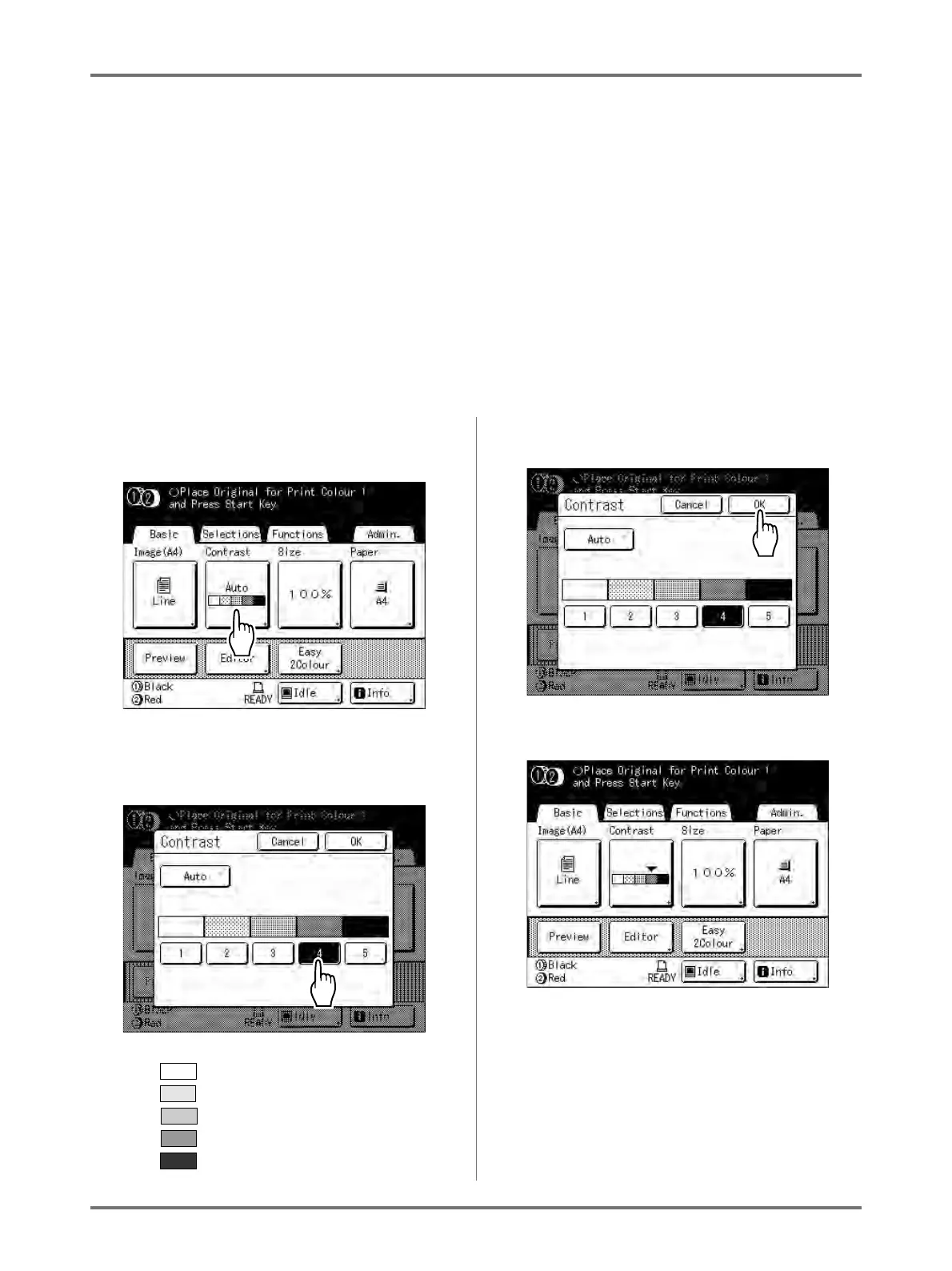
Scanning contrast can be adjusted to accommodate background colour or ink density of the original.
Specify by selecting Auto or numeric levels (1-5).
In the Auto mode, “Contrast” is automatically adjusted to the background colour of the original for printing.
Important!:
• “Auto” is available only when Image Processing mode has been set to “Line”.
)p.70
Note:
• Default Scanning Contrast can be set on the Admin. screen.
)p.173
1
Touch [Contrast] on the Master Mak-
ing Basic Screen.
2
Touch the desired contrast or
[Auto].
Levels of scanning contrast
1) : Very Light
2) : Light
3) : Standard
4) : Dark
5) : Very Dark
3
Touch [OK].
The following screen appears.
Returns to the Master Making Basic Screen. Con-
trast is updated.



 To Next Page