Functions for Printing
Adjusting the Print Density [Print Density Adjustment]
114
Adjusting the Print Density
[Print Density Adjustment]
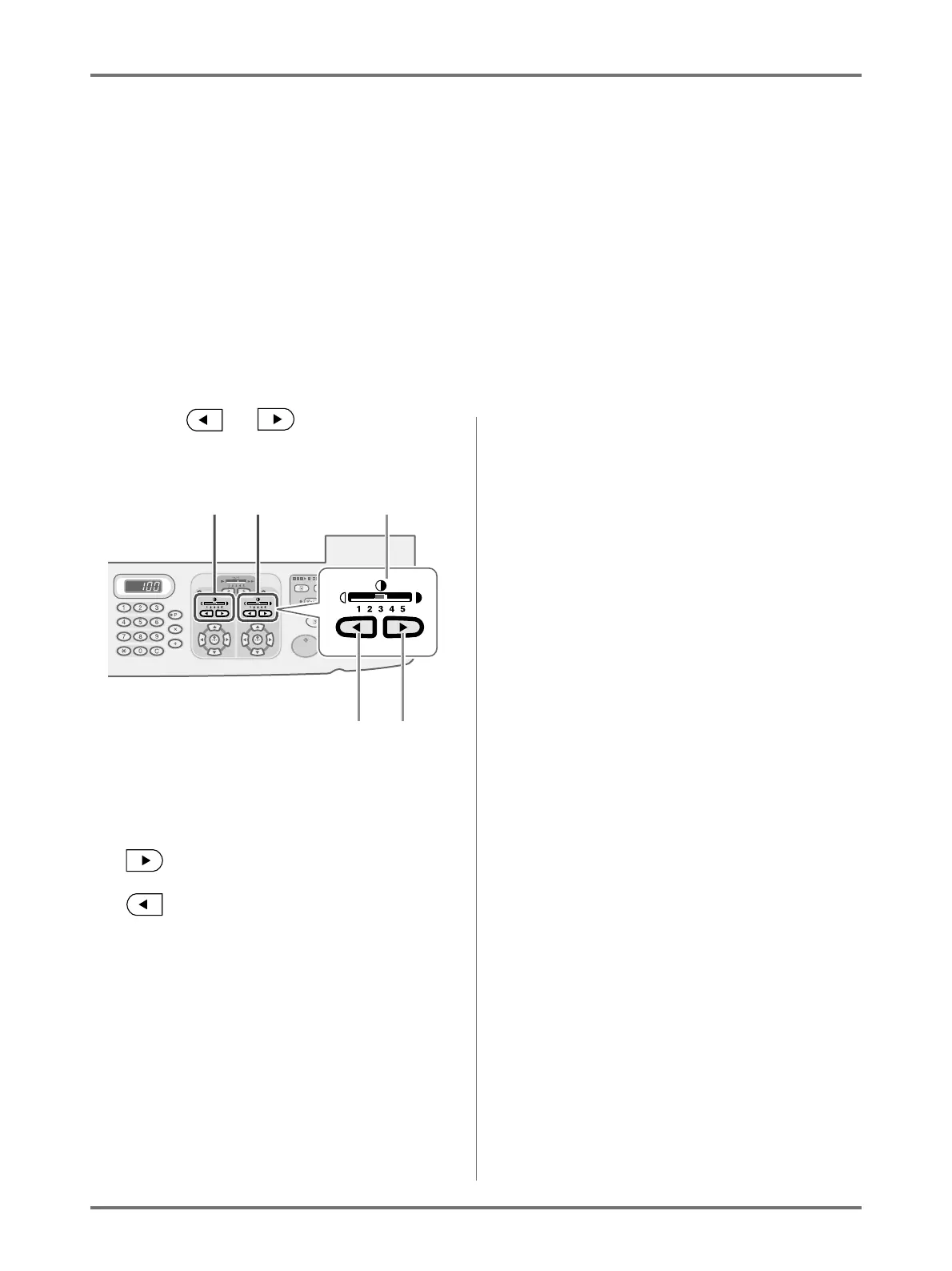
You can select the print density from five levels, by each drum.
The print density may be adjusted while printing is in progress.
Important!:
• “Print Density” is not available when [Ink Saving] is selected.
)p.86
Note:
• The default print density can be set on the Admin. screen.
The factory default is set at level 3 (Standard).
)p.174
Press the or key to adjust the
print density.
1) Adjusting the print density used for Drum 1
2) Adjusting the print density used for Drum 2
3) Print Density Indicator
Shows the current print density.
4) Key
Increases the print density incrementally.
5) Key
Decreases the print density incrementally.
12
54
3



 To Next Page