Functions for Printing
Prevent Paper Jams When Using Special Paper [D-Feed Check]
119
Prevent Paper Jams When Using Special
Paper
[D-Feed Check]
This printer monitors for multiple paper feeds. If a feed of more than one sheet is detected, the print job automatically
stops and “D-Feed Check” is executed.
The multiple paper feed detector is calibrated for normal print paper. Paper jams or errors may be displayed depend-
ing upon the type of paper used. In the following instances, please set “D-Feed Check” to “OFF”.
• When a multi-feed detection message is occasionally displayed, even though no multi-feed has occurred
• When using dark paper (black, red, dark blue)
• When using paper already printed on the back side
Note:
• In the factory setting, “D-Feed Check” is set to “ON”.
)p.174
1
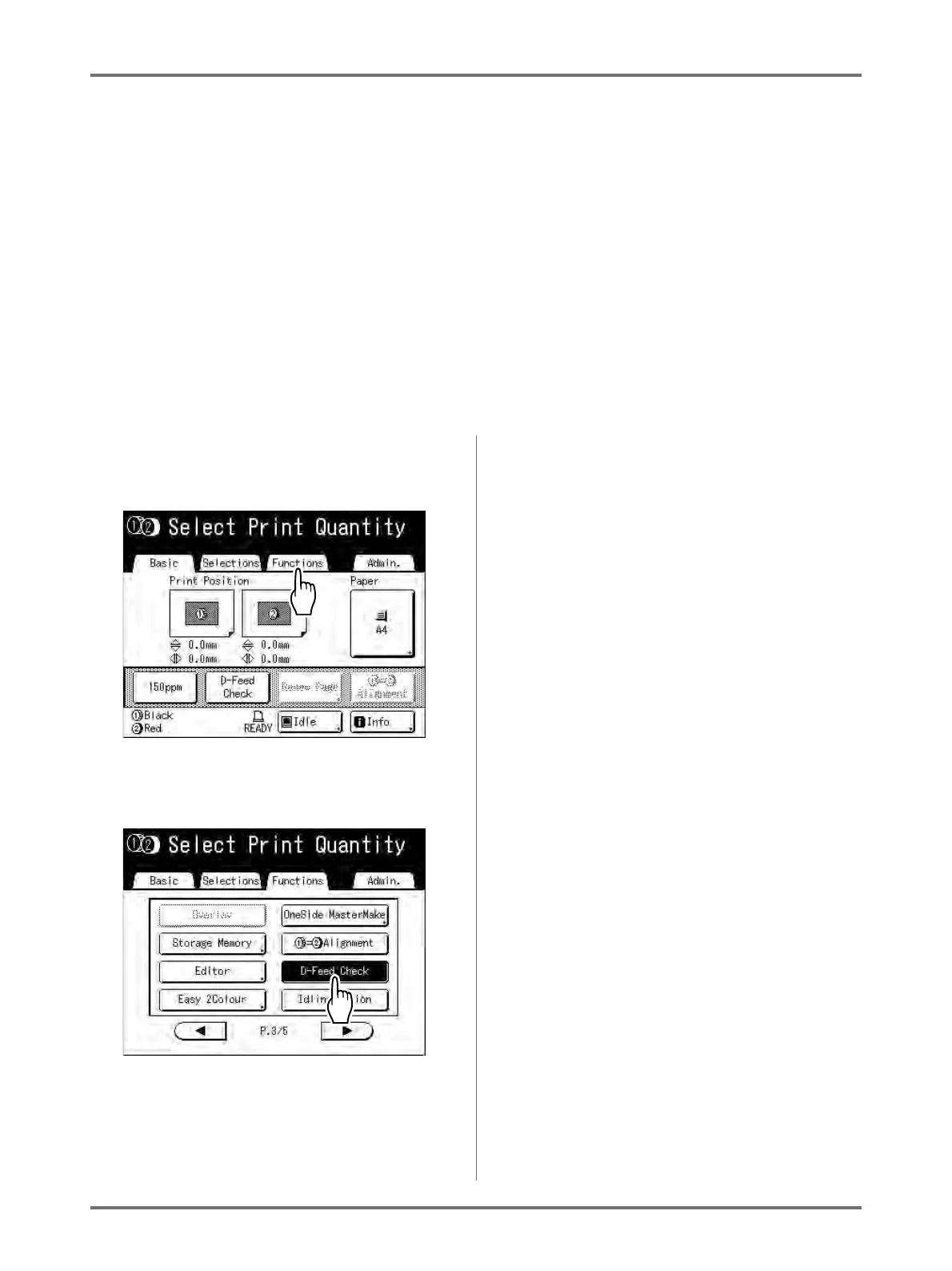
Touch [Functions] on the Print Basic
Screen.
2
Touch [D-Feed Check].
The button changes from being highlighted (b/w)
to the normal display, and “D-Feed Check” is set
to “OFF”.



 To Next Page